Mover Context
GS_MoverContextComponent is the coordinator that sits above the movers and owns the movement state for a unit. It does not move the character itself — it decides which mover runs, transforms input into the correct movement vector, and exposes state to every other system that needs to know what the character is doing.
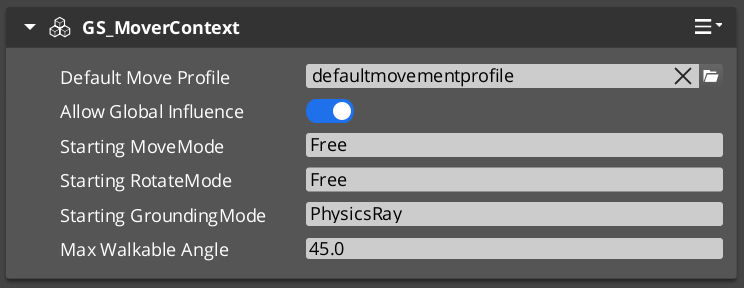
Add exactly one GS_MoverContextComponent to any unit that uses movers.
For architecture details, component properties, and extending the system in C++, see the Framework API: Mover Context.
Contents
- Movement Modes
- Context States
- Input Axis Transformation
- Movement Profile Priority
- Script Canvas Examples
- Quick Reference
- Glossary
- See Also
Movement Modes
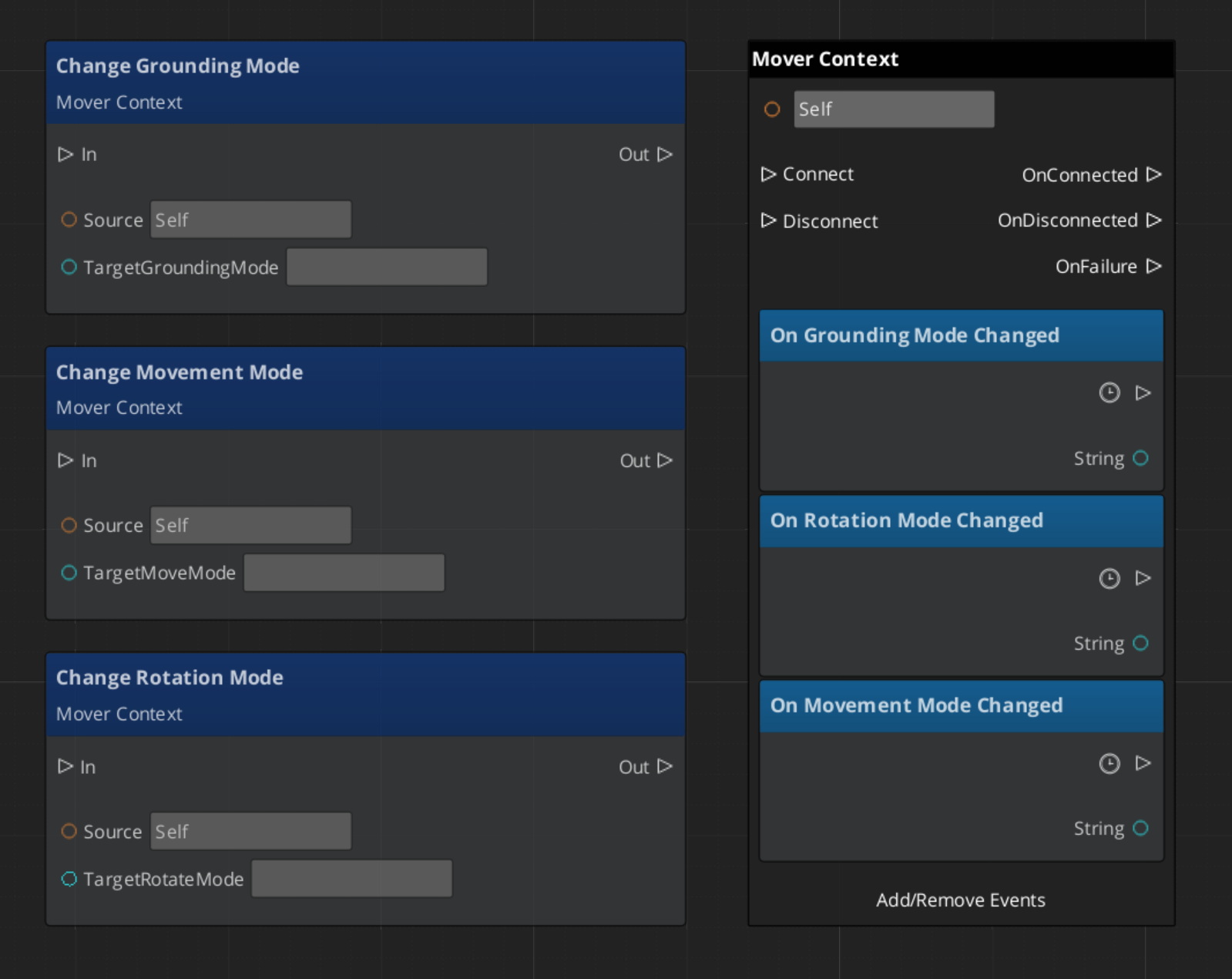
The Mover Context uses three independent mode tracks — movement, rotation, and grounding — each holding a named string. Only the mover or grounder whose assigned mode name matches the active mode on that track will run. All others stay dormant.
| Track | Controls | Example modes |
|---|---|---|
| Movement | Which mover applies velocity each frame | "Free", "Slide" |
| Rotation | Which component rotates the character | "Free", "Locked" |
| Grounding | Which grounder runs surface detection | "Free", "Disabled" |
The three tracks are independent — changing the movement mode does not reset rotation or grounding.
Reverting Modes
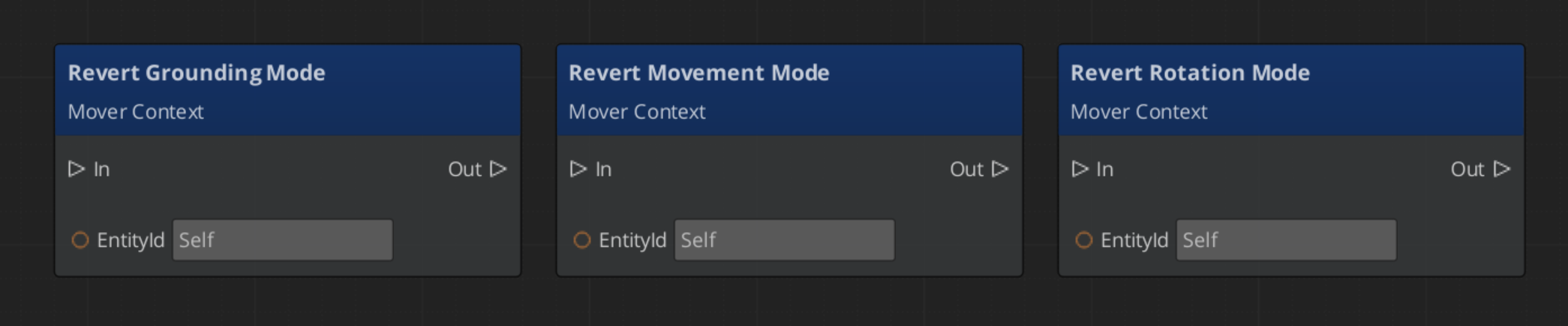
Every mode change stores the previous value. Calling RevertToLastMovementMode, RevertToLastRotationMode, or RevertToLastGroundingMode restores it. This is how the Slide mover hands control back to Free movement after a slope is cleared — without needing to know what mode was active before.
Context States
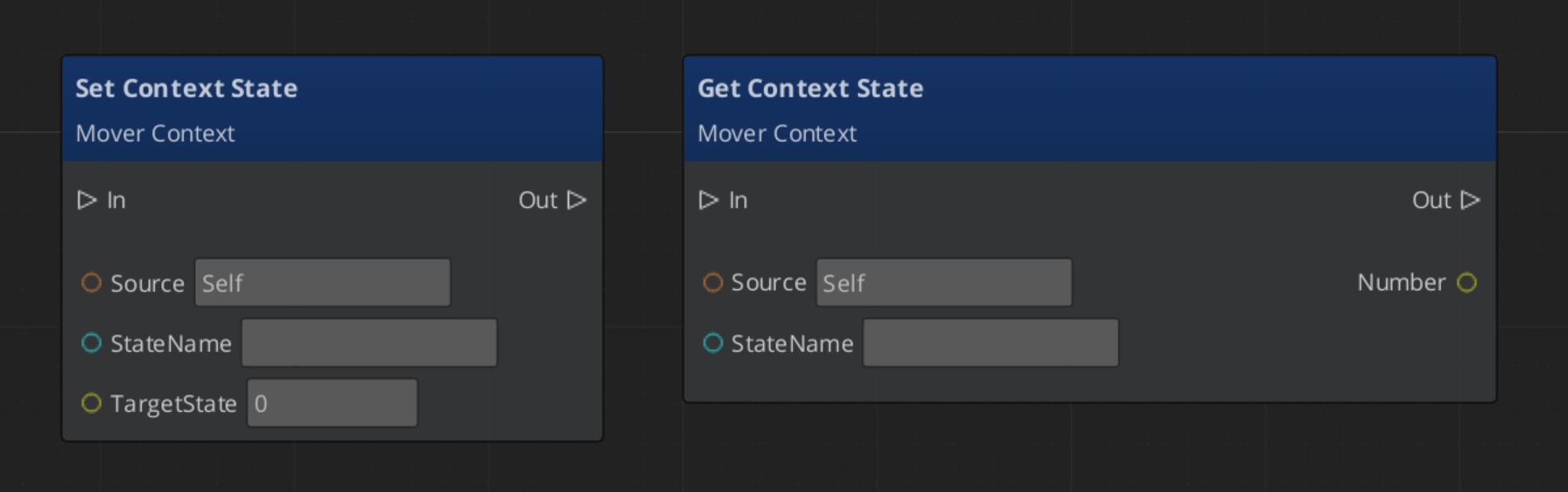
Context states are named key/value pairs stored on the Mover Context. Any component can write or read them via MoverContextRequestBus. They provide a lightweight shared blackboard for movement systems to coordinate without direct dependencies.
| Built-in State | Values | Meaning |
|---|---|---|
"grounding" | 0 — Falling | No surface contact. |
1 — Grounded | Stable surface contact. | |
2 — Sliding | Surface too steep to stand. Slide mover will activate. | |
"StopMovement" | 1 — Active | Halts all mover velocity processing for this frame. |
The grounder writes "grounding" each frame. The Slide mover writes it back to 0 or 1 when the slope clears. Your own companion components can write custom states in the same way.
Input Axis Transformation
The Mover Context processes raw input through two transformations before handing it to the active mover.
| Step | Method | What It Does |
|---|---|---|
| Raw input | SetMoveInputAxis | Written by the input reactor. Screen-space direction. |
| 1 — Camera-relative | ModifyInputAxis() | Rotates the axis to align with the active camera’s facing. |
| 2 — Ground-projected | GroundInputAxis() | Projects onto the contact surface to prevent skating above or below terrain. |
Movers read the ground-projected axis. Both intermediate values are available via bus if a component needs an earlier stage.
Movement Profile Priority
The Mover Context resolves which GS_UnitMovementProfile governs the unit’s locomotion parameters at runtime using a priority stack:
- Influence fields — Any
MovementInfluenceFieldComponentorGlobalMovementInfluenceComponentthat has added a profile to the unit. Highest priority. Multiple influences are stacked additively. - Global profile — The scene-level default from
GlobalMovementRequestBus. Applied when no influence overrides are active. - Default profile — The profile assigned directly to the
GS_MoverContextComponent. Used as the final fallback.
To change a unit’s movement feel in a specific area, place a MovementInfluenceFieldComponent with a volume shape and assign an alternate profile to it. The unit’s own component property does not need to change.
Script Canvas Examples
Changing movement mode:
Reverting to the previous movement mode:
Setting a context state flag:
Quick Reference
| Need | Bus | Method |
|---|---|---|
| Change active movement mode | MoverContextRequestBus | ChangeMovementMode(modeName) |
| Restore previous movement mode | MoverContextRequestBus | RevertToLastMovementMode() |
| Read the ground-projected input | MoverContextRequestBus | GetGroundMoveInputAxis() |
| Write a context state | MoverContextRequestBus | SetMoverState(name, value) |
| Read a context state | MoverContextRequestBus | GetMoverState(name) |
| Push a movement profile override | MoverContextRequestBus | AddMovementProfile(influencer, profile) |
| Remove a profile override | MoverContextRequestBus | RemoveMovementProfile(influencer) |
| Listen for mode changes | MoverContextNotificationBus | MovementModeChanged, GroundingModeChanged |
| Listen for state changes | MoverContextNotificationBus | MoverStateChanged |
Glossary
| Term | Meaning |
|---|---|
| Mover Context | The coordinator component that owns movement state, selects the active mover, and transforms input each frame |
| Movement Mode | A named string on a mode track that determines which mover or grounder is active |
| Context State | A named key/value pair on the Mover Context used as a shared blackboard between movement components |
| Input Axis | The movement direction written by input reactors, transformed through camera-relative and ground-projected stages |
| Movement Profile | A data asset storing locomotion parameters (speed, acceleration, jump force) for a unit |
For full definitions, see the Glossary.
See Also
For the full API, component properties, and C++ extension guide:
For related systems:
Get GS_Unit
GS_Unit — Explore this gem on the product page and add it to your project.