Movement
The Movement system is a composable stack of components that each handle one concern of character locomotion. Movers define the core behavior, grounders report surface contact, the Mover Context manages which mover is active and what movement state the character is in, influence fields apply external forces, and Movement Profiles store the parameters that govern all of it. You assemble what you need — most characters use two or three components — and replace individual pieces without touching anything else.
For architecture details, component properties, and extending the system in C++, see the Framework API reference.
Contents
- How it Works
- Mover Types
- Mover Context
- Grounders
- Movement Profiles
- Influence Fields
- Assembly Guide
- Quick Reference
- Glossary
- See Also
How it Works
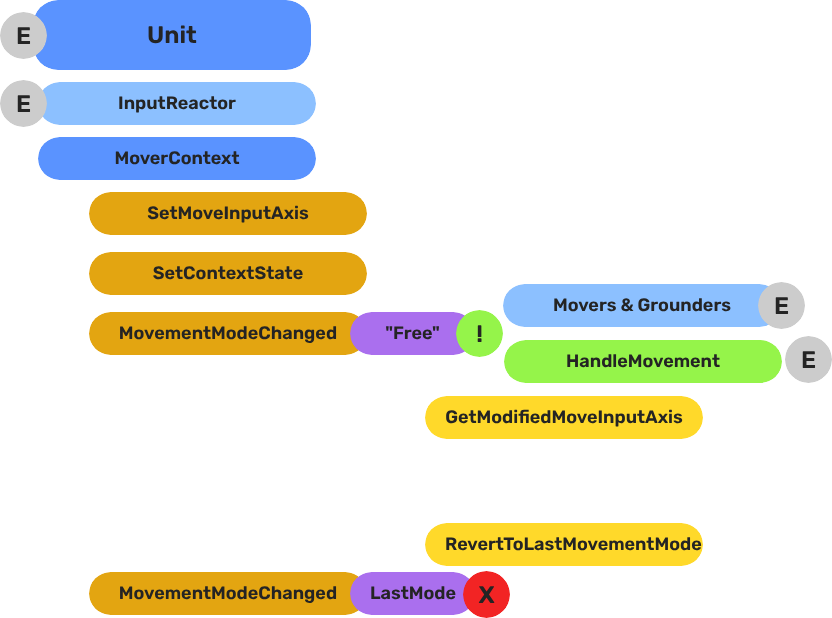
Breakdown
Movers and Grounders are multiple components on a Unit that are constantly changing activation based on the units state. When a mover is active, it freely processes the unit’s movement based on it’s functionality. At any moment, through internal or external forces, the Movement, Rotation, or Grounding state can change, which disables the old movers, and activates the new one to continue controlling the Unit.
Input
    ↓  InputDataNotificationBus::InputStateChanged
Input Reactor Components
    ↓  MoverContextRequestBus::SetMoveInputAxis
GS_MoverContextComponent
    ↓  ModifyInputAxis() → camera-relative
    ↓  GroundInputAxis() → ground-projected
    ↓  MoverContextNotificationBus::MovementModeChanged("Free")
GS_3DFreeMoverComponent  [active when mode == "Free"]
    ↓  AccelerationSpringDamper → rigidBody->SetLinearVelocity
GS_PhysicsRayGrounderComponent  [active when grounding mode == "Free"]
    ↓  MoverContextRequestBus::SetGroundNormal / SetContextState("grounding", ...)
    ↓  MoverContextRequestBus::ChangeMovementMode("Slide")  ← when slope too steep
GS_3DSlideMoverComponent  [active when mode == "Slide"]
The Slide mover activates when the Unit is walking on too steep an angle. It takes control over the unit, slides down the hill, then restores the previous movement behaviour.
- The Basics: Mover Context — Movement modes, grounding states, and configuration.
- The Basics: Movement — Mover types, grounder types, and ScriptCanvas usage.
- Framework API: Input Reactor — InputDataComponent schema, reactor base class, and C++ extension.
- Framework API: Mover Context — Context state, mode authority, and C++ extension.
- Framework API: Movers — Mover and grounder components, movement APIs, and C++ extension.
Mover Types
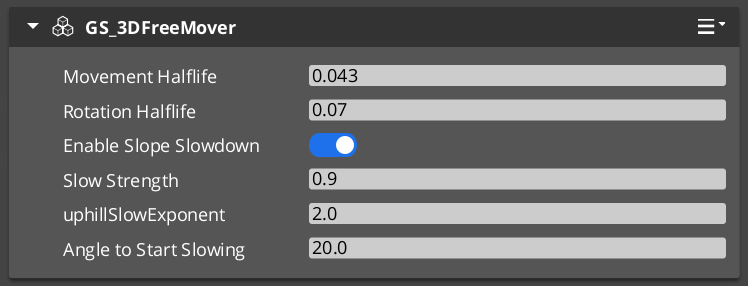
Each mover defines one locomotion behavior. A unit has one active mover at a time, selected by the Mover Context. All movers read from the unit’s movement vector (produced by the input pipeline) and translate it into entity movement each frame.
| Component | Best For | How It Moves |
|---|---|---|
GS_3DFreeMoverComponent | Flying, swimming, zero-gravity | Unconstrained motion in all three axes. No ground contact required. |
GS_3DSlideMoverComponent | Ground-bound characters on uneven terrain | Slides the character along the contact surface, maintaining ground contact smoothly. |
GS_PhysicsMoverComponent | Characters needing full collision response | Drives an O3DE physics rigid body. Forces and impulses apply normally. |
Choosing a Mover
- Use
GS_3DFreeMoverComponentfor any character that needs to move through air or water without ground contact. - Use
GS_3DSlideMoverComponentfor most ground-bound characters. It handles slopes and steps without requiring physics simulation. - Use
GS_PhysicsMoverComponentwhen the character must interact physically with the world — pushing objects, being knocked back by forces, or responding to physics joints.
Mover Context
GS_MoverContextComponent sits above the movers and coordinates everything: it selects which mover runs each frame, owns the movement mode tracks, transforms raw input into camera-relative and ground-projected vectors, and manages the movement profile priority stack.
Add exactly one to any unit that uses movers.
Grounders
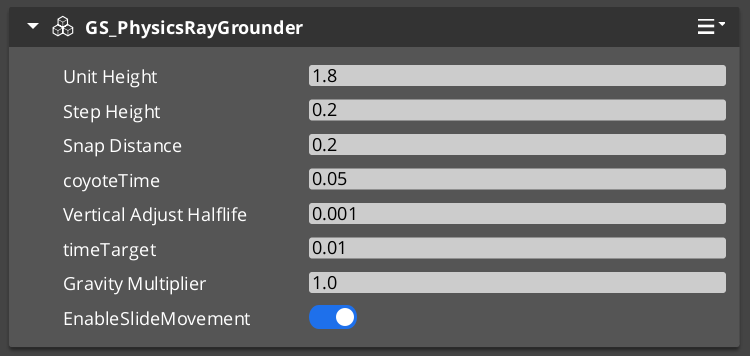
Grounders detect whether the character has contact with a surface and report that information to the Mover Context. Without a grounder, the Context cannot distinguish ground-bound from airborne states.
| Component | Method | Notes |
|---|---|---|
GS_GrounderComponent | Base class — extend for custom detection logic. | Not used directly. |
GS_PhysicsRayGrounderComponent | Fires a downward raycast each frame. | Suitable for most characters. Configurable ray length and collision layer. |
Add one grounder to a unit that uses GS_3DSlideMoverComponent or any mover that needs ground awareness. GS_3DFreeMoverComponent does not require a grounder because it never needs ground contact.
Movement Profiles
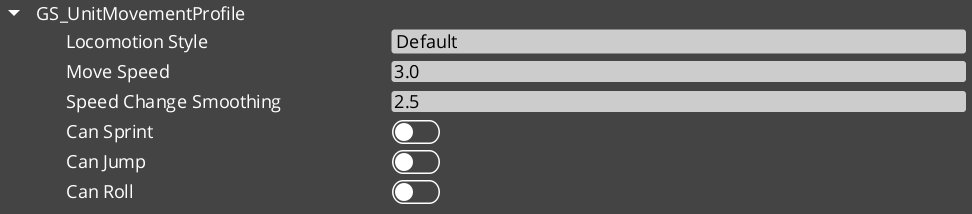
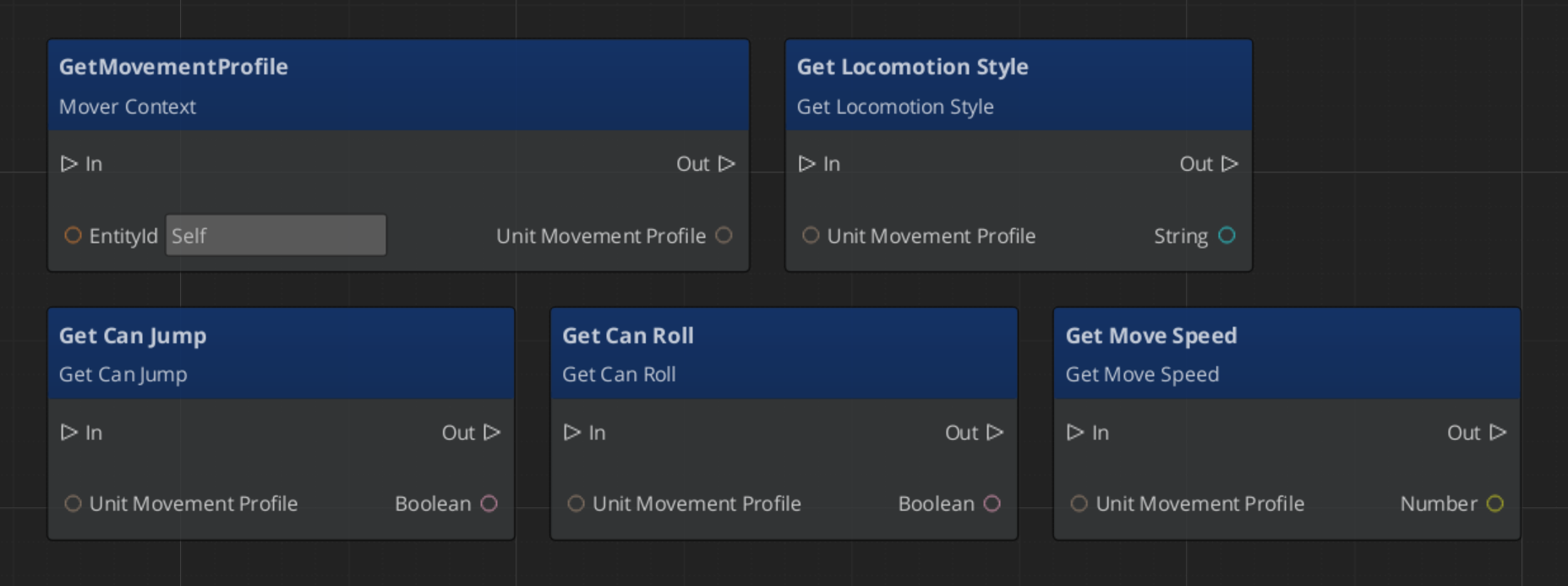
GS_UnitMovementProfile is a data asset that stores all locomotion parameters for a unit configuration: walk speed, run speed, acceleration, deceleration, air control, jump force, and any mover-specific values. The Mover Context component holds a reference to a profile asset, so multiple prefabs can share the same profile or each have their own without duplicating inline values.
Creating a Profile
- In the O3DE Asset Browser, right-click and select Create Asset → GS_UnitMovementProfile.
- Configure the parameters in the asset editor.
- Assign the asset to the Movement Profile slot on
GS_MoverContextComponent.
Changing a profile asset at runtime allows you to alter all locomotion parameters at once — for example, switching a character between normal and encumbered movement profiles without touching individual component properties.
Reading Movement Profile Data - ScriptCanvas
Influence Fields
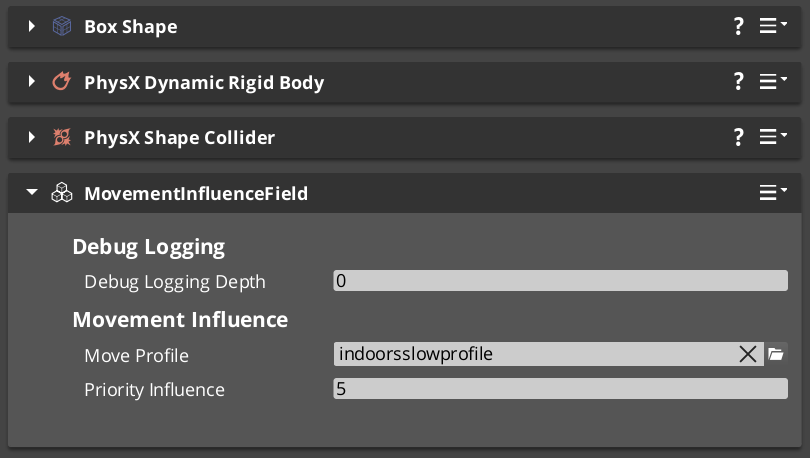
Influence components dynamically apply priority that change a units dominant movement profile. Priority values are additive — a unit accumulates priority values from all active sources and evaluate the final priority to determine the acting movement profile.
| Component | Scope | Typical Use |
|---|---|---|
GlobalMovementInfluenceComponent | All units globally | Standard movement for the region. |
MovementInfluenceFieldComponent | Units inside a spatial volume | Open fields, narrow channels, indoors and outdoors transitions. |
GlobalMovementInfluenceComponent is placed once in the level, usually on the Stage Data entity. MovementInfluenceFieldComponent uses a shape component to define its volume — place one wherever you need to change movement priority.
Assembly Guide
A typical ground-bound player character uses this component combination:
| Component | Role |
|---|---|
GS_InputDataComponent | Holds input state — movement vector written here each frame. |
GS_PlayerControllerInputReaderComponent | Reads input profile and fills GS_InputDataComponent. |
KeyboardMovement_InputReactorComponent | Converts keyboard input to movement vector. |
JoyAxisMovement_AxisReactorComponent | Converts joystick input to movement vector. |
GS_PhysicsRayGrounderComponent | Detects ground contact below the character. |
GS_MoverContextComponent | Coordinates grounders and movers, holds the Movement Profile. |
GS_3DSlideMoverComponent | Moves the character along the contact surface. |
A flying or swimming character replaces the grounder and slide mover with GS_3DFreeMoverComponent and removes the grounder entirely.
Quick Reference
| Need | Component | Notes |
|---|---|---|
| Free 3D movement (fly / swim) | GS_3DFreeMoverComponent | No ground contact required. |
| Surface-hugging ground movement | GS_3DSlideMoverComponent | Smooth contact on slopes and steps. |
| Physics-simulated movement | GS_PhysicsMoverComponent | Full rigid body collision response. |
| Coordinate movers and state | GS_MoverContextComponent | Required on any unit with movers. |
| Raycast ground detection | GS_PhysicsRayGrounderComponent | Used with slide and physics movers. |
| Shared locomotion parameters | GS_UnitMovementProfile (asset) | Referenced by GS_MoverContextComponent. |
| Global force on all units | GlobalMovementInfluenceComponent | Standard movement values. |
| Localized force in a volume | MovementInfluenceFieldComponent | Narrow paths, roughage, indoors to outdoors. |
Glossary
| Term | Meaning |
|---|---|
| Mover | A component that defines one locomotion behavior (free flight, surface sliding, physics-driven) |
| Mover Context | The coordinator that tracks movement state and selects the active mover each frame |
| Grounder | A component that detects surface contact and reports ground state to the Mover Context |
| Movement Profile | A data asset storing all locomotion parameters (speed, acceleration, jump force) for a unit |
| Influence Field | A component that applies additive priority to a units active movement profile |
For full definitions, see the Glossary.
See Also
For the full API, component properties, and C++ extension guide:
For related systems:
Get GS_Unit
GS_Unit — Explore this gem on the product page and add it to your project.