Unit Manager
The Unit Manager is the global coordinator for all units in a GS_Play project. It maintains a registry of every active unit entity, provides the interface for spawning new units at runtime, tracks which player controllers are currently active, and participates in the GS_Core standby system so that all controlled characters pause cleanly during level transitions.
For architecture details, component properties, and extending the system in C++, see the Framework API reference.
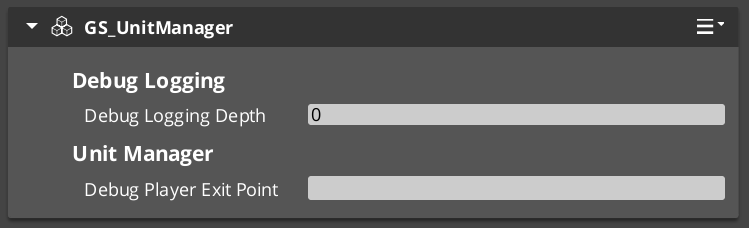
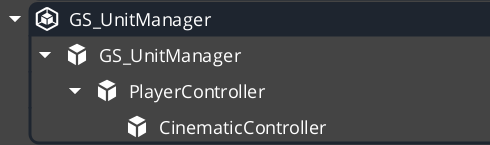
Contents
- What the Unit Manager Does
- Spawning Units
- Registering Player Controllers
- Checking Unit Identity
- Standby Mode
- Quick Reference
- Glossary
- See Also
What the Unit Manager Does
The Unit Manager runs as a singleton that all other unit systems report to. When a unit entity activates, it registers itself so the manager can track it by name and ID. When gameplay code needs a new unit spawned, it asks the manager — not the spawning system directly — so the manager can assign a unique name and fire the appropriate notification.
| Responsibility | Description |
|---|---|
| Unit registry | Every active unit registers and deregisters automatically. |
| Spawning | Issues RequestSpawnNewUnit and fires ReturnNewUnit when the entity is ready. |
| Player controller tracking | Stores which controllers are registered as player-driven so multi-actor setups stay consistent. |
| Standby coordination | Broadcasts EnterStandby and ExitStandby to pause and resume all units during transitions. |
| Unit validation | CheckIsUnit lets any system confirm whether an entity is a registered unit. |
Spawning Units
How Spawning Works
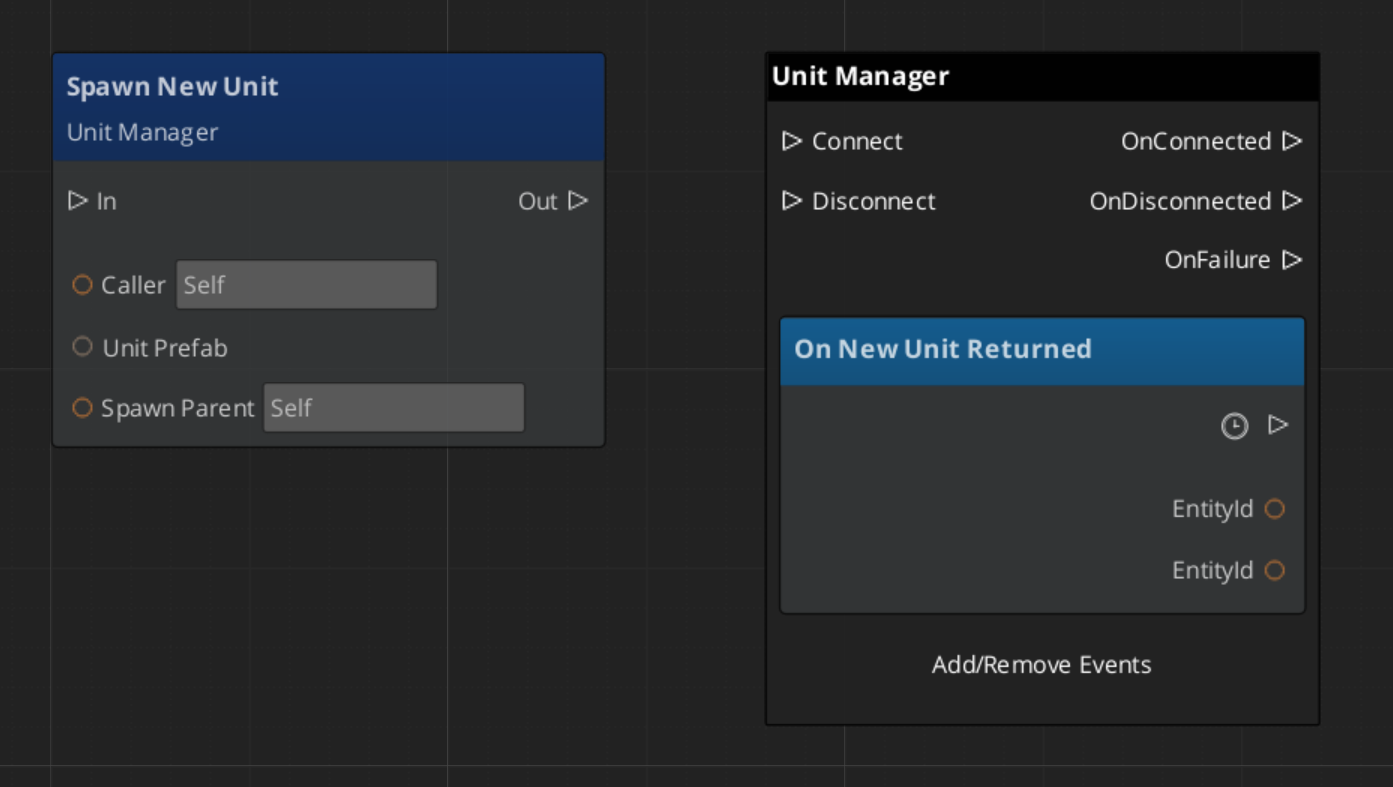
Spawning a unit is a two-step async operation. Your script calls RequestSpawnNewUnit, the manager creates the entity using the prefab spawner, and when the unit is fully initialized the manager fires ReturnNewUnit on UnitManagerNotificationBus with the new entity ID and its assigned unique name.
You should always listen for ReturnNewUnit rather than attempting to use the entity immediately after the request, because spawning can take one or more frames.
| Step | What Happens |
|---|---|
| 1 — Request | Call RequestSpawnNewUnit with the prefab reference and desired spawn transform. |
| 2 — Wait | The manager spawns the entity and runs its initialization. |
| 3 — Receive | ReturnNewUnit fires on UnitManagerNotificationBus with the entity ID and name. |
ScriptCanvas — Spawning a Unit
Registering Player Controllers
Player controllers must register themselves with the Unit Manager on activation so the game always knows which controllers are active. This is handled automatically by GS_PlayerControllerComponent, but if you are building a custom controller, call RegisterPlayerController in your activation logic.
[On Entity Activated (custom controller)]
    └─► [UnitManagerRequestBus → RegisterPlayerController(selfEntityId)]
This registration matters most for split-screen or multi-player setups where the manager needs to route input correctly across multiple simultaneous controllers.
Checking Unit Identity
Any system can confirm whether an arbitrary entity is a registered unit without holding a direct reference to the Unit Manager:
| ScriptCanvas Node | Returns | Notes |
|---|---|---|
CheckIsUnit(entityId) | bool | true if the entity is an active registered unit. |
ScriptCanvas
[UnitManagerRequestBus → CheckIsUnit(targetEntityId)]
    └─► bool
            ├─► true  — proceed with unit-specific logic
            └─► false — entity is not a unit, skip
Standby Mode
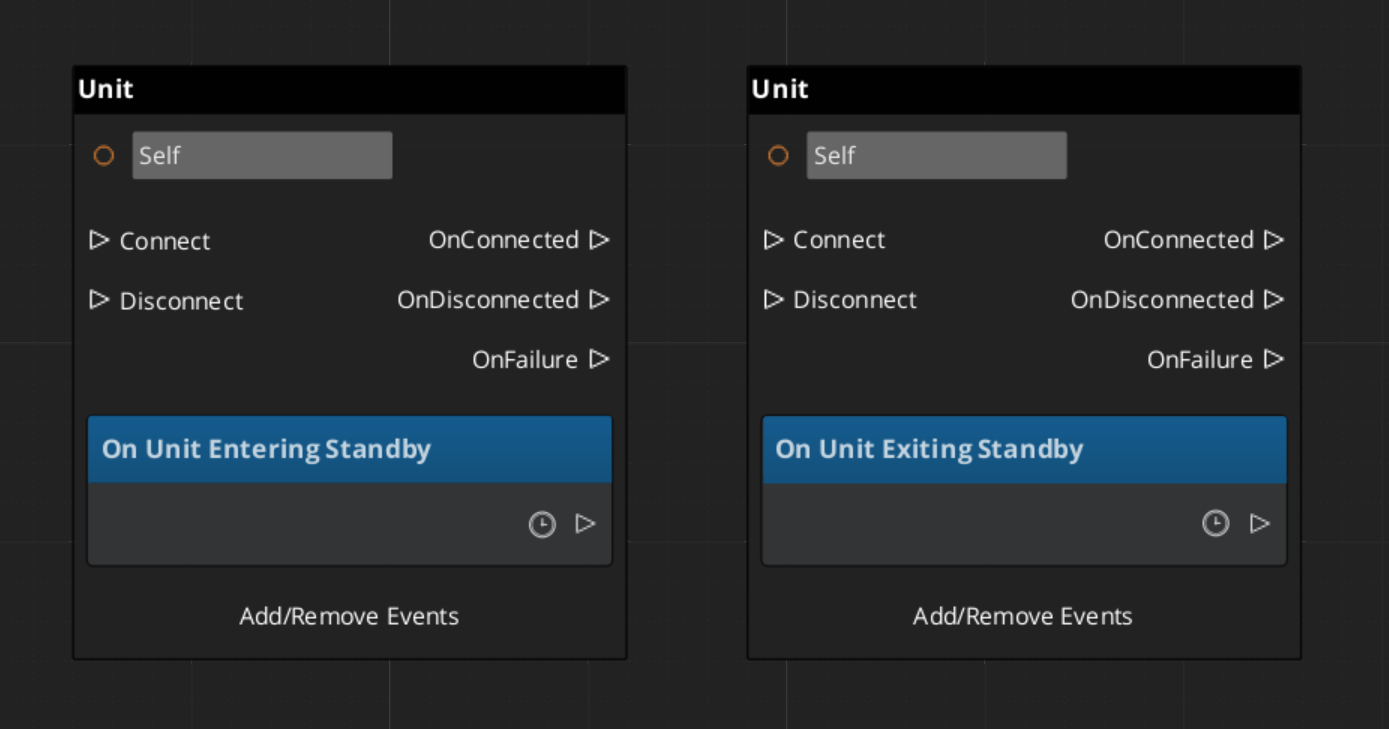
The Unit Manager participates in GS_Core’s global standby system. During level transitions or other blocking operations, the Game Manager signals standby and the Unit Manager relays that signal to all units. Units should pause movement, suspend input processing, and halt any tick-driven logic while in standby.
Listen on UnitManagerNotificationBus to coordinate your own logic with unit standby:
| Event | When It Fires | What to Do |
|---|---|---|
EnterStandby | Before a level transition or blocking operation begins. | Pause all movement, halt ticks, stop animations. |
ExitStandby | After the blocking operation completes. | Resume movement, re-enable ticks. |
ScriptCanvas
Quick Reference
| Need | Bus | Method / Event |
|---|---|---|
| Spawn a new unit | UnitManagerRequestBus | RequestSpawnNewUnit(prefab, transform) |
| Know when a unit is ready | UnitManagerNotificationBus | ReturnNewUnit(entityId, uniqueName) |
| Register a player controller | UnitManagerRequestBus | RegisterPlayerController(entityId) |
| Check if entity is a unit | UnitManagerRequestBus | CheckIsUnit(entityId) |
| Know when standby begins | UnitManagerNotificationBus | EnterStandby |
| Know when standby ends | UnitManagerNotificationBus | ExitStandby |
Glossary
| Term | Meaning |
|---|---|
| Unit Manager | The singleton manager that tracks all active units, handles spawning, and coordinates standby |
| Unit Registry | The internal list of every active unit entity, indexed by name and ID |
| Standby | A pause state broadcast to all units during level transitions or blocking operations |
For full definitions, see the Glossary.
See Also
For the full API, component properties, and C++ extension guide:
For related systems:
Get GS_Unit
GS_Unit — Explore this gem on the product page and add it to your project.