Input Data
The Input Data system is the pipeline that converts raw hardware signals into structured intent your movement code can consume. It sits between the active input profile and the mover stack, so controllers, movement components, and action systems all read from a single consistent source rather than polling hardware directly. Swapping input profiles at runtime — for remapping, controller switching, or accessibility options — requires no change to any downstream component.
For architecture details, component properties, and extending the system in C++, see the Framework API reference.
Contents
- Pipeline Overview
- Input Data Component
- Input Reader
- Input Reactors
- Keyboard Movement Reactor
- Joystick Axis Reactor
- Adding Custom Reactors
- Quick Reference
- Glossary
- See Also
Pipeline Overview
Breakdown
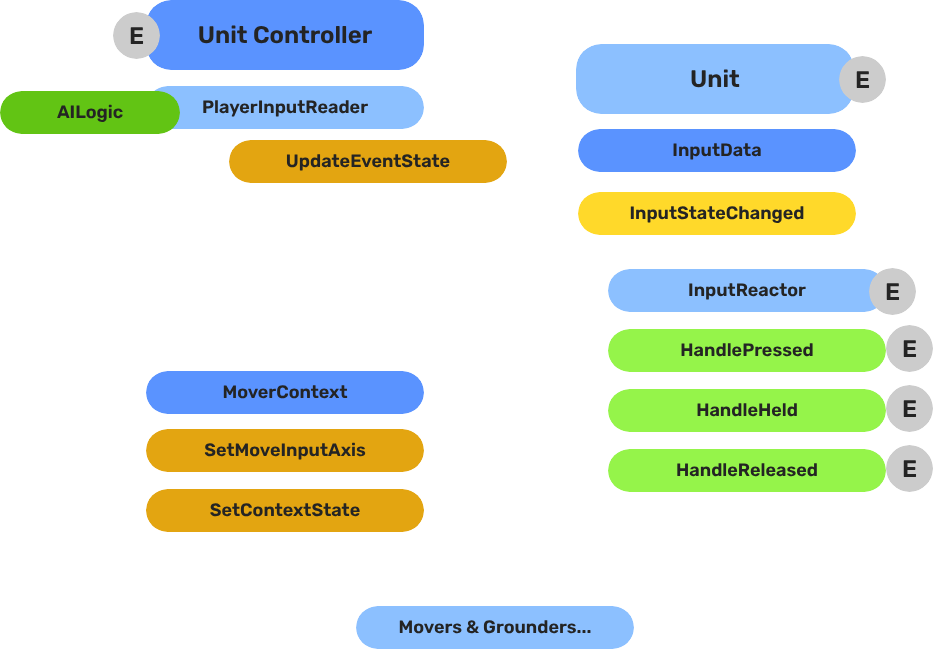
The input pipeline has three stages. Each stage is a separate component on the unit entity, and they run in order every frame:
| Stage | Component | What It Does |
|---|---|---|
| 1 — Read | GS_PlayerControllerInputReaderComponent | Reads raw input events from the active input profile and writes them into GS_InputDataComponent. |
| 2 — Store | GS_InputDataComponent | Holds the current frame’s input state — button presses, axis values — as structured data. |
| 3 — React | Reactor components | Read from GS_InputDataComponent and produce intent: movement vectors, action triggers, etc. |
All reactor components downstream of the store stage read from the same GS_InputDataComponent, so there is no duplicated hardware polling and no risk of two reactors seeing different input states for the same frame.
- The Basics: Controllers — Possession, input routing, and controller assignment.
- The Basics: Core Input — Input profiles, action mappings, and options setup.
- The Basics: Unit Input — Input readers, axis configuration, and ScriptCanvas usage.
- Framework API: Unit Controllers — Controller components, possession API, and C++ extension.
- Framework API: Input Reader — Profile binding, action event reading, and C++ extension.
- Framework API: Input Reactor — InputDataComponent schema, reactor base class, and C++ extension.
- Framework API: Mover Context — Context state, mode authority, and C++ extension.
Input Data Component
GS_InputDataComponent is the shared state store. It does not read hardware — it only holds the values written by the Reader and consumed by Reactors.
Add it to any unit entity that needs to process input. A unit should have exactly one GS_InputDataComponent. All input reactors on the same entity read from it automatically.
Input Reader
GS_PlayerControllerInputReaderComponent connects the unit to the game’s active input profile. It receives input events from the profile and writes the resulting state into the unit’s GS_InputDataComponent each frame.
When the player controller possesses the unit, the reader activates. When the unit is depossessed or control is handed to an AI controller, the reader goes silent and the Input Data component retains its last-written state until overwritten.
Setup
Add GS_PlayerControllerInputReaderComponent to the unit entity alongside GS_InputDataComponent. No additional configuration is required — it picks up the active input profile automatically.
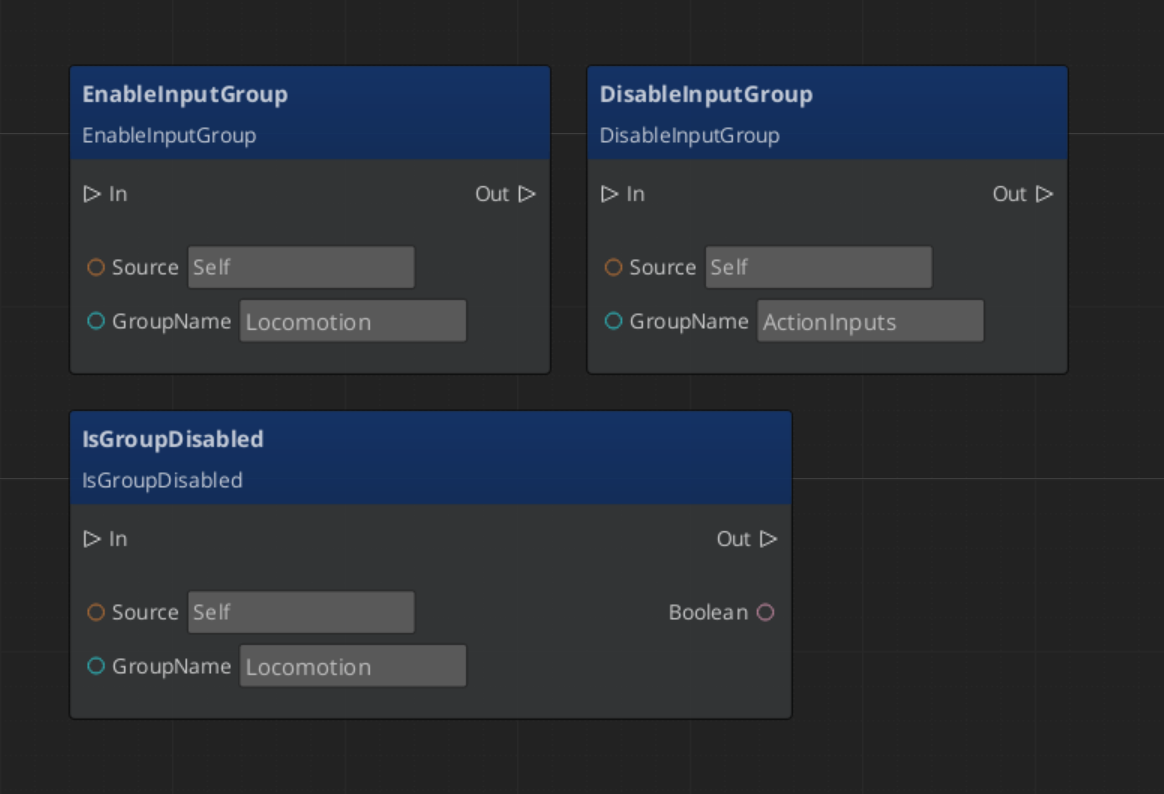
Script Canvas - Enabling and Disabling Input Groups
Input Reactors
Reactors are the components that transform stored input state into useful intent values. Each reactor handles one concern:
| Component | Input Source | Output |
|---|---|---|
GS_InputReactorComponent | Base class — reads from GS_InputDataComponent. | Override to produce custom intent. |
GS_InputAxisReactorComponent | Axis values from GS_InputDataComponent. | Processed axis output (scaled, deadzoned). |
KeyboardMovement_InputReactorComponent | Keyboard directional buttons (WASD / arrow keys). | Normalized 3D movement vector. |
JoyAxisMovement_AxisReactorComponent | Joystick axis pair from GS_InputDataComponent. | Scaled, deadzoned 3D movement vector. |
Add as many reactors as your unit needs. A typical ground character has both KeyboardMovement_InputReactorComponent and JoyAxisMovement_AxisReactorComponent active so it responds to either keyboard or gamepad input without requiring separate prefabs.
Keyboard Movement Reactor
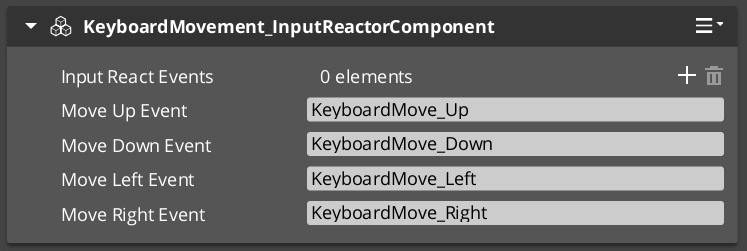
KeyboardMovement_InputReactorComponent reads the four directional button states from GS_InputDataComponent and produces a normalized movement vector. The vector direction is relative to the unit’s forward axis, so rotating the unit automatically adjusts the movement direction without any additional calculation.
The reactor writes the resulting vector into a movement data field that the active mover reads each frame.
ScriptCanvas — Reading the Movement Vector
You generally do not need to read the movement vector directly — the mover components consume it automatically. However, if you need to inspect or override it:
// Use only if you need to inspect or override the movement vector — movers consume it automatically
[On Tick]
    └─► [GS_InputDataComponent → GetMovementVector]
            └─► Vector3 — current frame's movement intent
Joystick Axis Reactor
JoyAxisMovement_AxisReactorComponent reads a pair of axis values (horizontal and vertical) from GS_InputDataComponent and applies deadzone filtering and magnitude scaling before writing the resulting vector. This prevents stick drift at rest and allows variable-speed movement when the stick is partially deflected.
| Setting | Effect |
|---|---|
| Deadzone | Axis values below this threshold are treated as zero. |
| Scale | Multiplier applied after deadzone removal. |
| Axis mapping | Which input profile axis pair to read (left stick, right stick, etc.). |
Adding Custom Reactors
To handle input not covered by the built-in reactors — jumping, sprinting, interaction, ability activation — extend GS_InputReactorComponent or GS_InputAxisReactorComponent in C++. Your reactor reads from GS_InputDataComponent the same way the built-in ones do, so it automatically benefits from any input profile that writes to those fields.
For the C++ extension guide, see the Framework API reference.
Quick Reference
| Need | Component | Notes |
|---|---|---|
| Store input state on a unit | GS_InputDataComponent | Required on every unit that processes input. |
| Read from active input profile | GS_PlayerControllerInputReaderComponent | Activates automatically when player controller possesses. |
| Keyboard → movement vector | KeyboardMovement_InputReactorComponent | Reads WASD / arrow keys from input data. |
| Joystick → movement vector | JoyAxisMovement_AxisReactorComponent | Reads axis pair, applies deadzone and scale. |
| Custom button or axis handler | Extend GS_InputReactorComponent (C++) | Reads from GS_InputDataComponent same as built-ins. |
| Inspect movement vector | GS_InputDataComponent → GetMovementVector | Vector3, current frame’s movement intent. |
Glossary
| Term | Meaning |
|---|---|
| Input Data Component | The shared state store that holds the current frame’s input values for a unit |
| Input Reader | The component that reads raw input events from the active input profile and writes them into the Input Data Component |
| Input Reactor | A component that reads from the Input Data Component and produces intent values (movement vectors, action triggers) |
| Movement Vector | A normalized 3D direction produced by input reactors and consumed by movers |
For full definitions, see the Glossary.
See Also
For the full API, component properties, and C++ extension guide:
For related systems:
Get GS_Unit
GS_Unit — Explore this gem on the product page and add it to your project.