UI Manager
Categories:
The UI Manager is the singleton controller for all UI canvases in your project. It loads and unloads canvases, maintains a global focus stack that tracks which canvas the player is currently interacting with, and handles cross-canvas navigation so that opening a pause menu over gameplay UI and returning to it works automatically.
For architecture details, component properties, and extension patterns, see the Framework API reference.
Contents
- How It Works
- Loading and Unloading Canvases
- Querying UI State
- UI Input Profile
- Quick Reference
- Glossary
- See Also
How It Works
The UI Manager maintains a global focus stack — a history of which UI canvas has focus. When you open a new canvas (like a pause menu), it pushes onto the stack. When you close it, the previous canvas (gameplay HUD) regains focus automatically.
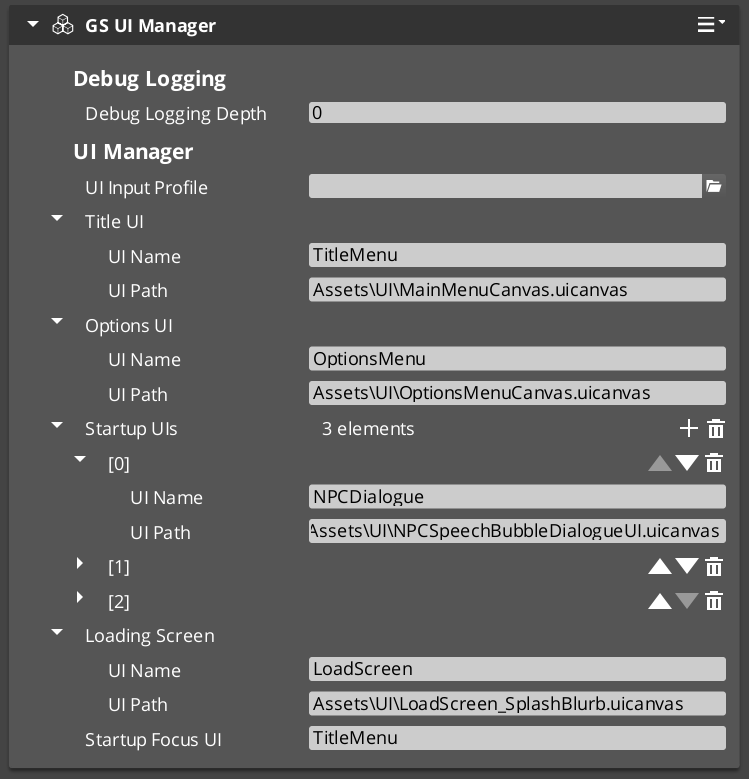
At startup, the UI Manager loads canvases and waits for root pages to register. One canvas is designated as the startup focus UI — it receives focus automatically when the startup sequence completes.
Loading and Unloading Canvases
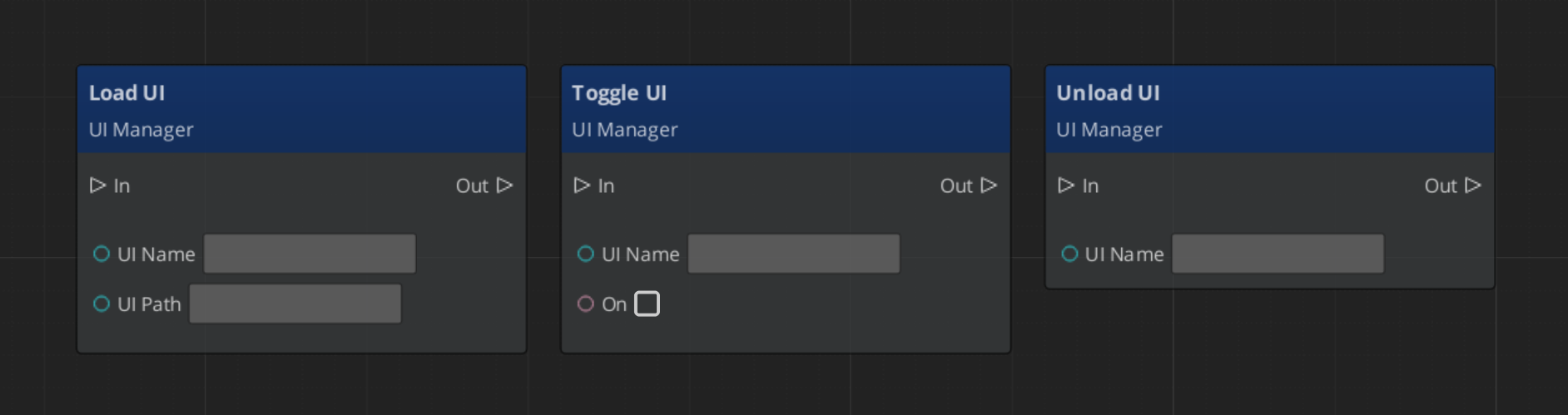
| ScriptCanvas Node | What It Does |
|---|---|
LoadGSUI(name, path) | Loads a UI canvas from an asset path and registers it by name. |
UnloadGSUI(name) | Unloads a canvas and removes it from the active map. |
FocusUI(name) | Pushes a canvas onto the global focus stack and focuses its root page. |
NavLastUI | Pops the current canvas off the focus stack and returns focus to the previous one. |
ToggleUI(name, on) | Shows or hides a canvas without changing the focus stack. |
ScriptCanvas
If you wish to change between canvases, leaving the previous inactive, and enabling the next:
Toggle off your current canvas, then focus the next. Focus automatically handles enabling the canvas for use.
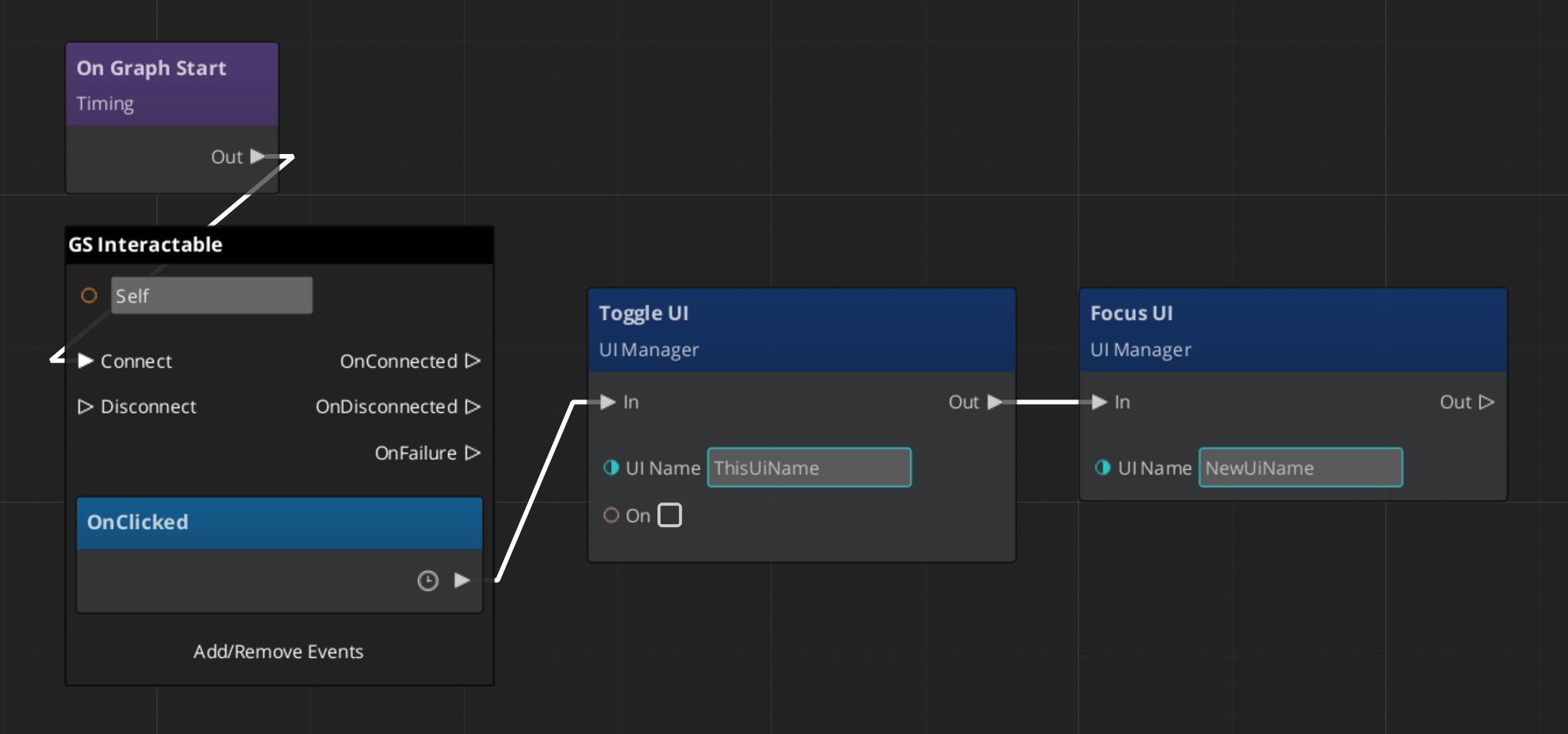
Using Page: NavigateBack will naturally hide the new canvas, and reactivate the past one.
Querying UI State
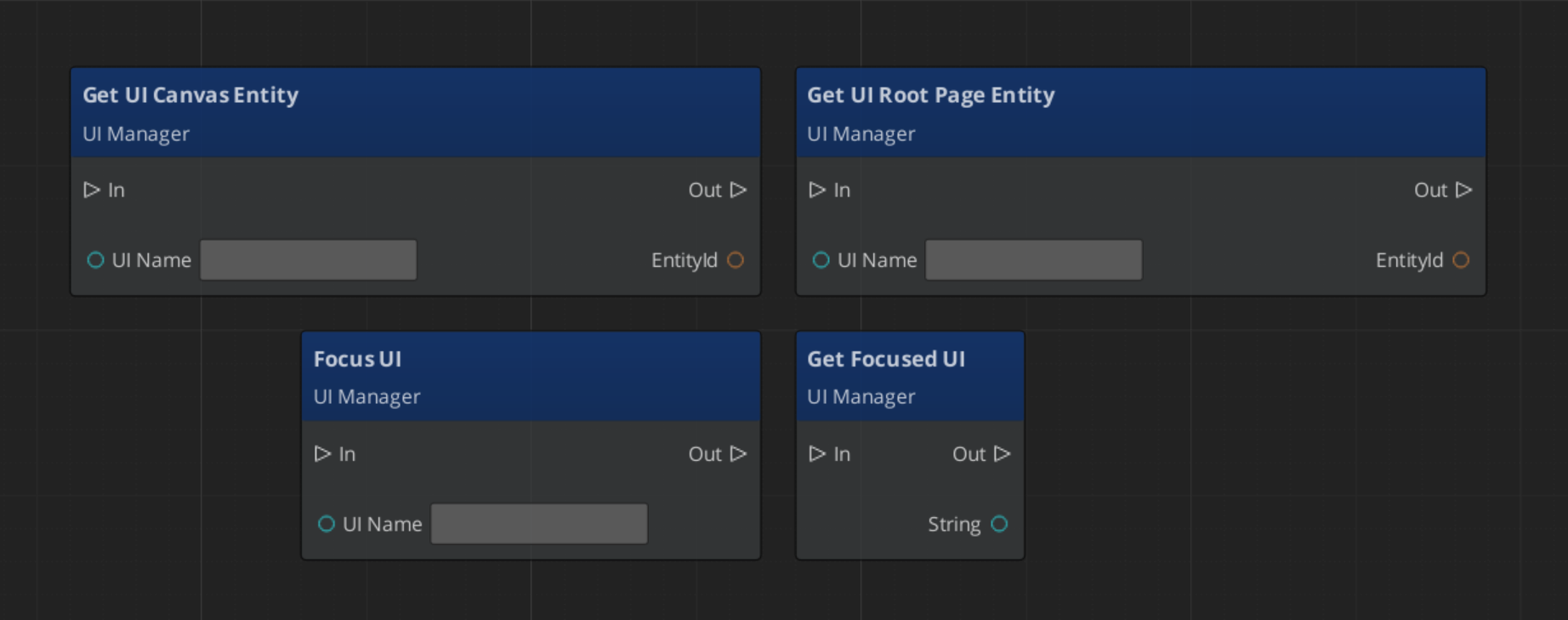
| ScriptCanvas Node | What It Does |
|---|---|
GetFocusedUI | Returns the name of the canvas currently on top of the focus stack. |
GetUICanvasEntity(name) | Returns the canvas entity for a named UI. |
GetUIRootPageEntity(name) | Returns the root page entity for a named UI. |
ScriptCanvas
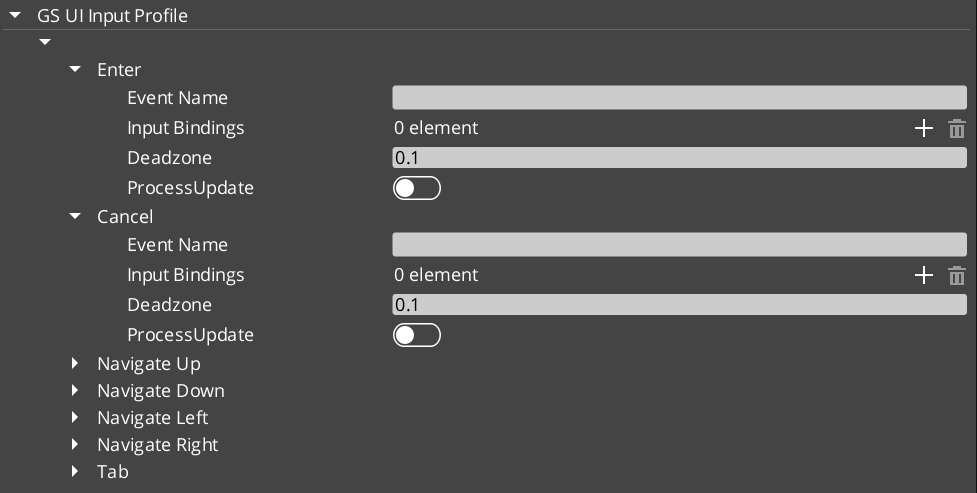
UI Input Profile
Quick Reference
| Need | Bus | Method |
|---|---|---|
| Load a canvas | UIManagerRequestBus | LoadGSUI(name, path) |
| Unload a canvas | UIManagerRequestBus | UnloadGSUI(name) |
| Focus a canvas | UIManagerRequestBus | FocusUI(name) |
| Return to previous canvas | UIManagerRequestBus | NavLastUI |
| Show/hide a canvas | UIManagerRequestBus | ToggleUI(name, on) |
| Get focused canvas name | UIManagerRequestBus | GetFocusedUI |
Glossary
| Term | Meaning |
|---|---|
| UI Canvas | A LyShine canvas loaded and managed by the UI Manager |
| Focus Stack | A global history of focused canvases — opening a new one pushes, closing pops |
| Root Page | A page registered with the UI Manager as a canvas entry point |
For full definitions, see the Glossary.
See Also
For the full API, component properties, and C++ extension guide:
For related systems:
Get GS_UI
GS_UI — Explore this gem on the product page and add it to your project.