Phantom Cameras
Categories:
Phantom Cameras are virtual camera definitions placed in the level as components on ordinary entities. They do not render anything. Instead, each Phantom Camera holds a configuration record that describes how the real camera should behave when that Phantom Camera is dominant. The Cam Manager determines dominance by comparing priority values — whichever active Phantom Camera holds the highest priority drives the real camera at any given moment.
For architecture details, component properties, and extending the system in C++, see the Framework API reference.
Contents
- How Priority Works
- PhantomCamData Fields
- Camera Behavior Types
- Activating and Deactivating Cameras
- Requesting Camera Data
- Quick Reference
- Glossary
- See Also
How Priority Works
Every GS_PhantomCameraComponent has a priority value. The Cam Manager continuously tracks all active Phantom Cameras and routes camera control to the one with the highest priority. When a Phantom Camera is disabled or deactivated, the next-highest priority camera takes over.
| Condition | Result |
|---|---|
| Camera A priority 10, Camera B priority 5 — both active | Camera A is dominant. |
| Camera A deactivates | Camera B becomes dominant immediately (or blends if a Blend Profile is set). |
| Camera A and Camera B both priority 10 | The most recently activated one is dominant. |
| No Phantom Cameras are active | The real camera holds its last known position. |
PhantomCamData Fields
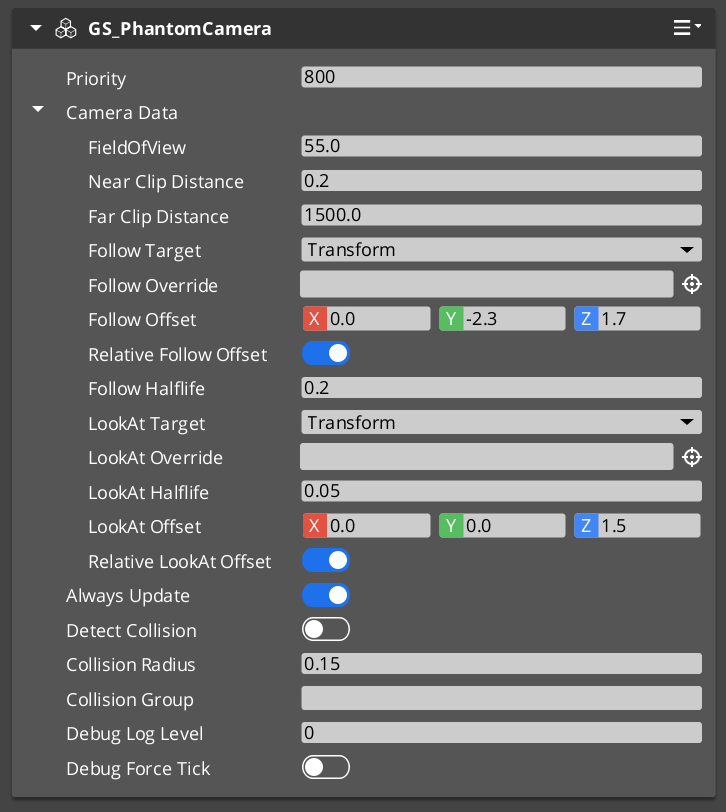
Each Phantom Camera stores a PhantomCamData record that defines the full camera configuration for when that camera is dominant.
| Field | Type | Purpose |
|---|---|---|
FOV | float | Field of view in degrees. Applied to the real camera’s FOV when dominant. |
NearClip | float | Near clip plane distance. |
FarClip | float | Far clip plane distance. |
FollowTarget | EntityId | Entity the camera’s position tracks. Camera moves with this entity. |
LookAtTarget | EntityId | Entity the camera’s rotation aims at. Overrides authored rotation. |
PositionOffset | Vector3 | Positional offset applied relative to the follow target. |
RotationOffset | Quaternion | Rotational offset applied after look-at or authored rotation. |
FollowTarget and LookAtTarget are both optional. A Phantom Camera with neither set holds the position and rotation of its entity in the level.
Camera Behavior Types
Beyond the base GS_PhantomCameraComponent, several behavior components can be added to a Phantom Camera entity to specialize how it moves and aims:
| Component | What It Does |
|---|---|
ClampedLook_PhantomCamComponent | Adds yaw and pitch angle limits to look-at rotation. Prevents the camera from swinging past defined bounds. |
StaticOrbitPhantomCamComponent | Locks the camera to a fixed orbit radius around its target entity. The orbit position does not follow input — it is a fixed authored angle. |
Track_PhantomCamComponent | Moves the camera along a spline path. Useful for cinematic dolly shots or scripted flythrough sequences. |
AlwaysFaceCameraComponent | Makes the entity that holds this component always rotate to face the currently dominant Phantom Camera. Used for billboards and 2D sprites in 3D space. |
Each behavior component is additive — the base Phantom Camera still drives priority and targeting while the behavior component modifies position or rotation evaluation.
Activating and Deactivating Cameras
Phantom Cameras participate in priority competition only while their entity is active. Enable and disable the entity to add or remove a camera from competition. The transition between dominant cameras is governed by the Blend Profile referenced in the outgoing camera’s blend settings.
ScriptCanvas
To raise a camera’s priority and make it dominant:
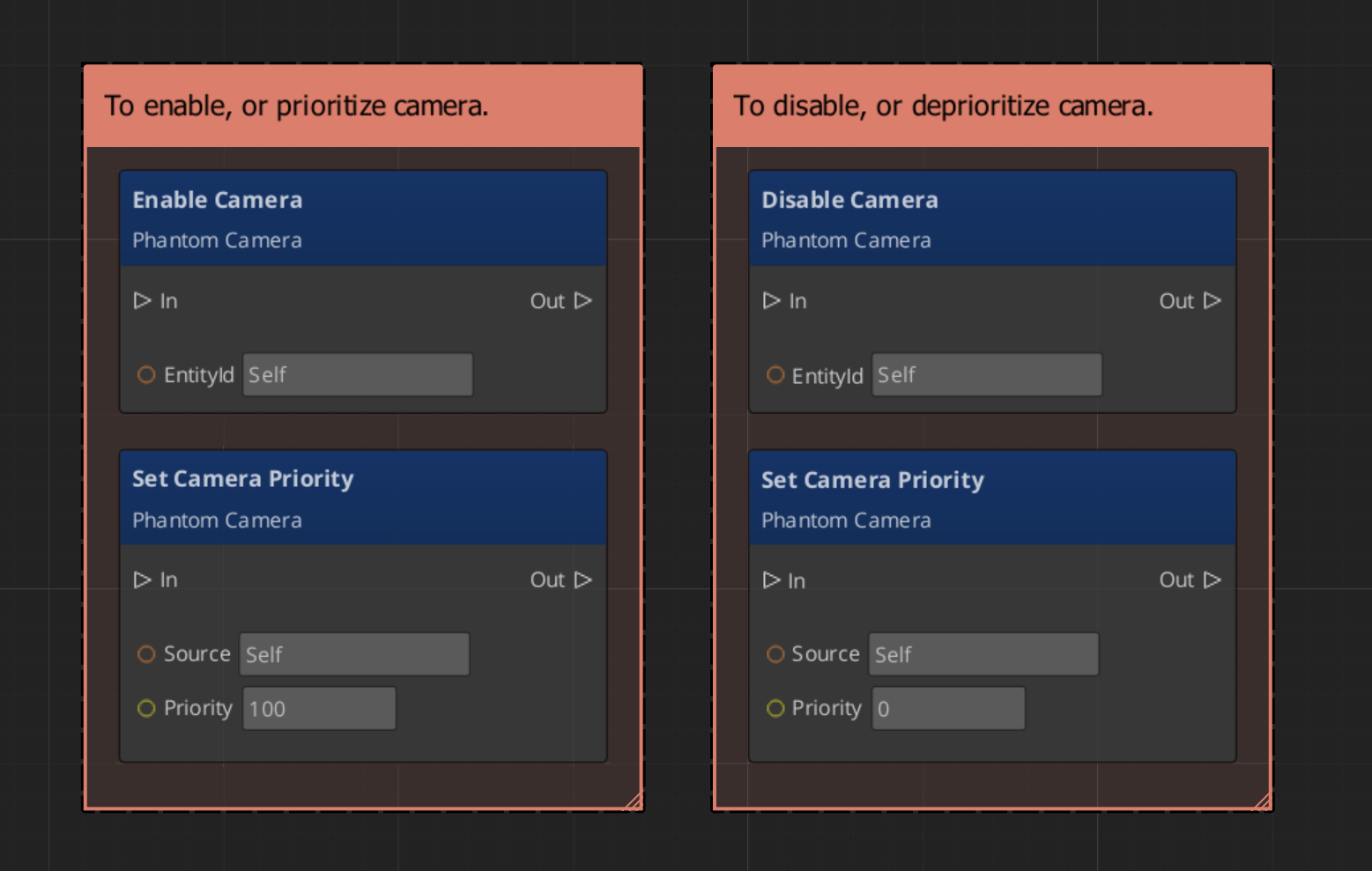
Because priority is numeric, you can also activate multiple cameras simultaneously and let priority values determine dominance without manually disabling others.
Requesting Camera Data
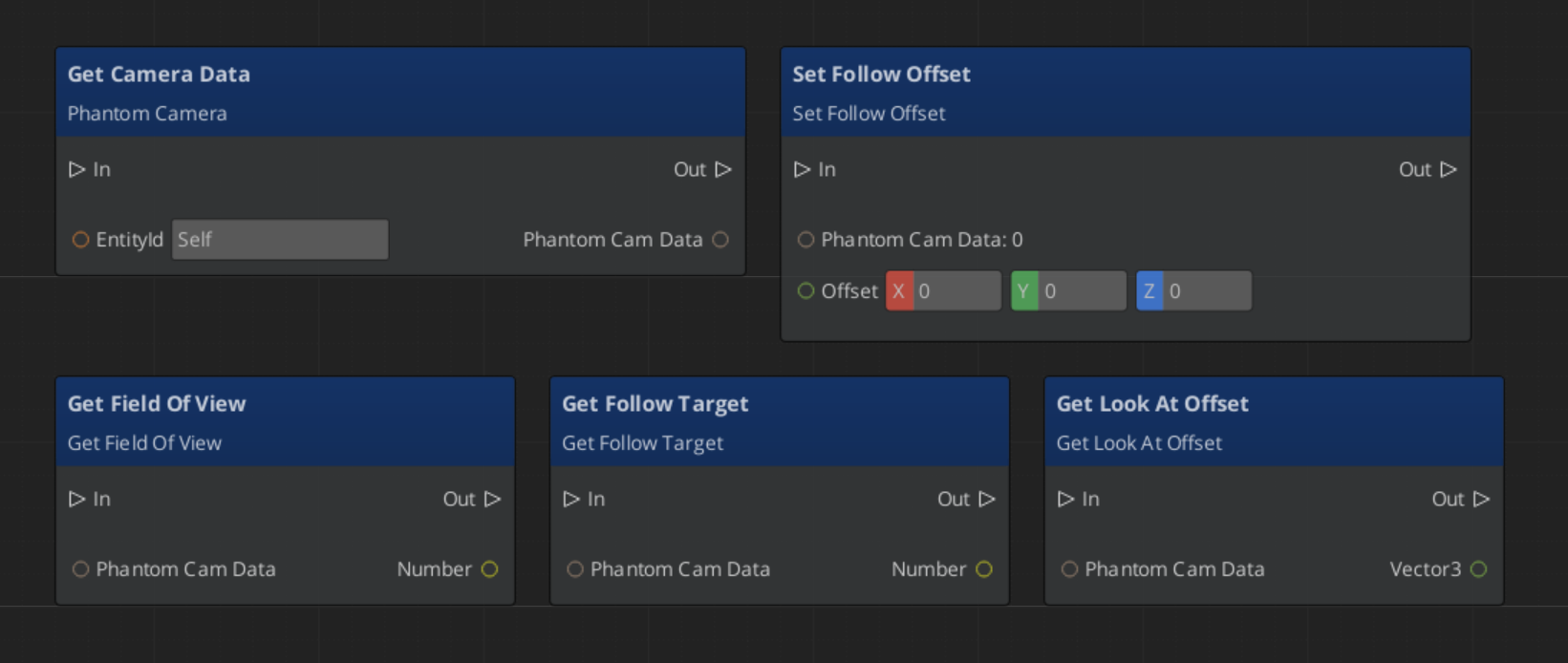
Use PhantomCameraRequestBus (addressed by the Phantom Camera entity’s ID) to read or write its configuration at runtime:
ScriptCanvas
Quick Reference
| Need | Bus | Method / Event |
|---|---|---|
| Read a camera’s full configuration | PhantomCameraRequestBus(id) | GetPhantomCamData |
| Change a camera’s follow target | PhantomCameraRequestBus(id) | SetFollowTarget(entityId) |
| Change a camera’s look-at target | PhantomCameraRequestBus(id) | SetLookAtTarget(entityId) |
| Change a camera’s FOV | PhantomCameraRequestBus(id) | SetFOV(value) |
| Make a camera dominant | (entity activation) | Enable the Phantom Camera entity |
| Remove a camera from competition | (entity activation) | Disable the Phantom Camera entity |
| Know when the dominant camera changes | CamManagerNotificationBus | SettingNewCam(newCamEntityId) |
Glossary
| Term | Meaning |
|---|---|
| Phantom Camera | A virtual camera definition that describes how the real camera should behave when dominant |
| PhantomCamData | The configuration record holding FOV, clip planes, follow/look-at targets, and offsets |
| Priority | A numeric value that determines which Phantom Camera drives the real camera |
| Follow Target | An entity whose position the camera tracks |
| Look-At Target | An entity the camera’s rotation aims toward |
For full definitions, see the Glossary.
See Also
For the full API, component properties, and C++ extension guide:
For related systems:
Get GS_PhantomCam
GS_PhantomCam — Explore this gem on the product page and add it to your project.