Skin Slots
The Skin Slot system provides modular character appearance. Each slot represents an equipment position on a character (head, body, arms, weapon) and holds an actor mesh with its materials. The Skin Slot Handler manages the full collection of slots for a character, enabling runtime equipment swapping through data changes rather than entity restructuring.
For component properties and data structures, see the Framework API reference.
Contents
How It Works
Each character entity has one SkinSlotHandlerComponent and multiple PerformerSkinSlotComponent children — one per equipment position.
| Component | What It Does |
|---|---|
| SkinSlotHandler | Manages the full set of skin slots for a character. Provides batch operations. |
| PerformerSkinSlot | Individual slot. Holds a SkinSlotData (actor asset + material assets). |
When you equip a new item, you update the slot’s SkinSlotData — the system swaps the actor mesh and materials automatically.
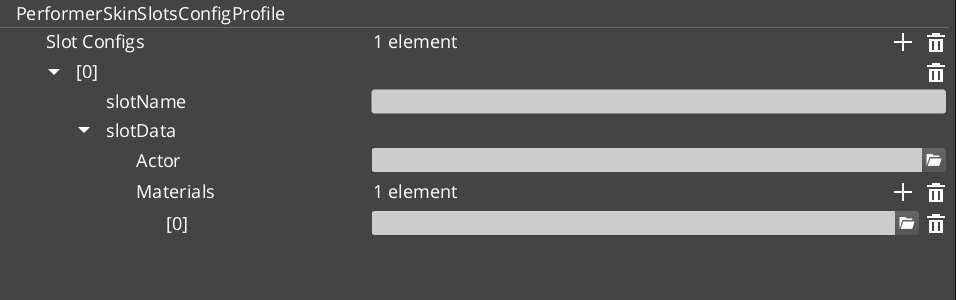
Skin Slot Data
| Field | What It Is |
|---|---|
| Actor Asset | The 3D mesh for this equipment slot. |
| Material Assets | Materials applied to the mesh. |
| Slot Name | Named identifier for the slot (e.g., “Helmet”, “Chest”, “MainHand”). |
Skin Slot Configuration Profiles are preset assets that define complete character appearances — useful for NPC archetypes or equipment sets.
Quick Reference
| Need | Bus | Method |
|---|---|---|
| Access a skin slot | PerformerSkinSlotRequestBus | Per-slot queries and updates |
| Manage all slots | SkinSlotHandlerRequestBus | Batch operations on all slots |
Glossary
| Term | Meaning |
|---|---|
| Skin Slot | An equipment position on a character that holds an actor mesh and materials |
| SkinSlotHandler | The manager component that coordinates all skin slots on a single character |
| SkinSlotData | The data structure containing actor asset, materials, and slot name |
| Skin Slot Configuration Profile | A preset asset defining a complete character appearance for batch application |
For full definitions, see the Glossary.
See Also
For the full API, component properties, and C++ extension guide:
For related systems:
Get GS_Performer
GS_Performer — Explore this gem on the product page and add it to your project.