Feedback System
The Feedback System is the core of GS_Juice. Feedback Motion assets define animation tracks that play together as a visual effect — screen shake, bounce, hit flash, glow pulse. The Feedback Emitter component plays these effects on entities, with support for proxy targeting and stacking.
For track type details, asset structure, and component properties, see the Framework API reference.
Contents
- Track Types
- Feedback Emitter
- Authoring Feedback Motions
- Stacking Effects
- Proxy Targeting
- Glossary
- See Also
Track Types
| Track | What It Animates | Fields |
|---|---|---|
| FeedbackTransformTrack | Position offset, scale, rotation | Vector2Gradient (XY), FloatGradient (scale), FloatGradient (rotation) |
| FeedbackMaterialTrack | Opacity, emissive intensity, color tint | FloatGradient (opacity), FloatGradient (emissive), ColorGradient (tint) |
Both track types use Gradients from GS_Core, giving you full control over the animation shape at every point in the effect’s duration.
Feedback Emitter
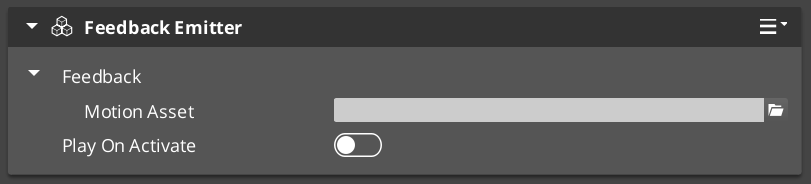
The FeedbackEmitter component lives on any entity and plays a Feedback Motion.
| Property | What It Does |
|---|---|
| FeedbackMotion | The motion asset and proxy configuration. |
| playOnActivate | If true, plays the motion automatically when the entity activates. |
| Method | What It Does |
|---|---|
Play() | Plays the feedback motion on the owning entity. |
PlayOnTarget(entityId) | Plays on a different target entity. |
Stop() | Stops the currently playing motion. |
Authoring Feedback Motions
- Create a
.feedbackmotionasset in the O3DE Asset Editor. - Add transform and/or material tracks.
- Configure each track’s gradients — these define the animation curve shape.
- Set timing (start time, duration) and easing for each track.
- Optionally set track identifiers for proxy targeting.
- Assign the asset to a FeedbackEmitter component.
Stacking Effects
Feedback effects are additive — each track applies its property change relative to the entity’s current state. Multiple effects on the same entity stack naturally without conflict. A bounce effect and a flash effect can run simultaneously on the same entity.
Proxy Targeting
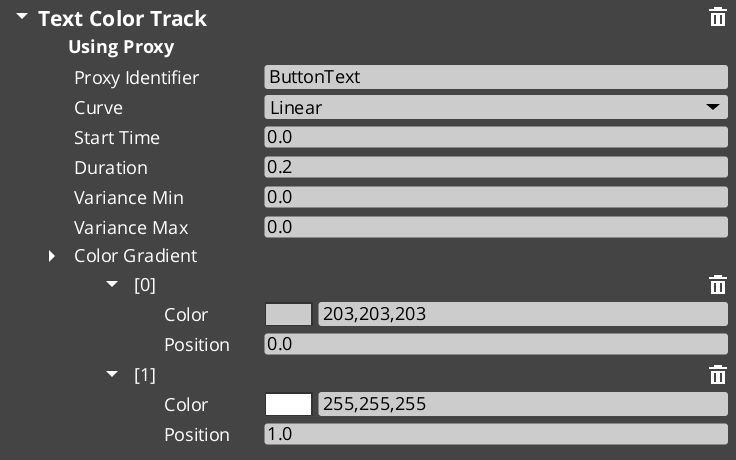
When a motion asset has tracks with identifiers (named labels), those tracks appear in the proxy list on the component. Proxies let you redirect a track to a different entity in the hierarchy — for example, a page show animation might animate the background separately from the content panel.
Each proxy entry maps a track label to a target entity. If no proxy is set, the track targets the motion’s owner entity.
Glossary
| Term | Meaning |
|---|---|
| Feedback Motion | A .feedbackmotion data asset containing animation tracks that play as a visual effect |
| Feedback Emitter | A component that plays a feedback motion on its entity or a target entity |
| FeedbackTransformTrack | A track that animates position offset, scale, and rotation via gradients |
| FeedbackMaterialTrack | A track that animates opacity, emissive intensity, and color tint via gradients |
For full definitions, see the Glossary.
See Also
For the full API, component properties, and C++ extension guide:
For related systems:
Get GS_Juice
GS_Juice — Explore this gem on the product page and add it to your project.