Targeting
Categories:
The Targeting system answers the question “which interactable entity should the player act on right now?” A GS_TargetingHandlerComponent on the player maintains a live registry of nearby targets. Proximity detection volumes populate that registry automatically as the player moves. When the handler evaluates candidates, it selects the best target and broadcasts the result so the cursor layer and any downstream logic stay in sync.
For architecture details, component properties, and extending the system in C++, see the Framework API reference.
Contents
- How Targeting Works
- Target Components
- Targeting Handler
- Interaction Fields
- Cursor System
- Interaction Input
- Quick Reference
- Glossary
- See Also
How Targeting Works
The targeting pipeline runs across four layers — proximity detection, target registration, target selection, and cursor display. Each layer is a separate component so they can be mixed and matched for different entity configurations.
| Layer | Component | What It Does |
|---|---|---|
| Proximity detection | GS_TargetingInteractionFieldComponent | Physics trigger volume on targetable entities. Registers and unregisters with the handler as the player enters and exits range. |
| Target data | GS_TargetComponent / GS_InteractTargetComponent | Defines the target’s visual properties — size, spatial offset, colour, and sprite. |
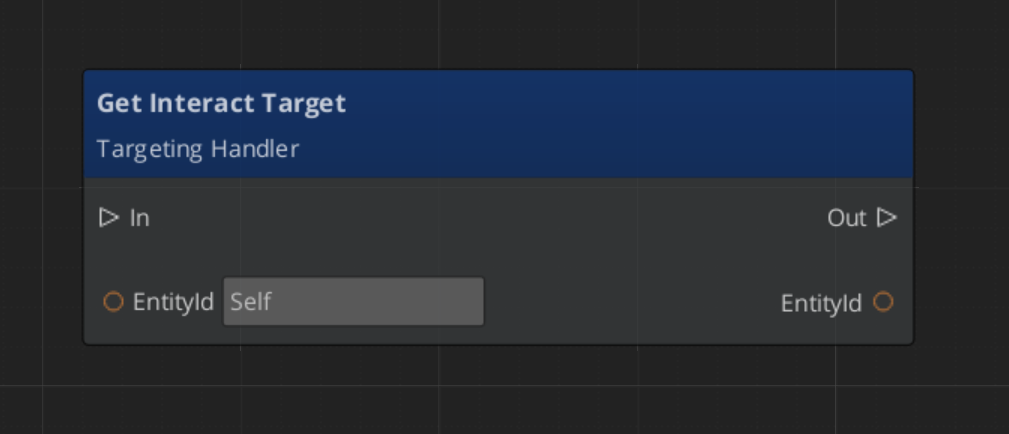
| Target selection | GS_TargetingHandlerComponent | Maintains the candidate list, evaluates it, and exposes the selected target via GetInteractTarget. |
| Cursor display | GS_CursorComponent + GS_CursorCanvasComponent | Reads the selected target’s visual properties and renders a cursor on screen or in world space. |
Target Components
GS_TargetComponent is the base marker that makes an entity targetable. It carries four properties the cursor layer reads to display correctly:
| Property | Purpose |
|---|---|
| Size | How large the targeting cursor appears over this entity. |
| Offset | Spatial offset from the entity’s origin, used to position the cursor at a sensible point (e.g. centre of a character’s torso). |
| Colour | Tint applied to the cursor sprite when this target is selected. |
| Sprite | The cursor image to display for this target. |
GS_InteractTargetComponent extends GS_TargetComponent with specialised interaction semantics. Use it for any entity that can be interacted with via the InteractInputReaderComponent.
Targeting Handler
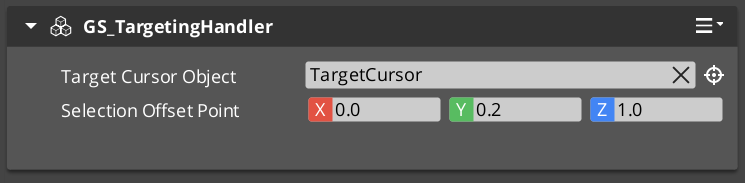
The GS_TargetingHandlerComponent is the central coordinator. It tracks all currently-registered candidates and determines which one is the best target at any given moment.
Notifications
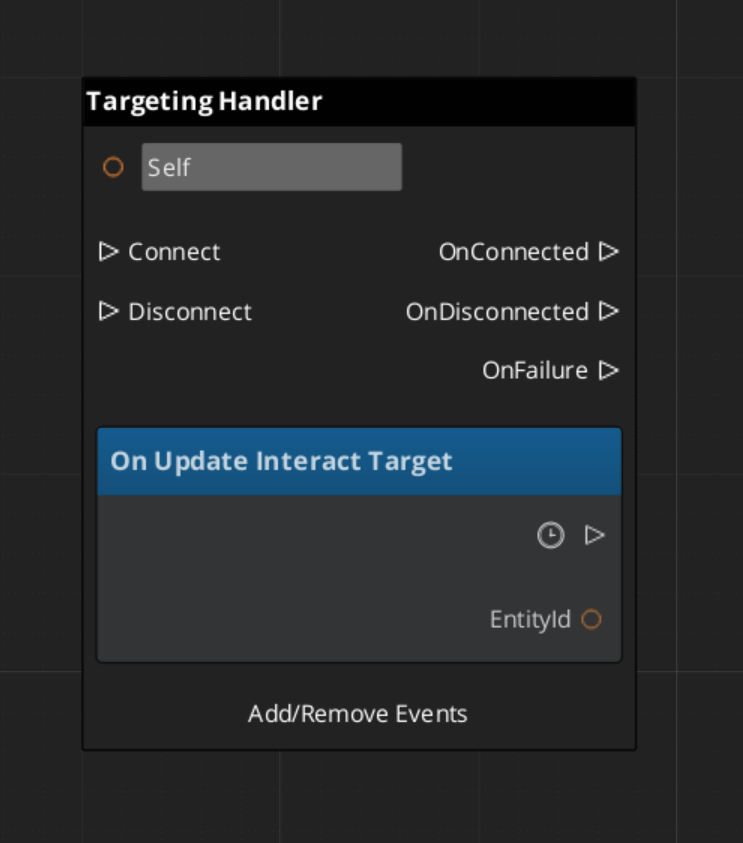
Subscribe to GS_TargetingHandlerNotificationBus to react to targeting state changes:
| Notification | When It Fires |
|---|---|
OnUpdateInteractTarget | The selected target has changed. Payload is the new target entity id (or invalid if none). |
OnEnterStandby | The targeting handler has suspended evaluation (e.g. during a cutscene or level transition). |
OnExitStandby | The targeting handler has resumed evaluation. |
ScriptCanvas — Listening for Target Changes
ScriptCanvas — Querying the Current Target
Interaction Fields
GS_TargetingInteractionFieldComponent is a physics trigger volume placed on targetable entities. When the player’s collider overlaps the field, it calls RegisterTarget on the handler. When the player leaves, it calls UnregisterTarget. The handler never has to poll — the field layer pushes updates automatically.
The field’s volume shape (sphere, box, capsule) determines the interaction range independently of the entity’s visual or physics collision bounds, so you can have a large detection range with a small visible object.
Cursor System
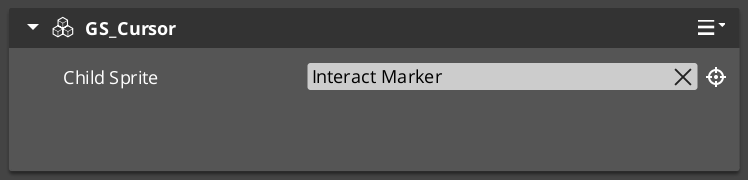
The cursor layer visualizes the current target selection on screen. It is composed of two components that work together:
| Component | Bus | Role |
|---|---|---|
GS_CursorComponent | GS_CursorRequestBus (Single) | Global cursor coordinator. Manages canvas registration, visibility, offset, and position. |
GS_CursorCanvasComponent | GS_CursorCanvasRequestBus (ById) | Per-canvas cursor. Renders the sprite and responds to hide/show instructions. |
ScriptCanvas — Cursor Control
[GS_CursorRequestBus → SetCursorVisuals]
    └─► Updates the sprite and colour from the selected target's properties.

[GS_CursorRequestBus → SetCursorPosition]
    └─► Moves the cursor to track the target's world position.

[GS_CursorRequestBus → HideCursor]
    └─► Hides the cursor when no target is selected or targeting is suspended.
UI Cursor Canvas

A LyShine ui canvas that pairs with the in-world CursorComponent.
The cursor canvas applies visuals to the UI image in behalf of the targeting system.
Interaction Input
InteractInputReaderComponent extends GS_Core::GS_InputReaderComponent to map raw button input to interaction events.
Place it on the same entity as the GS_TargetingHandlerComponent. When the player presses the configured interact button, the reader fires an event the handler can act on to confirm the current selection or trigger the target’s interact action.
This keeps input handling decoupled from targeting logic — you can swap input mappings or replace the reader component without touching the handler.
Quick Reference
| Need | Bus | Method / Event |
|---|---|---|
| Get the current target | GS_TargetingHandlerRequestBus (ById) | GetInteractTarget |
| Manually register a target | GS_TargetingHandlerRequestBus (ById) | RegisterTarget |
| Manually unregister a target | GS_TargetingHandlerRequestBus (ById) | UnregisterTarget |
| Know when the target changes | GS_TargetingHandlerNotificationBus (ById) | OnUpdateInteractTarget |
| Know when targeting suspends | GS_TargetingHandlerNotificationBus (ById) | OnEnterStandby |
| Know when targeting resumes | GS_TargetingHandlerNotificationBus (ById) | OnExitStandby |
| Hide the cursor | GS_CursorRequestBus | HideCursor |
| Update cursor position | GS_CursorRequestBus | SetCursorPosition |
| Update cursor appearance | GS_CursorRequestBus | SetCursorVisuals |
Glossary
| Term | Meaning |
|---|---|
| Targeting Handler | The coordinator component on the player that maintains the candidate list and selects the best target |
| Interaction Field | A physics trigger volume on a targetable entity that registers/unregisters with the handler automatically |
| Target Component | A marker component that makes an entity targetable with visual properties for the cursor |
| Cursor | The visual overlay that tracks the selected target on screen or in world space |
For full definitions, see the Glossary.
See Also
For the full API, component properties, and C++ extension guide:
- Framework API: Targeting
- Framework API: Targeting Handler
- Framework API: Targets
- Framework API: Interaction Fields
- Framework API: Interaction Input
For related systems:
Get GS_Interaction
GS_Interaction — Explore this gem on the product page and add it to your project.