Time Manager
Categories:
The Time Manager is the singleton controller for world time in your project. It drives the time-of-day value, controls how fast time passes, determines day/night state, and broadcasts timing events that other systems (lighting, AI schedules, environmental effects) can react to.
For component properties and API details, see the Framework API reference.
Contents
- How It Works
- Controlling Time
- Responding to Time Events
- Entity Configuration
- Quick Reference
- Glossary
- See Also
How It Works
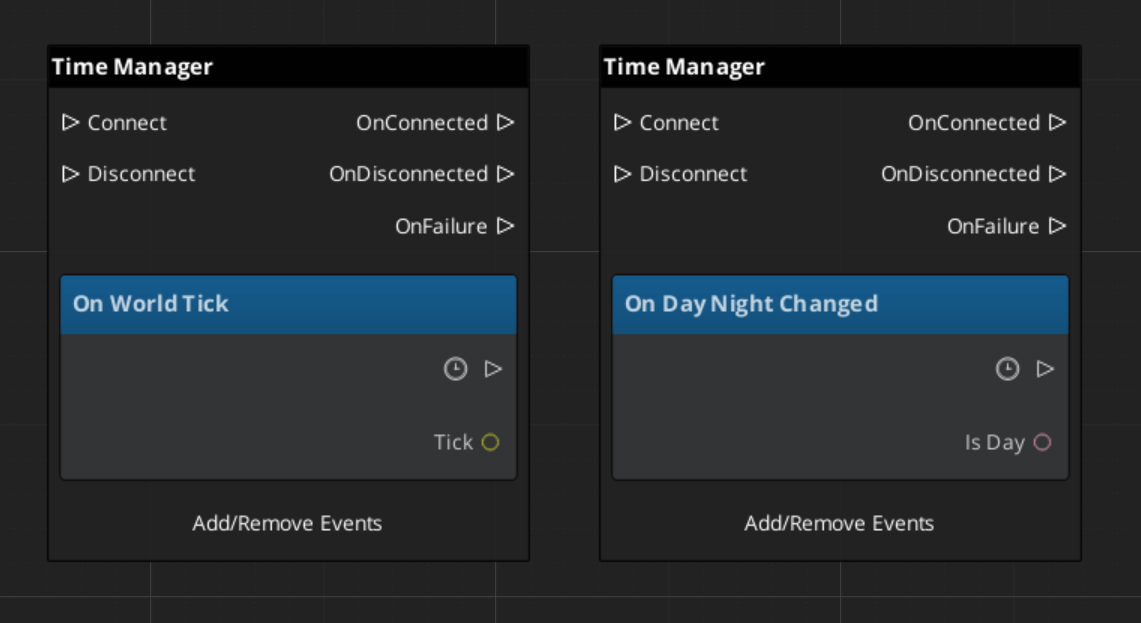
The Time Manager maintains a continuous time-of-day value. Each frame, it advances the time based on the configured passage speed and broadcasts a WorldTick event. When the time crosses the day/night threshold, it broadcasts DayNightChanged.
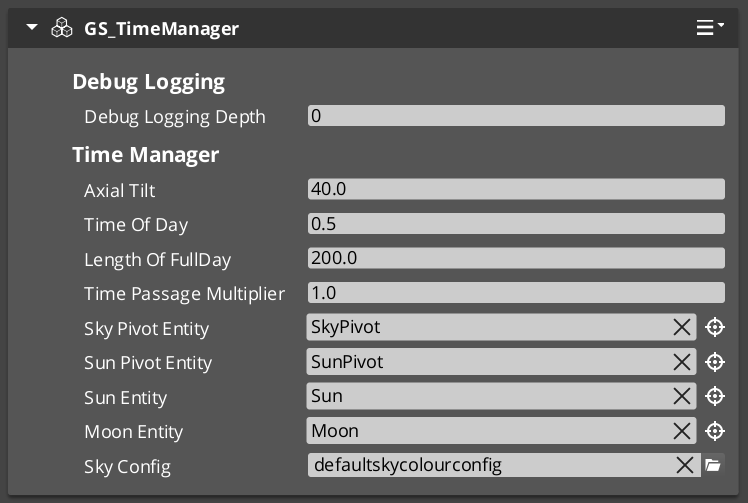
You set the main camera reference so the Time Manager can position sky effects relative to the player’s view.
Controlling Time
| ScriptCanvas Node | What It Does |
|---|---|
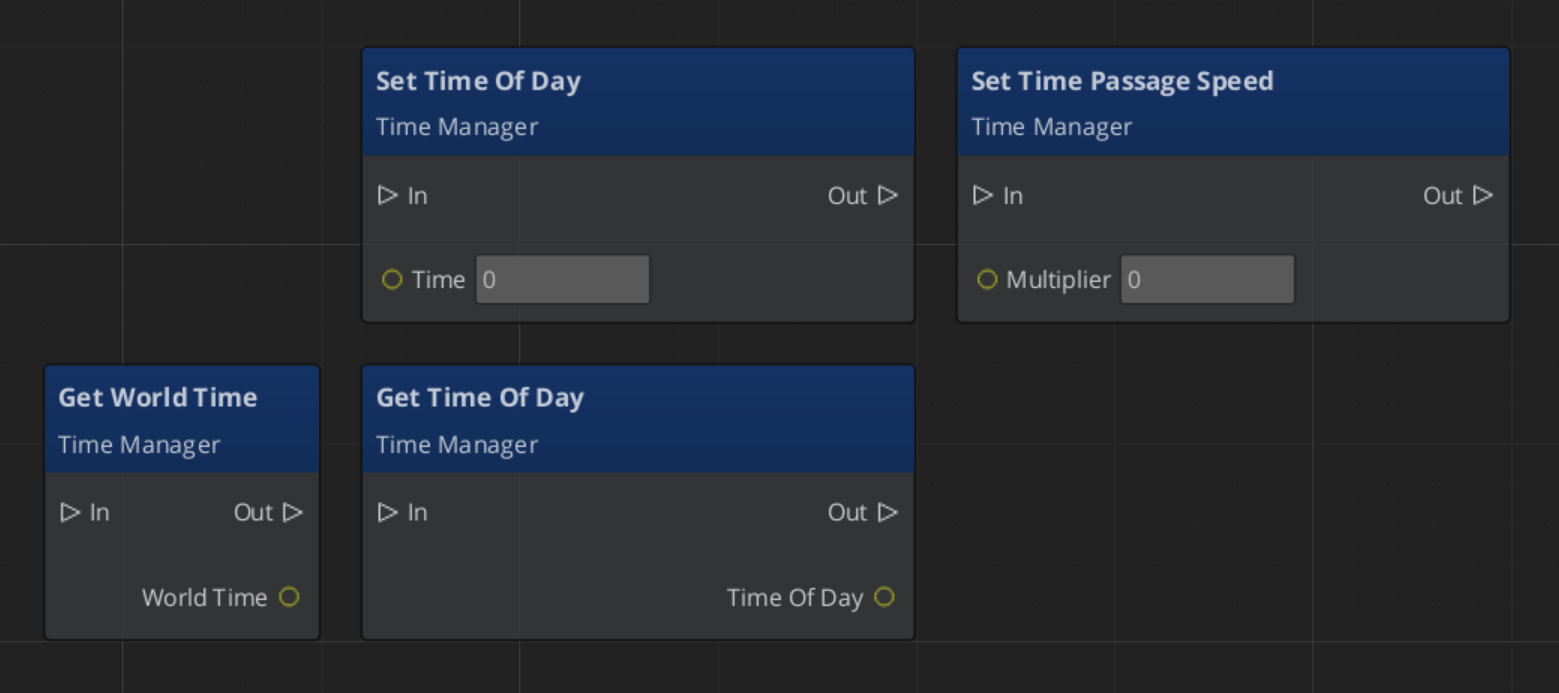
SetTimeOfDay(time) | Sets the current time of day directly. |
GetTimeOfDay | Returns the current time of day. |
SetTimePassageSpeed(speed) | Controls how fast time advances (multiplier). |
GetWorldTime | Returns the total elapsed world time. |
IsDay | Returns whether it is currently daytime. |
SetMainCam(entity) | Sets the camera entity for sky positioning. |
ScriptCanvas
Responding to Time Events
Time Manager Entity Configuration
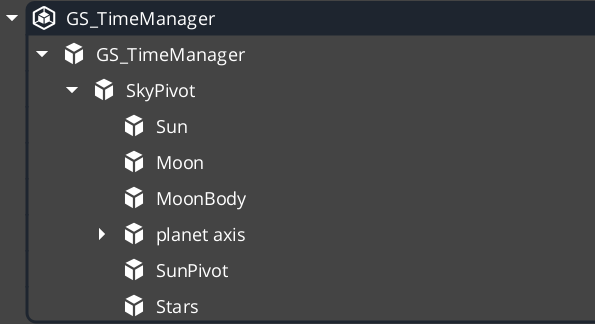
In order to drive many of the environment effects and weather systems, the Time Manager needs many entities and components available to it.
| Entity | What It Does |
|---|---|
| SkyPivot | This entity holds all the rest of the celestial entities. It’s pivot is the pivot of the planet. |
| Sun / Moon | Two directional lights, pointed in opposite directions. One is disabled at a time and has it’s colours and intensities handled by the Time Manager sky configuration profile. |
| Moon Body | A graphic, placed in the sky relative to the moon directional light. Purely Cosmetic. |
| Planet Axis | An entity that carries celestial bodies at an offset. They spin with the rest of the sky. Purely Cosmetic. |
| Stars | The stars component. If it’s inside the pivot, the stars follow the rotation of the sky. |
Quick Reference
| Need | Bus | Method / Event |
|---|---|---|
| Set time of day | TimeManagerRequestBus | SetTimeOfDay(time) |
| Get current time | TimeManagerRequestBus | GetTimeOfDay |
| Check if daytime | TimeManagerRequestBus | IsDay |
| Change time speed | TimeManagerRequestBus | SetTimePassageSpeed(speed) |
| React to time ticks | TimeManagerNotificationBus | WorldTick |
| React to day/night change | TimeManagerNotificationBus | DayNightChanged |
Glossary
| Term | Meaning |
|---|---|
| World Time | The continuously advancing time-of-day value maintained by the Time Manager |
| Time Passage Speed | A multiplier controlling how fast world time advances each frame |
| Day/Night Phase | The current phase (day or night) determined by the time-of-day threshold |
For full definitions, see the Glossary.
See Also
For the full API, component properties, and C++ extension guide:
For related systems:
Get GS_Environment
GS_Environment — Explore this gem on the product page and add it to your project.