Stage Management
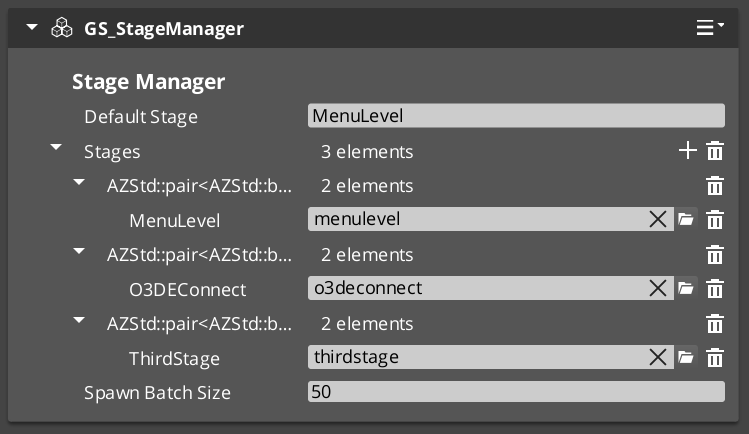
The Stage Manager handles all level-to-level navigation in a GS_Play project. It owns the master list of stages, processes transition requests, and coordinates with the Game Manager’s standby mode to ensure clean load/unload cycles. Stage Data components in each level control how that level initializes.
For architecture details, component properties, and extension patterns, see the Framework API reference.
Contents
- How Stage Transitions Work
- Stage Data
- Triggering Stage Changes
- Exit Points
- Responding to Stage Events
- Entity Level Configuration
- Quick Reference
- Glossary
- See Also
How Stage Transitions Work
Breakdown
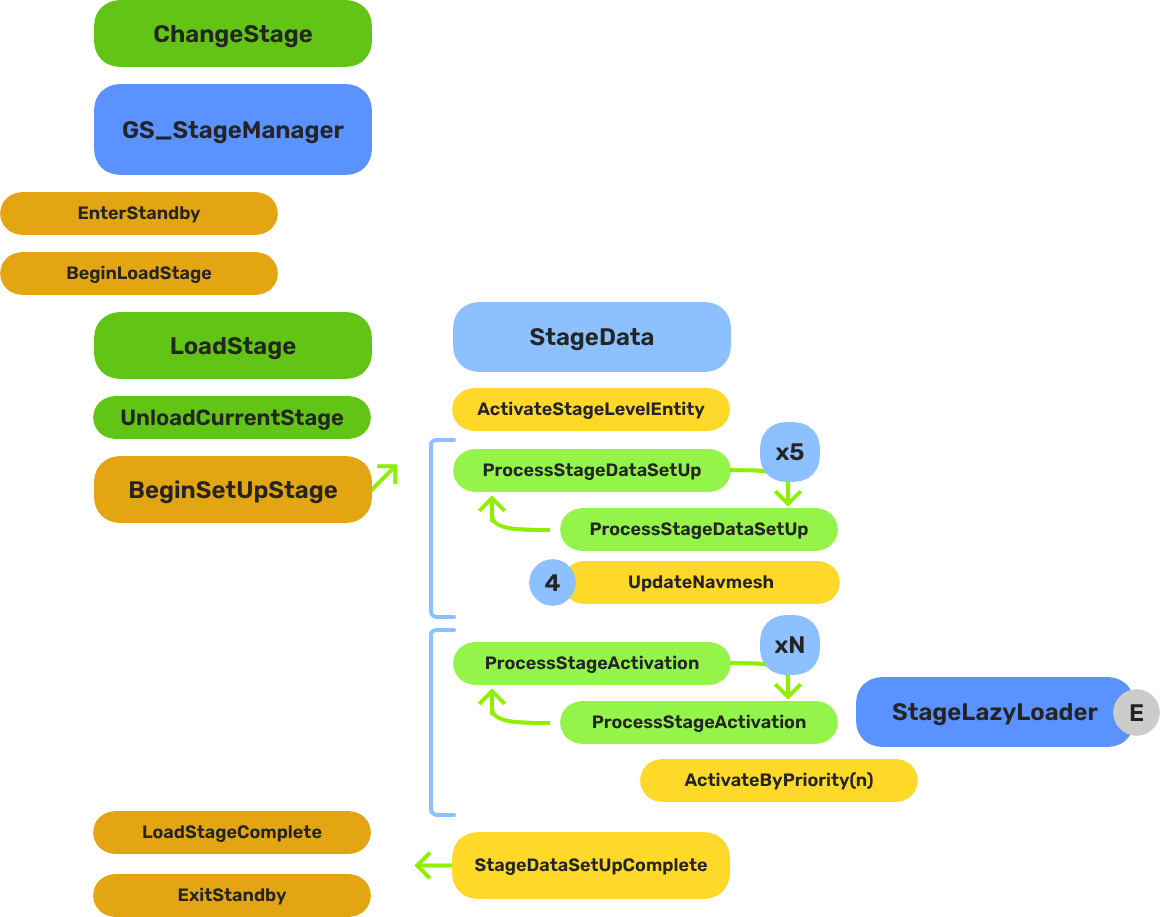
When you request a stage change, the system follows this sequence:
| Step | What Happens |
|---|---|
| 1 — Standby | The Game Manager enters standby, pausing all gameplay systems. |
| 2 — Unload | The current stage’s entities are torn down. |
| 3 — Spawn | The target stage’s prefab is instantiated. |
| 4 — Set Up | The Stage Data component in the new level runs its layered startup sequence. |
| 5 — Complete | The Stage Manager broadcasts LoadStageComplete. Standby exits. |
The Stage Data startup is layered — SetUpStage, ActivateByPriority, then Complete — so heavy levels can initialize incrementally without causing frame-time spikes.
E Indicates extensible classes and methods.
Patterns - Complete list of system patterns used in GS_Play.
Stage Data
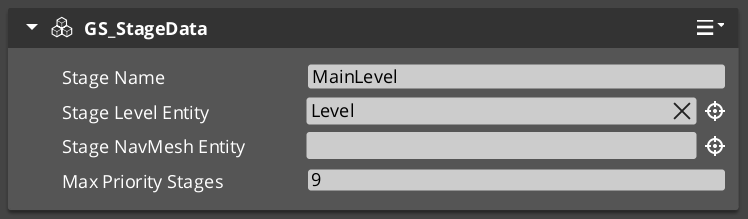
Each level should have a Stage Data component as its root entity. Using a start inactive child “Level” entity, the Stage Data system controls the initialization sequence for that new level. Stage Data holds level-specific configuration, and scripts.
| Event | What It Means |
|---|---|
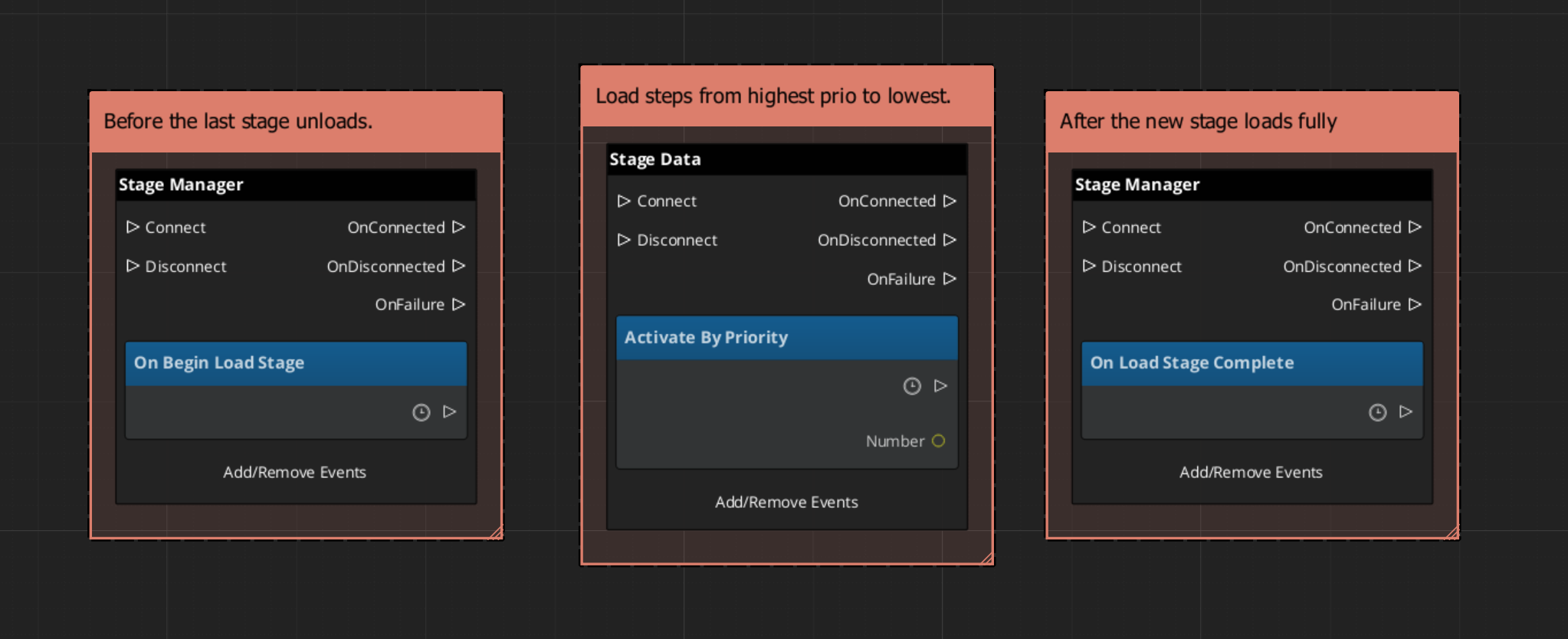
OnBeginSetUpStage | The level is starting its setup. Initialize per-level systems. |
ActivateByPriority | Activate heavy entities in priority order (lazy loading). |
OnLoadStageComplete | The level is fully loaded and ready. |
OnTearDownStage | The level is being unloaded. Clean up per-level state. |
Listen to these on StageDataNotificationBus in any script that needs to react to level lifecycle.
Triggering Stage Changes
ScriptCanvas
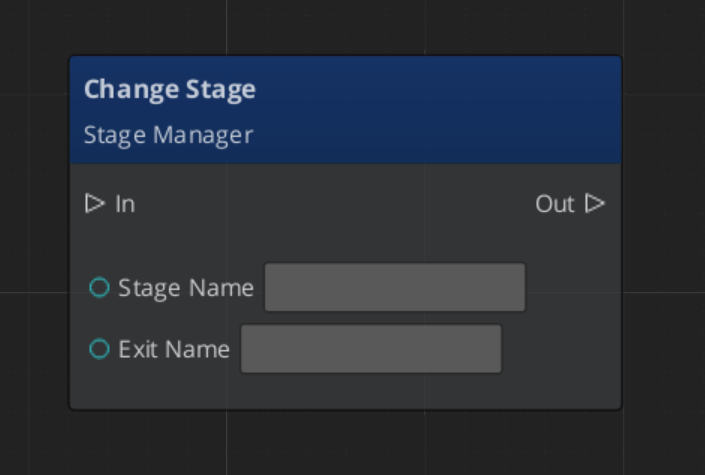
The exitPointName parameter is optional. If provided, the system will position the player at the named exit point in the target level.
Exit Points
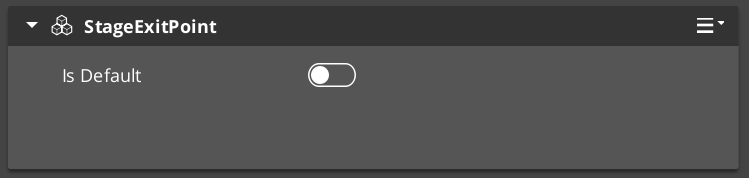
Exit Points are named position markers placed in a level. They define where entities spawn when arriving from another stage. A door in Level A can specify that when transitioning to Level B, the player should appear at Exit Point “DoorB_Entry”.
Exit Points are registered and unregistered with the Stage Manager automatically when they activate and deactivate.
| ScriptCanvas Node | What It Does |
|---|---|
ChangeStageRequest(stageName, exitPoint) | Transitions to a stage and positions at the named exit point. |
RegisterExitPoint(name, entity) | Manually registers an exit point (usually automatic). |
UnregisterExitPoint(name) | Manually unregisters an exit point. |
GetExitPoint(name) | Returns the entity ID of a registered exit point. |
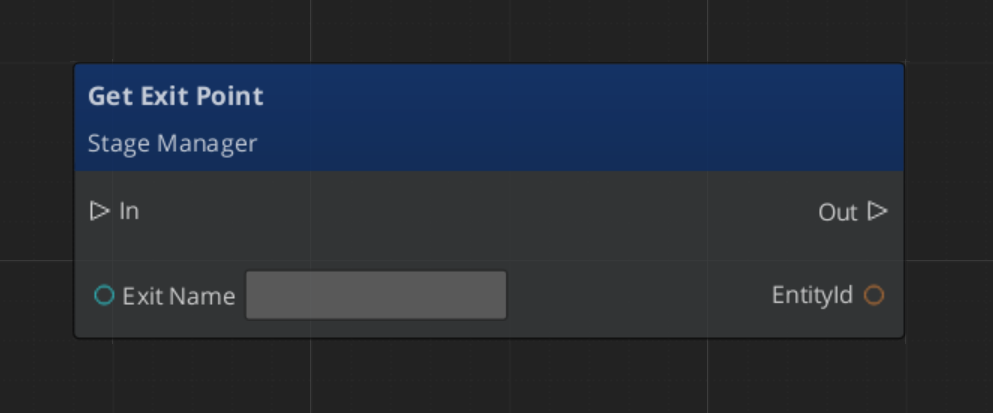
Responding to Stage Events
ScriptCanvas
Entity Level Configuration
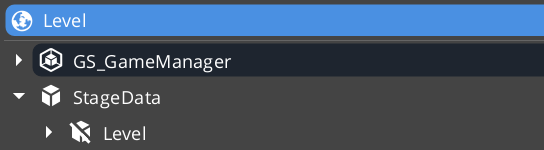
The Stage Data entity must live outside of the levels Game Manager prefab. It is left active.
Inside, it has a secondary level “wrapper” entity that you set to “Start Inactive” by default. This enables the Stage Data to control exactly when the level begins loading.
Quick Reference
| Need | Bus | Method / Event |
|---|---|---|
| Change to a different level | StageManagerRequestBus | ChangeStageRequest(stageName, exitPoint) |
| Load the default stage | StageManagerRequestBus | LoadDefaultStage |
| Know when a load starts | StageManagerNotificationBus | BeginLoadStage |
| Track loading progress | StageManagerNotificationBus | StageLoadProgress |
| Know when a load finishes | StageManagerNotificationBus | LoadStageComplete |
| React to level setup | StageDataNotificationBus | OnBeginSetUpStage |
| React to level teardown | StageDataNotificationBus | OnTearDownStage |
| Find an exit point | StageManagerRequestBus | GetExitPoint(name) |
Glossary
| Term | Meaning |
|---|---|
| Stage | A spawnable prefab representing a game level or screen |
| Exit Point | A named position marker in a level that defines where entities arrive from another stage |
| Stage Data | A per-level component that controls level initialization and holds level-specific settings |
| Default Stage | The first stage loaded on application start (typically the title screen) |
For full definitions, see the Glossary.
See Also
For the full API, component properties, and C++ extension guide:
For related systems:
Get GS_Core
GS_Core — Explore this gem on the product page and add it to your project.