Save System
The Save system handles all persistence in a GS_Play project. The Save Manager coordinates file operations, Savers serialize per-entity state, and the Record Keeper tracks flat progression data. Together they give you a complete save/load pipeline that works out of the box and extends cleanly for custom data.
For architecture details, component properties, and extending the system in C++, see the Framework API reference.
Contents
- How Saving Works
- Responding to Save Events
- Triggering Saves and Loads
- Record Keeper
- Built-In Savers
- Quick Reference
- Glossary
- See Also
How Saving Works
Breakdown
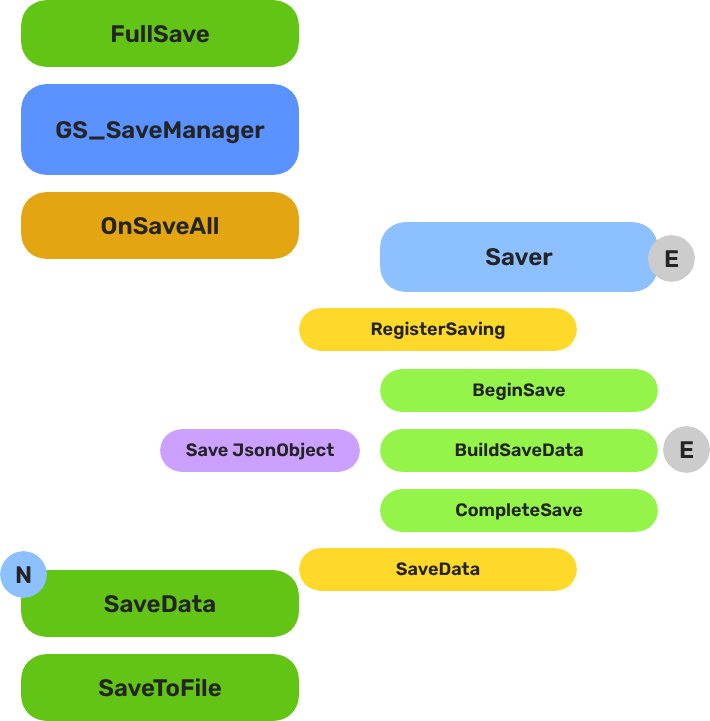
When a save is triggered, the Save Manager broadcasts OnSaveAll to every Saver component in the scene. Each Saver serializes its entity’s relevant state into the save file. When loading, the Save Manager broadcasts OnLoadAll, and each Saver restores its entity from the save data.
The Save Manager also maintains a list of all save files with metadata (timestamps, names), so you can present a save/load UI to the player.
| Operation | What Happens |
|---|---|
| New save | Creates a new save file, broadcasts OnSaveAll to all Savers. |
| Load save | Reads save file, broadcasts OnLoadAll to all Savers. |
| Save data | Writes current game state to the active save file. |
| Load data | Reads data from the active save file into memory. |
E Indicates extensible classes and methods.
Patterns - Complete list of system patterns used in GS_Play.
Responding to Save Events
ScriptCanvas
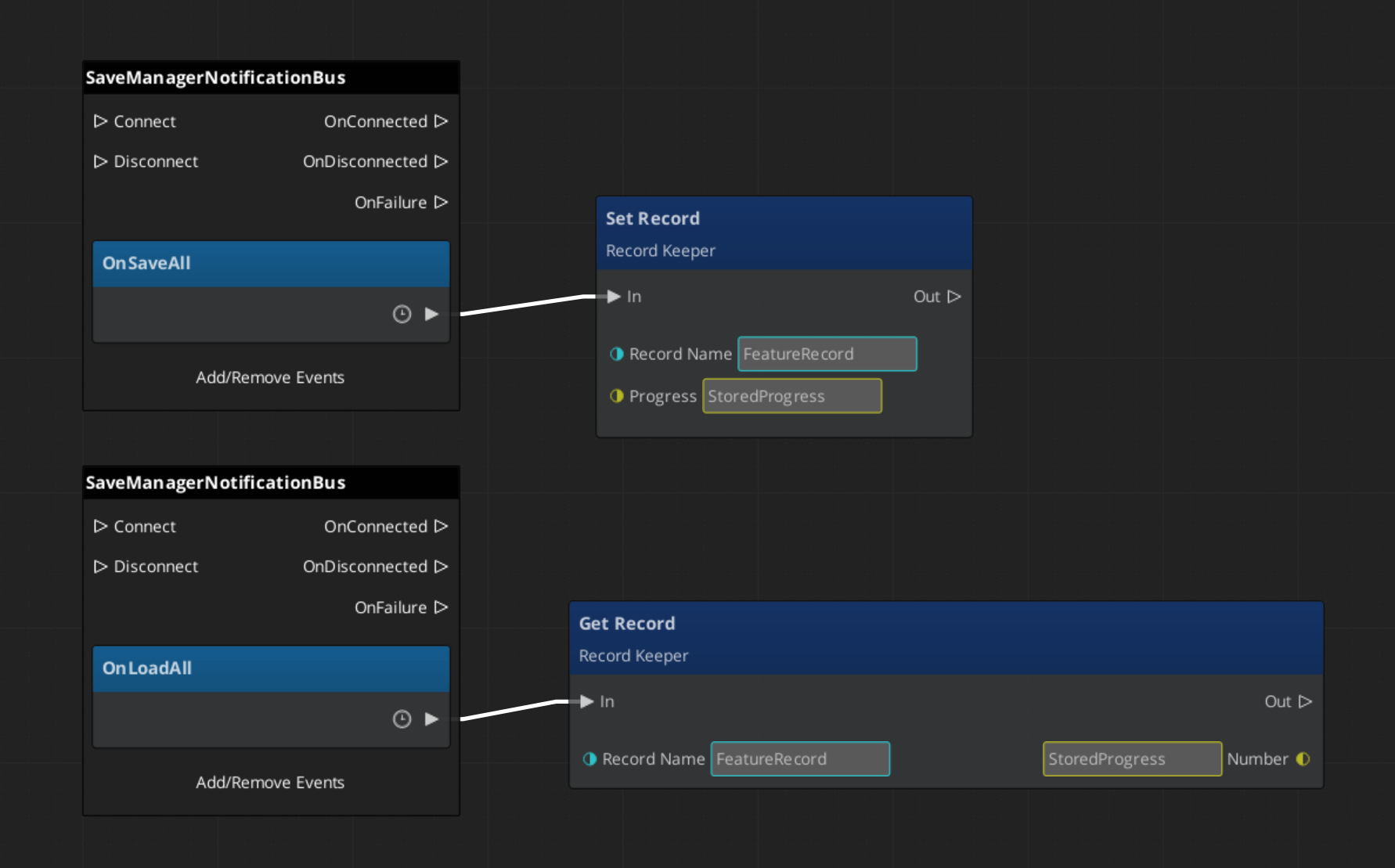
Connect to SaveManagerNotificationBus to know when save or load operations occur:
Triggering Saves and Loads
These methods are available on SaveManagerRequestBus:
| ScriptCanvas Node | What It Does |
|---|---|
NewGameSave | Creates a fresh save file for a new game. |
LoadGame(saveName) | Loads a specific save file by name. |
SaveData | Writes current state to the active save file. |
LoadData | Reads the active save file into memory. |
GetOrderedSaveList | Returns all save files sorted by most recent. |
ConvertEpochToReadable(epoch) | Converts a save file timestamp to a human-readable string. |
Record Keeper
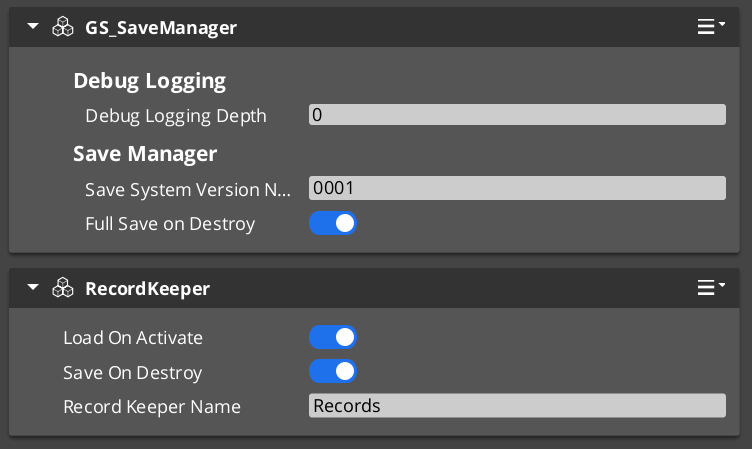
The Record Keeper is a lightweight key-value store for tracking game-wide progression — quest flags, counters, unlock states, completion markers. It lives on the Save Manager prefab and is automatically persisted with the save system.
Unlike Savers (which are per-entity), the Record Keeper is a global singleton. Any script or component can read and write records by name.
| ScriptCanvas Node | What It Does |
|---|---|
HasRecord(name) | Returns whether a record with the given name exists. |
SetRecord(name, value) | Creates or updates a record. Value is a float. |
GetRecord(name) | Returns the current value of a record. |
DeleteRecord(name) | Removes a record. |
Responding to Record Changes
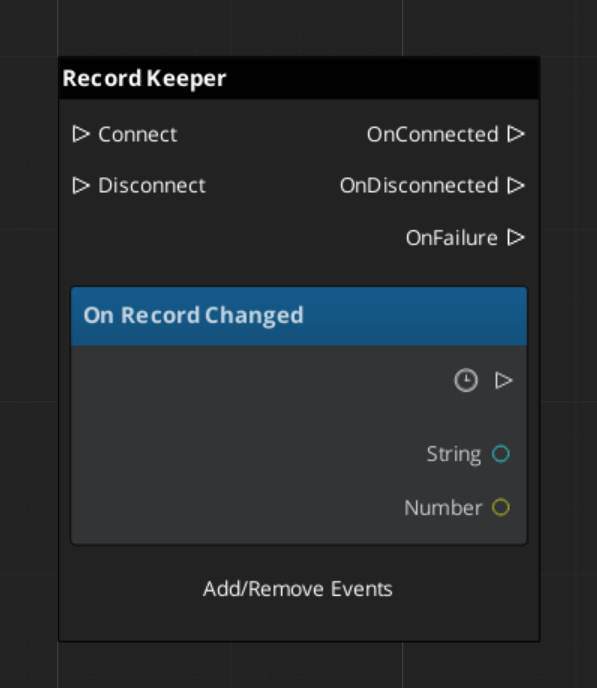
Listen on RecordKeeperNotificationBus for the RecordChanged event. This fires whenever any record is created, updated, or deleted — useful for UI that displays progression state.
Built-In Savers
Two Savers ship with GS_Core for the most common use cases:
| Saver | What It Saves |
|---|---|
| BasicEntitySaver | Entity transform (position, rotation, scale). |
| BasicPhysicsEntitySaver | Entity transform plus rigidbody velocity and angular velocity. |
Add these components to any entity that needs to persist its position across save/load cycles. They handle serialization and restoration automatically.
Quick Reference
| Need | Bus | Method / Event |
|---|---|---|
| Trigger a save | SaveManagerRequestBus | SaveData |
| Trigger a load | SaveManagerRequestBus | LoadGame(saveName) |
| Create a new save | SaveManagerRequestBus | NewGameSave |
| List all saves | SaveManagerRequestBus | GetOrderedSaveList |
| Know when saving | SaveManagerNotificationBus | OnSaveAll |
| Know when loading | SaveManagerNotificationBus | OnLoadAll |
| Check a progress flag | RecordKeeperRequestBus | HasRecord(name) / GetRecord(name) |
| Set a progress flag | RecordKeeperRequestBus | SetRecord(name, value) |
| Know when a record changes | RecordKeeperNotificationBus | RecordChanged |
Glossary
| Term | Meaning |
|---|---|
| Saver | A component that serializes one entity’s state into the save file |
| Record Keeper | A global key-value store for tracking progression flags and counters |
| Save File | A serialized snapshot of all Saver data plus Record Keeper state |
For full definitions, see the Glossary.
See Also
For the full API, component properties, and C++ extension guide:
For step-by-step project setup:
Get GS_Core
GS_Core — Explore this gem on the product page and add it to your project.