Options & Input
The Options system covers two things a project needs and rarely wants to write itself:
- Settings — the options a player changes: volume, graphics, resolution, accessibility. You declare them as data and the framework applies, saves and restores them.
- Input — group-based input binding that can be rebound and toggled at runtime without code changes.
For architecture details, component properties, and extension patterns, see the Framework API reference.
Contents
- Options Manager
- Settings
- Input Profiles
- Enabling and Disabling Input Groups
- How Input Flows
- Quick Reference
- Glossary
- See Also
Options Manager
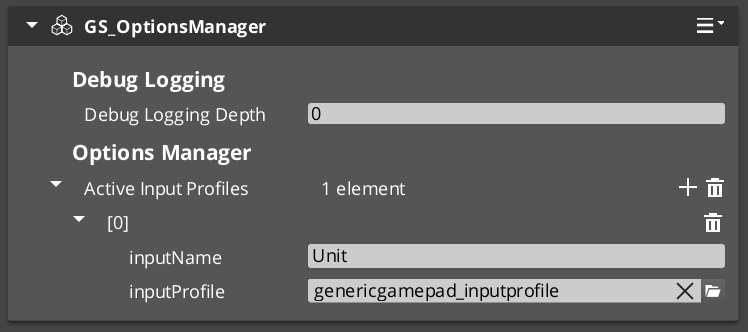
The Options Manager is the singleton that owns both halves of this system. It holds your option profiles and presets, and the active Input Profile. It responds to the Game Manager lifecycle automatically.
Assign three things to it: your option profiles, any presets, and your input profile.
Settings
Settings are the options a player changes — volume, graphics, resolution, accessibility. You declare them as data in an Options Profile asset, and the framework applies, saves and restores them.
Input Profiles
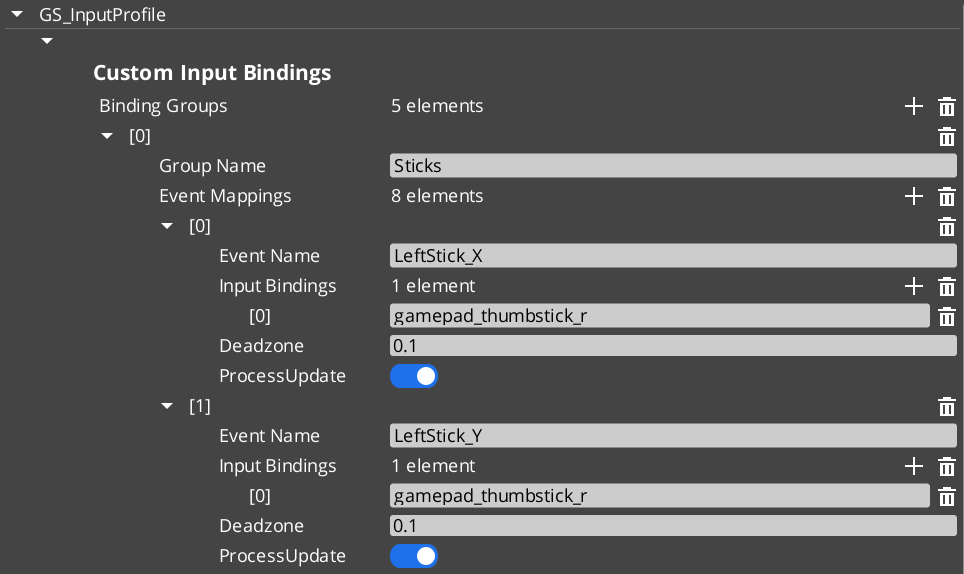
An Input Profile is a data asset created in the O3DE Asset Editor. It contains named input groups, each holding a set of event mappings. Each event mapping binds a gameplay event name to one or more raw input bindings (key presses, axis movements, button presses) with configurable deadzones.
The key advantage over raw O3DE input bindings is the group system. Groups can be enabled and disabled independently at runtime — a pause menu can suppress gameplay input by disabling the “Gameplay” group, without tearing down and rebuilding bindings.
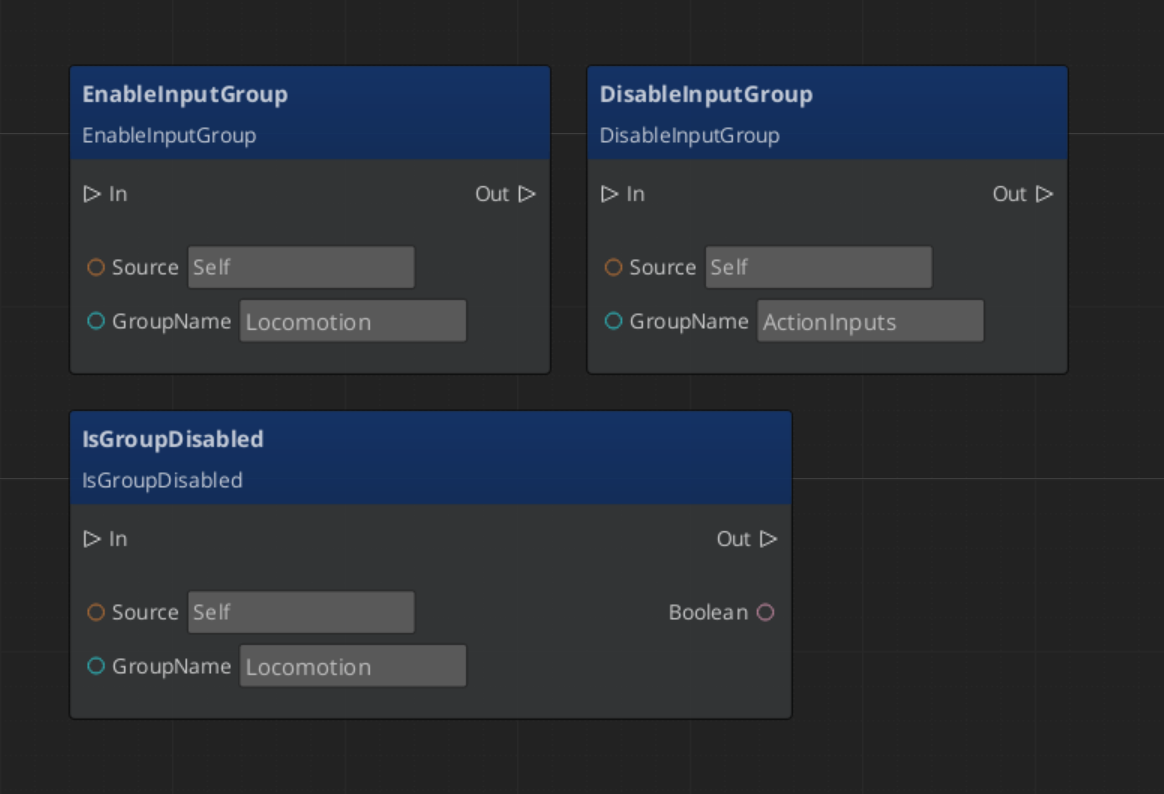
Enabling and Disabling Input Groups
ScriptCanvas
How Input Flows
| Stage | What Happens |
|---|---|
| 1 — Raw Input | O3DE’s input system captures key/axis/button events. |
| 2 — Input Reader | The GS_InputReaderComponent on the entity matches raw input against the active Input Profile’s event mappings. |
| 3 — Event Mapping | Matched input fires a named gameplay event (e.g., “Jump”, “MoveForward”). |
| 4 — Consumer | Other components on the entity (controllers, reactors) handle the gameplay event. |
Input Readers filter by group — if a group is disabled, none of its event mappings fire.
Quick Reference
| Need | Bus | Method / Event |
|---|---|---|
| Disable an input group | InputReaderRequestBus | DisableInputGroup(groupName) |
| Enable an input group | InputReaderRequestBus | EnableInputGroup(groupName) |
| Check if group is disabled | InputReaderRequestBus | IsGroupDisabled(groupName) |
| Get the active profile | OptionsManagerRequestBus | GetActiveInputProfile |
Glossary
| Term | Meaning |
|---|---|
| Input Profile | A data asset containing named input groups with event mappings |
| Input Group | A named collection of event mappings that can be enabled or disabled at runtime |
| Event Mapping | A binding from a gameplay event name to one or more raw input sources |
| Input Reader | A component that matches raw input against the active Input Profile |
For full definitions, see the Glossary.
See Also
For the full API, component properties, and C++ extension guide:
Get GS_Core
GS_Core — Explore this gem on the product page and add it to your project.