Managers System
Categories:
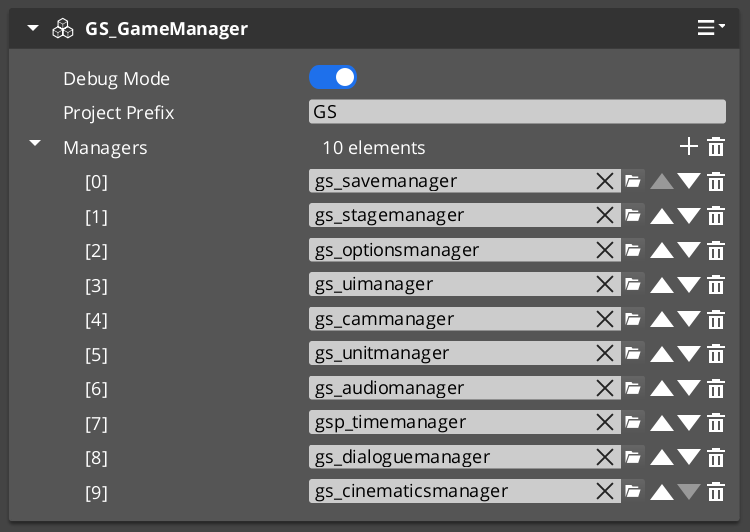
The Managers system is how GS_Play starts your game. The Game Manager spawns all other managers in a guaranteed order, coordinates their initialization stages, and then broadcasts events that signal when each stage is complete and when the game is fully ready to run.
This gives you the ability to ensure startup happens as expected, can create your own managers of any type, and can toggle full-game standby.
For architecture details, component properties, and extending the system in C++, see the GS_Managers API.
Contents
- Startup Sequence
- Responding to Startup
- Game Navigation
- Standby Mode
- Debug Mode
- Quick Reference
- Glossary
- See Also
Startup Sequence
Breakdown
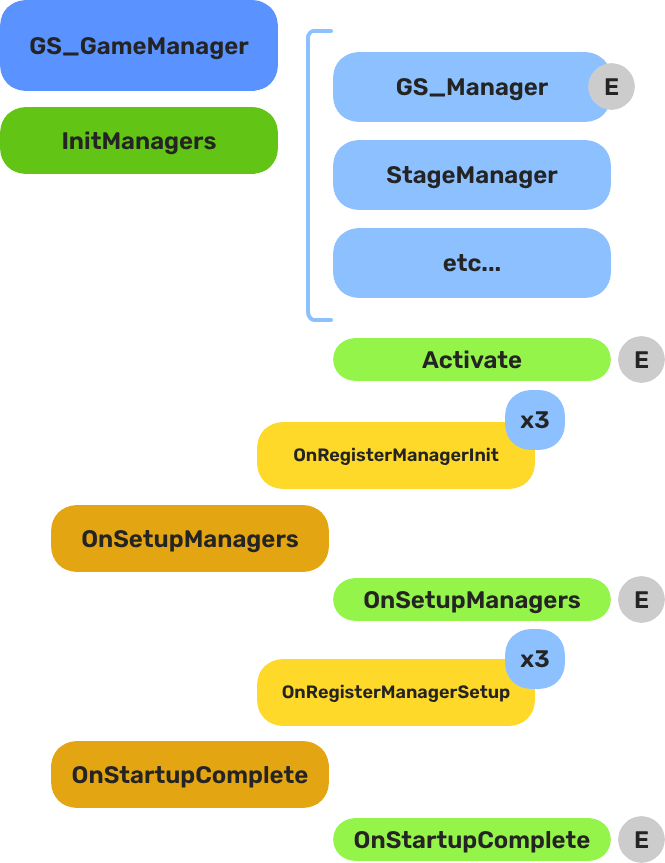
When the project starts, the Game Manager runs three stages before the game is considered ready:
| Stage | Broadcast Event | What It Means |
|---|---|---|
| 1 — Initialize | (internal) | Each manager is spawned. They activate, then report ready. |
| 2 — Setup | OnSetupManagers | Setup stage. Now safe to query other managers. |
| 3 — Complete | OnStartupComplete | Last stage. Everything is ready. Do any last minute things. Now safe to begin gameplay. |
For most scripts, you only need OnStartupComplete. Wait for this event before doing anything that depends on managers to be completely setup.
E Indicates extensible classes and methods.
Patterns - Complete list of system patterns used in GS_Play.
Responding to Startup
ScriptCanvas
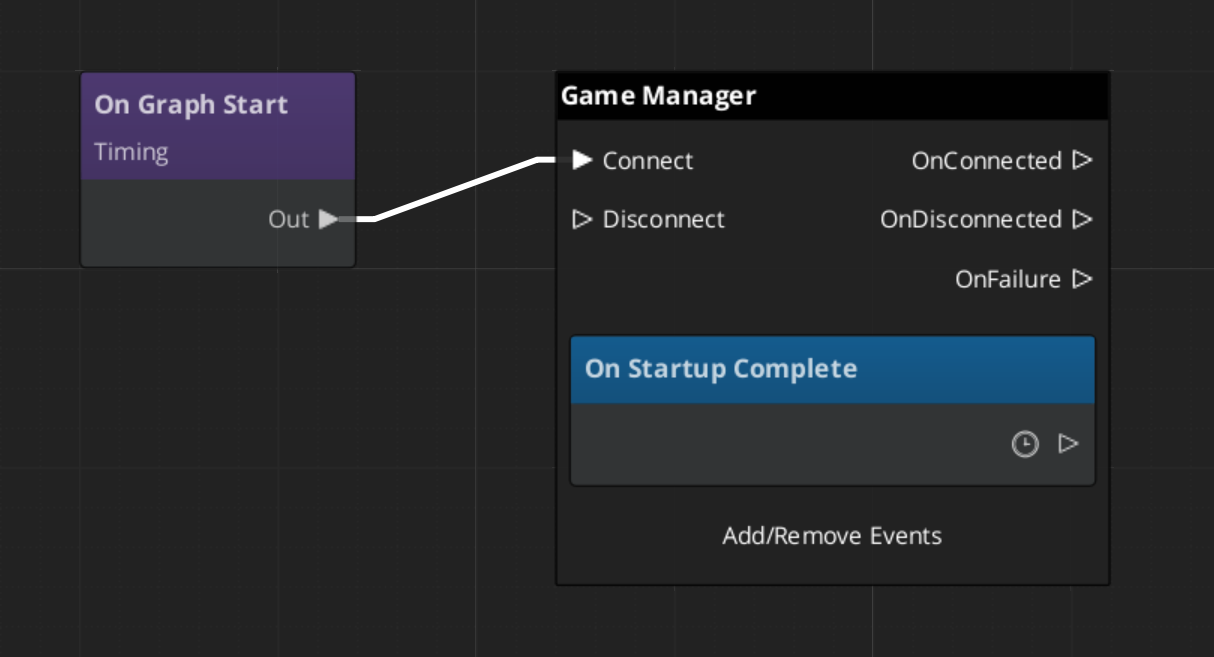
Connect to GameManagerNotificationBus and handle OnStartupComplete to know when the game is fully ready:
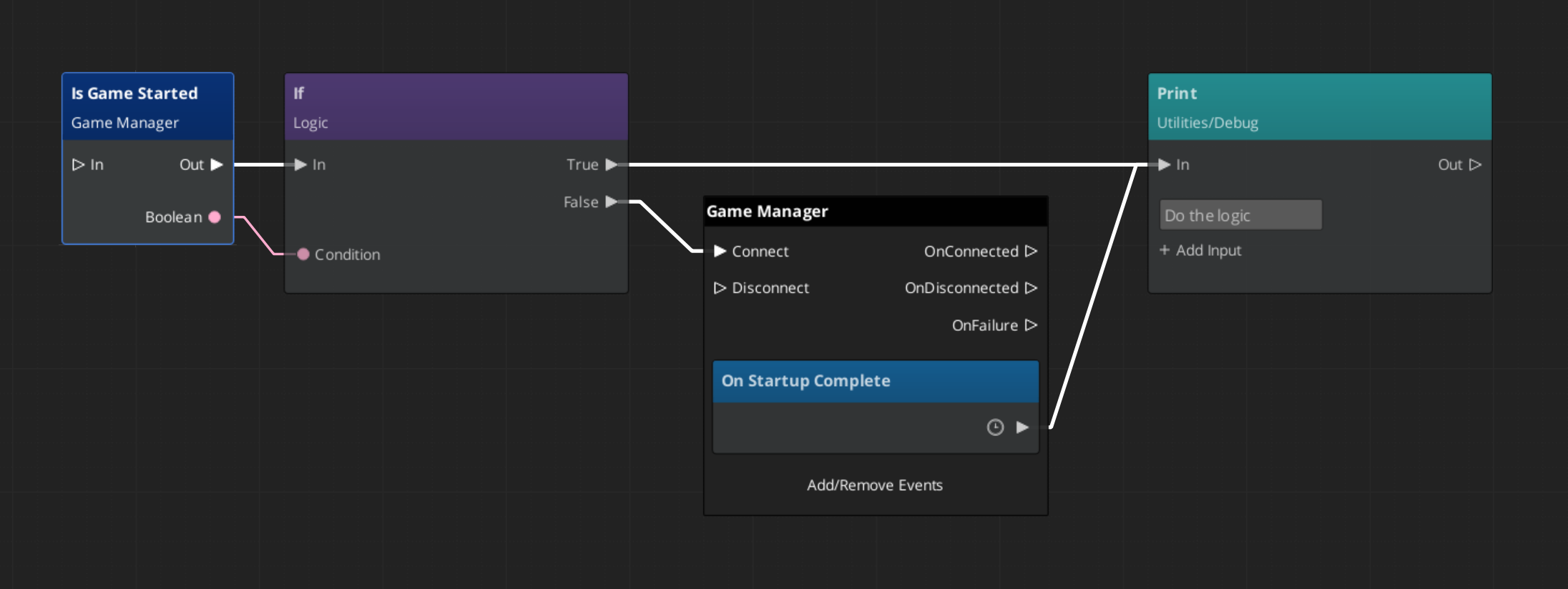
To check at any point whether the game has already finished starting, use the IsStarted request:
Game Navigation
The Game Manager owns the top-level game flow. Call these from title screens, pause menus, and end-game sequences. They coordinate the Save Manager and Stage Manager automatically.
| ScriptCanvas Node | What It Does |
|---|---|
TriggerNewGame | Starts a new game with the default save name. |
TriggerNewGameWithName(saveName) | Starts a new game and writes to a named save file. |
TriggerContinueGame | Loads the most recent save and continues from it. |
TriggerLoadGame(saveName) | Loads a specific save file by name. |
TriggerReturnToTitle | Returns to the title stage, tearing down the current session. |
TriggerSaveAndExitGame | Saves the current state and exits the application. |
TriggerExitGame | Exits the application without saving. |
Standby Mode
Standby is a global pause. The Game Manager enters standby automatically during level transitions and other blocking operations. It broadcasts OnEnterStandby to halt all gameplay systems, and OnExitStandby when the operation completes.
Listen to these in any script that drives continuous logic — timers, ticks, or animation sequences:
| Event | What to Do |
|---|---|
OnEnterStandby | Pause timers, halt ticks, stop animations. |
OnExitStandby | Resume timers, re-enable ticks. |
Both events are on GameManagerNotificationBus.
Debug Mode
When Debug Mode is enabled on the Game Manager component in the editor, the game starts in the current level instead of navigating to your title stage. This allows rapid iteration on any level without going through the full boot flow.
Debug Mode only changes startup navigation. All manager initialization and event broadcasting proceed normally.
Quick Reference
| Need | Bus | Method / Event |
|---|---|---|
| Know when startup is complete | GameManagerNotificationBus | OnStartupComplete |
| Check if game has started | GameManagerRequestBus | IsStarted |
| Start a new game | GameManagerRequestBus | NewGame / TriggerNewGame (SC) |
| Continue from last save | GameManagerRequestBus | ContinueGame / TriggerContinueGame (SC) |
| Load a specific save | GameManagerRequestBus | LoadGame / TriggerLoadGame (SC) |
| Return to title | GameManagerRequestBus | ReturnToTitle / TriggerReturnToTitle (SC) |
| Pause all systems | GameManagerRequestBus | EnterStandby |
| Resume all systems | GameManagerRequestBus | ExitStandby |
| Know when standby changes | GameManagerNotificationBus | OnEnterStandby / OnExitStandby |
Glossary
| Term | Meaning |
|---|---|
| Standby | Global pause broadcast to all managers and their subsystems |
| Startup Sequence | The three-stage lifecycle (Initialize → SetupManagers → StartupComplete) before gameplay is ready |
| Manager | A component that extends GS_ManagerComponent and registers with the Game Manager |
| Debug Mode | Starts the game in the current editor level instead of navigating to the title stage |
For full definitions, see the Glossary.
See Also
For the full API, component properties, and C++ extension guide:
For step-by-step project setup:
Get GS_Core
GS_Core — Explore this gem on the product page and add it to your project.