Dialogue UI
Categories:
The Dialogue UI layer is the display side of the GS_Cinematics system. It receives events from DialogueSequencerComponent through DialogueUIBridgeComponent and routes them to the correct UI implementation — screen-space for HUD-style dialogue or world-space for speech bubbles above actors. Player choices are handled by selection components, and the TypewriterComponent reveals text character-by-character. BabbleComponent optionally plays per-character audio babble to give speakers a voice.
For architecture details, component properties, and extending the system in C++, see the Framework API reference.
Contents
- Component Overview
- DialogueUIBridgeComponent
- Dialogue Display Components
- Selection Components
- TypewriterComponent
- BabbleComponent
- ScriptCanvas Usage
- Quick Reference
- Glossary
- See Also
Component Overview
| Component | Space | Purpose |
|---|---|---|
DialogueUIComponent | Screen | Displays the current speaker line on the HUD. |
WorldDialogueUIComponent | World | Displays speech bubbles positioned above actors in 3D space. |
DialogueUISelectionComponent | Screen | Renders player choice options on the HUD. |
WorldDialogueUISelectionComponent | World | Renders player choice options in 3D world space. |
DialogueUIBridgeComponent | — | Routes sequencer events to UI and player input back to sequencer. |
TypewriterComponent | — | Reveals text one character at a time with configurable timing. |
BabbleComponent | — | Plays per-character audio babble for the active speaker. |
DialogueUIBridgeComponent
The Bridge component is the central connector between the sequencer and the UI. Place it on the same entity as DialogueSequencerComponent. It listens for OnDialogueTextBegin and OnDialogueSequenceComplete from the sequencer and forwards those events to whatever UI components are registered with it. It also receives player selection events from the selection UI and forwards them back to the sequencer.
This design keeps the sequencer and the display fully decoupled — swapping in a new UI implementation only requires registering it with the Bridge.
| Bus | Method | What It Does |
|---|---|---|
DialogueUIBridgeRequestBus | RunDialogue | Sends a text line to the registered dialogue UI. |
DialogueUIBridgeRequestBus | RunSelection | Sends selection options to the registered selection UI. |
DialogueUIBridgeRequestBus | RegisterDialogueUI | Registers a UI entity as the active dialogue display target. |
DialogueUIBridgeRequestBus | CloseDialogue | Tells the registered UI to close. |
DialogueUIBridgeNotificationBus | OnDialogueComplete | Fires when the dialogue UI reports it has finished displaying. |
DialogueUIBridgeNotificationBus | OnSelectionComplete | Fires when the player makes a selection. |
Dialogue Display Components
Screen-Space Text
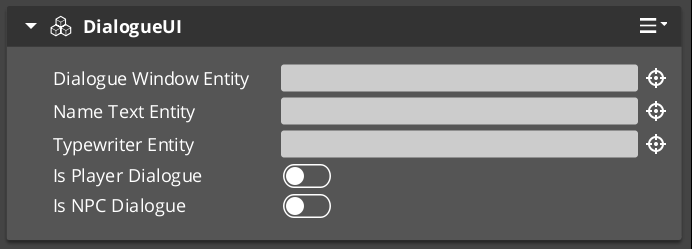
DialogueUIComponent handles HUD-style dialogue display. Add it to a UI canvas entity. It exposes the active TypewriterComponent so other systems can check typewriter state or force completion.
World-Space Speech Bubbles
WorldDialogueUIComponent extends DialogueUIComponent for world-space placement. It positions the dialogue panel above the speaking actor’s entity in 3D space. Use this for over-the-shoulder dialogue or conversations where the camera stays in the world rather than cutting to a UI overlay.
Selection Components
Screen-Space Choices
DialogueUISelectionComponent renders the player’s available choices as a list on the HUD. Each choice is backed by a DialogueSelectButtonComponent entity that is configured with option text and a selection index. When the player activates a button, it fires back through the Bridge to the sequencer.
World-Space Choices
WorldDialogueUISelectionComponent extends DialogueUISelectionComponent for world-space display. Choices appear positioned in 3D space rather than as a HUD overlay, useful for games with diegetic UI.
TypewriterComponent

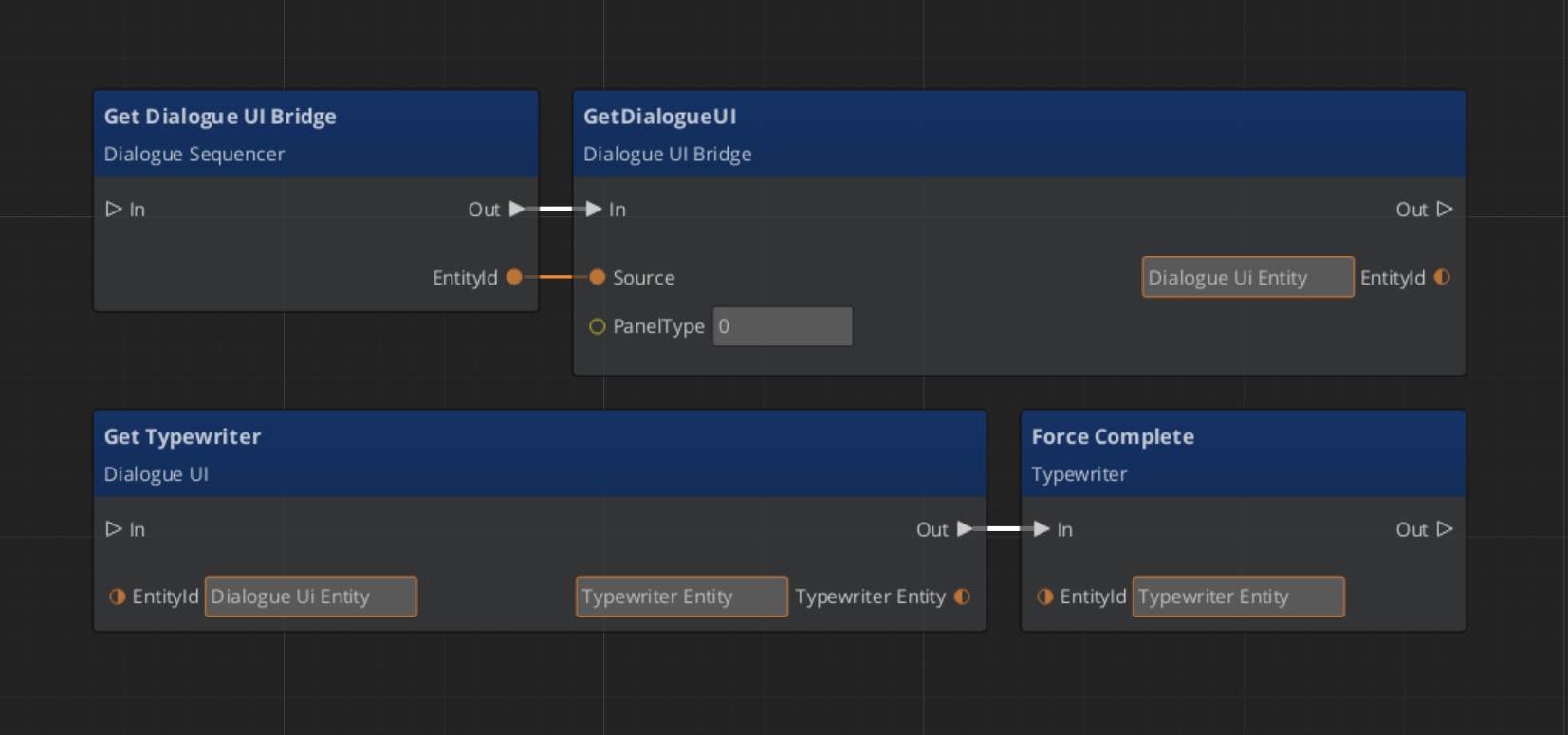
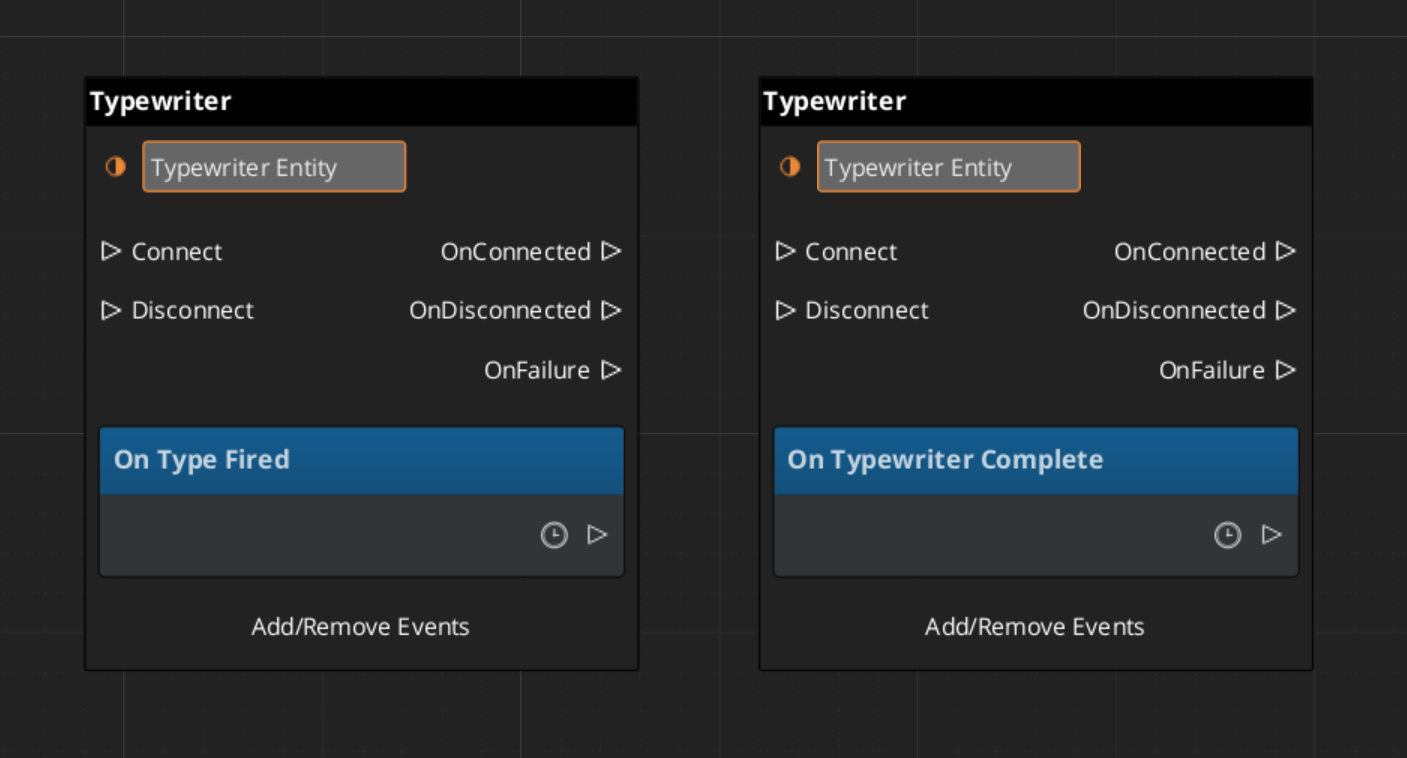
The TypewriterComponent reveals a string one character at a time. It fires OnTypeFired for each character revealed and OnTypewriterComplete when the full string is displayed. Use ForceComplete to instantly reveal the remaining text — typically wired to a player skip input — and ClearTypewriter to reset the display to empty.
| Bus | Method / Event | What It Does |
|---|---|---|
TypewriterRequestBus | StartTypewriter(text) | Begins revealing the given string character by character. |
TypewriterRequestBus | ForceComplete | Instantly reveals all remaining characters. |
TypewriterRequestBus | ClearTypewriter | Clears the display and resets state. |
TypewriterNotificationBus | OnTypeFired | Fires each time a character is revealed. |
TypewriterNotificationBus | OnTypewriterComplete | Fires when the full string has been revealed. |
BabbleComponent
BabbleComponent pairs with TypewriterComponent to play short audio sounds for each character revealed, giving the impression of a speaker’s voice. Each actor has a SpeakerBabbleEvents record that maps them to a specific babble sound profile. The component returns the correct BabbleToneEvent for the current speaker via GetBabbleEvent, which is called by the typewriter on each OnTypeFired.
| Bus | Method | What It Does |
|---|---|---|
BabbleRequestBus | GetBabbleEvent | Returns the babble audio event for the active speaker. |
ScriptCanvas Usage
Forcing Typewriter Completion on Skip Input
Wire a player input action to ForceComplete so pressing a button instantly reveals the current line:
Reacting to Typewriter Events
Quick Reference
| Need | Bus | Method / Event |
|---|---|---|
| Route sequencer events to UI | DialogueUIBridgeRequestBus | RunDialogue / RunSelection |
| Register a UI entity with the bridge | DialogueUIBridgeRequestBus | RegisterDialogueUI |
| Close the dialogue UI | DialogueUIBridgeRequestBus | CloseDialogue |
| React when dialogue UI finishes | DialogueUIBridgeNotificationBus | OnDialogueComplete |
| React when player makes a choice | DialogueUIBridgeNotificationBus | OnSelectionComplete |
| Start typewriter reveal | TypewriterRequestBus | StartTypewriter |
| Skip / instantly reveal text | TypewriterRequestBus | ForceComplete |
| Clear the typewriter display | TypewriterRequestBus | ClearTypewriter |
| React to each character reveal | TypewriterNotificationBus | OnTypeFired |
| React to full text revealed | TypewriterNotificationBus | OnTypewriterComplete |
| Get babble event for speaker | BabbleRequestBus | GetBabbleEvent |
Glossary
| Term | Meaning |
|---|---|
| DialogueUIBridge | The connector component that routes sequencer events to UI and player input back to the sequencer |
| Typewriter | A text reveal component that displays characters one at a time with configurable timing |
| Babble | Per-character audio playback that simulates a speaker’s voice during typewriter text reveal |
For full definitions, see the Glossary.
See Also
For the full API, component properties, and C++ extension guide:
For related systems:
Get GS_Cinematics
GS_Cinematics — Explore this gem on the product page and add it to your project.