Dialogue System
Categories:
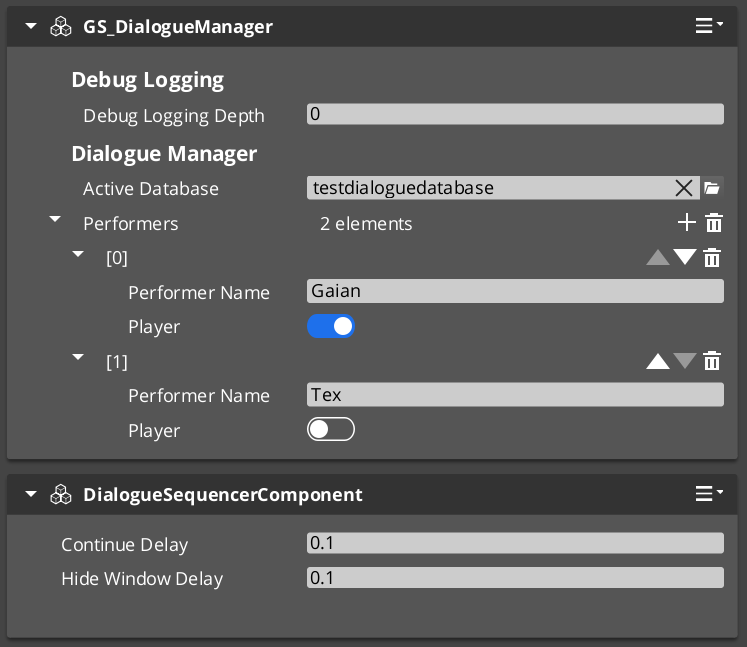
The Dialogue System is the authoring and runtime core of GS_Cinematics. Dialogue is authored visually in the Dialogue Editor — a node graph tool where sequences are built from Text, Selection, Effects, and Performance nodes inside a .dialoguedatabase container file. At runtime, GS_DialogueManagerComponent manages the active database and maps performer names to entities in the level, while DialogueSequencerComponent drives playback — walking the graph, evaluating conditions, executing effects, and emitting events that UI components consume.
For architecture details, component properties, and extending the system in C++, see the Framework API reference.
Contents
- Dialogue Editor
- Database Model
- Node Types
- Conditions
- Effects
- Performances
- Runtime Playback
- Localization
- ScriptCanvas Usage
- Quick Reference
- Glossary
- See Also
Dialogue Editor
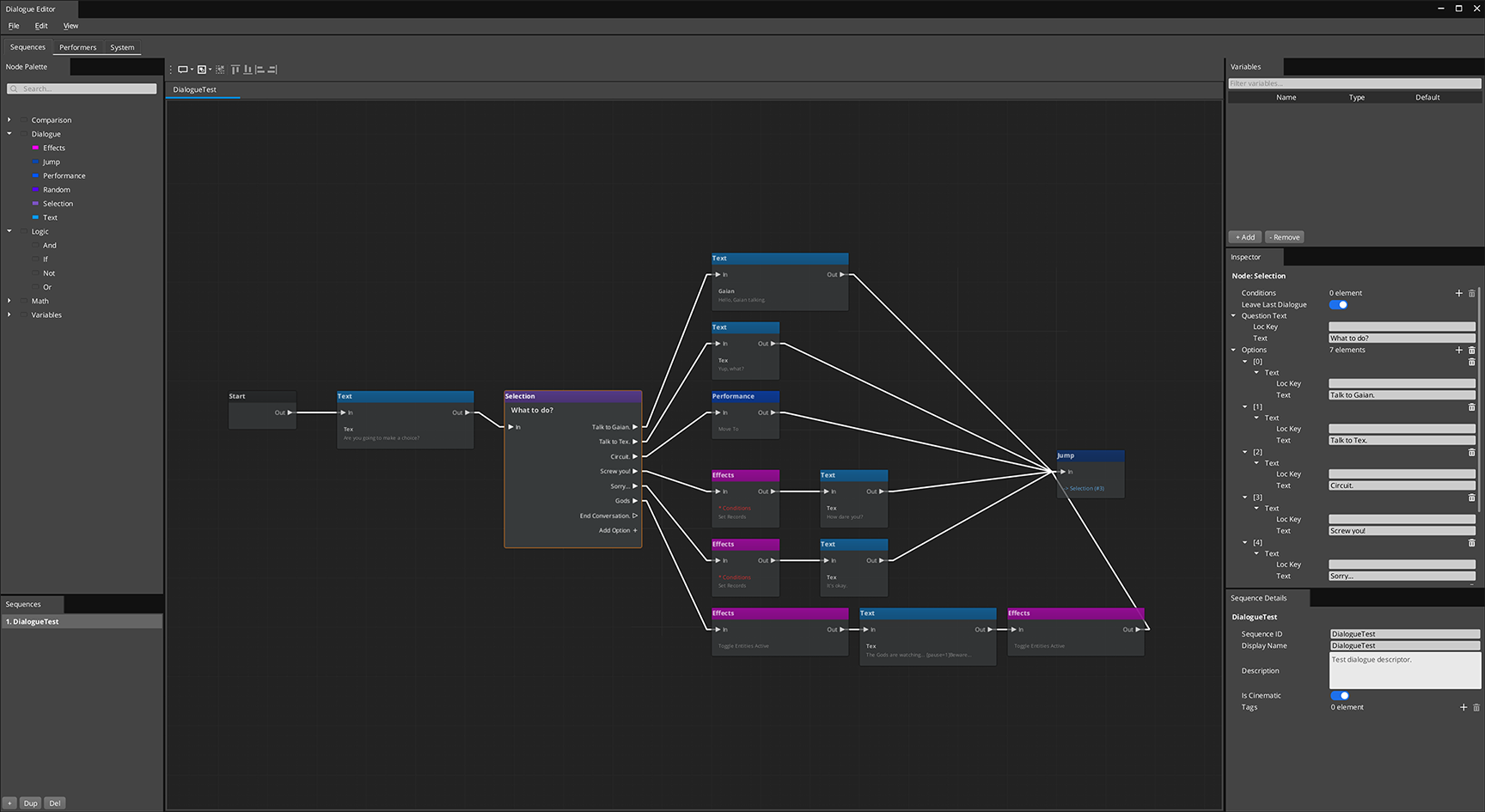
Dialogue is authored in the Dialogue Editor — a visual node graph tool opened from GS Tools > Dialogue Editor. Each .dialoguedatabase file is a container holding all actors and sequences for a dialogue database. Sequences are built as directed node graphs: connect Text, Selection, Random, Effects, and Performance nodes to define the conversation flow. The editor saves the entire container as one file — individual sequences are not separate assets.
Conditions, effects, and performance types from any gem are discovered automatically at startup and appear in the editor without modifying GS_Cinematics.
Database Model
A .dialoguedatabase file is a container managed entirely through the Dialogue Editor:
| Container Contents | Purpose |
|---|---|
| Actors / Performers | Character definitions with portrait and metadata. Defined on the Performers page. |
| Sequences | Each sequence is an independent graph, opened as a tab via the Sequence Sidebar. |
| System settings | Database-level defaults, on the System page. |
The editor saves and loads the entire container as one file. Individual sequences are not separate assets. Switch the active database at runtime via DialogueManagerRequestBus::ChangeDialogueDatabase.
Authoring a Sequence
- Open GS Tools > Dialogue Editor
- File > New → save as
.dialoguedatabase - Define performers on the Performers page
- On the Sequences page, click Add in the sidebar, name the sequence
- Build the graph: drag nodes from the palette, connect FlowOut → FlowIn
- Ctrl+S to save the database
Node Types
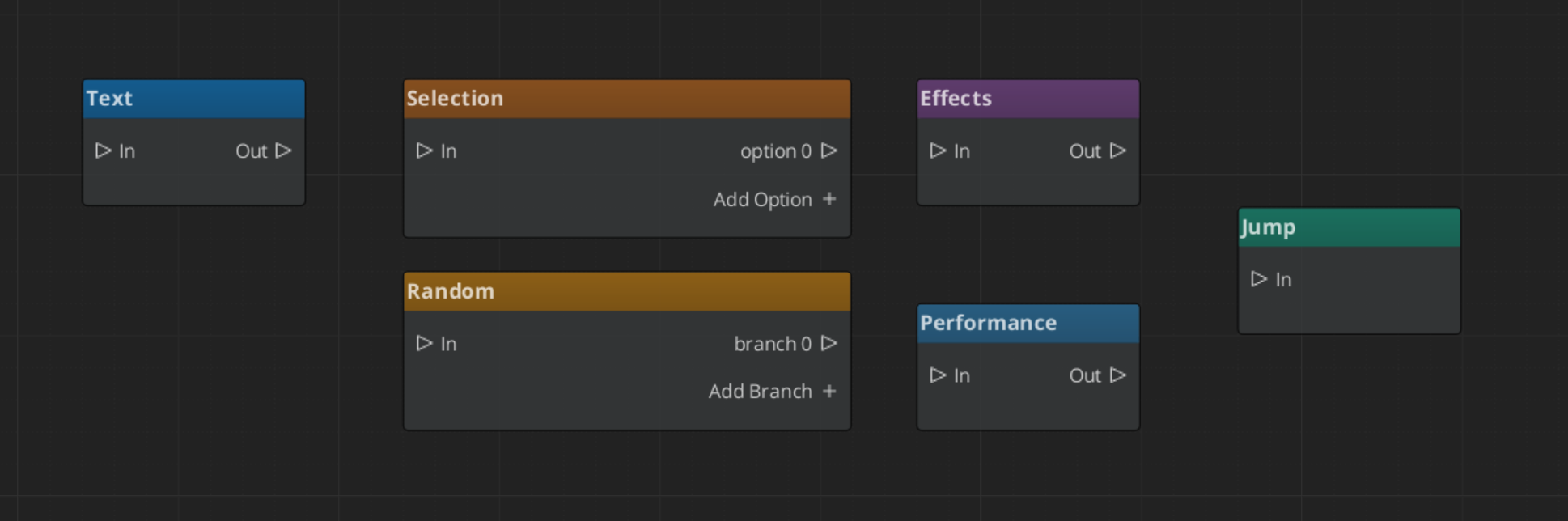
Each sequence is a directed graph of nodes connected by FlowOut → FlowIn slots.
| Node | What It Does |
|---|---|
| Start | Entry point. Auto-spawned, one per sequence. |
| Text | Displays a line of dialogue from a speaker. Supports localization. |
| Selection | Presents the player with choices. One FlowOut slot per option. |
| Random | Selects a random outgoing branch. Supports weighted randomization. |
| Effects | Executes one or more DialogueEffect objects. |
| Performance | Triggers a DialoguePerformance action, optionally waits for it to complete. |
| End | Terminates the sequence. |
Conditions
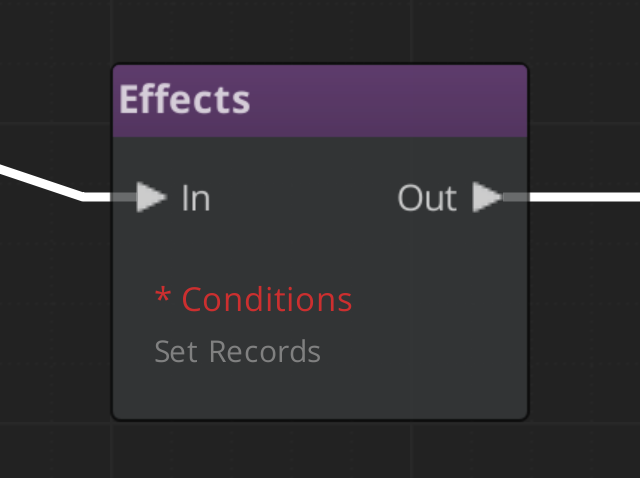
Conditions are polymorphic objects added to any node. The sequencer evaluates all conditions before entering a node — failed conditions cause the evaluator to skip it and try the next valid path.
| Condition Type | What It Evaluates |
|---|---|
Boolean_DialogueCondition | A base boolean comparison. |
Record_DialogueCondition | Checks a game record via the RecordKeeper system. |
Custom conditions from any gem are discovered automatically — subclass DialogueCondition, reflect it, and it appears in the inspector type picker.
Effects
Effects are polymorphic objects executed when the sequencer reaches an Effects node.
| Effect Type | What It Does |
|---|---|
SetRecords_DialogueEffect | Sets one or more game records via the RecordKeeper system. |
ToggleEntitiesActive_DialogueEffect | Activates or deactivates entities in the level. |
Custom effects follow the same discovery pattern as conditions.
Performances
Performances are polymorphic actions executed at Performance nodes. The sequencer can optionally wait for completion before advancing.
| Performance Type | What It Does |
|---|---|
MoveTo_DialoguePerformance | Smoothly moves a performer to a named stage marker. |
PathTo_DialoguePerformance | Navigates a performer to a marker via NavMesh. |
RepositionPerformer_DialoguePerformance | Instantly teleports a performer to a marker (non-blocking). |
Custom performance types are discovered automatically.
Runtime Playback
GS_DialogueManagerComponent
The top-level manager for all dialogue. Holds the active database, maps performer names to level entities, and is the entry point for starting sequences.
| Bus | Method | What It Does |
|---|---|---|
DialogueManagerRequestBus | StartDialogueSequenceByName | Starts a named sequence from the active database. |
DialogueManagerRequestBus | ChangeDialogueDatabase | Loads a different .dialoguedatabase asset. |
DialogueManagerRequestBus | RegisterPerformerMarker | Registers a performer entity by name for the current level. |
DialogueManagerRequestBus | GetPerformer | Returns the entity for a named performer. |
DialogueSequencerComponent
Drives sequence playback. Walks the graph, evaluates conditions, executes effects, triggers performances, and emits notifications for the UI layer.
| Bus | Method / Event | Purpose |
|---|---|---|
DialogueSequencerRequestBus | StartDialogueBySequence | Begins playback of a sequence object directly. |
DialogueSequencerNotificationBus | OnDialogueTextBegin | Fires when a Text node executes — carries speaker and text data. |
DialogueSequencerNotificationBus | OnDialogueSequenceComplete | Fires when the sequence reaches its End node. |
Localization
Text nodes store lines as LocalizedStringId references — a key plus default fallback text. At runtime Resolve() looks up the key in the active LocalizedStringTable and returns the localized string. If no table is loaded or the key is absent, the fallback text is used.
ScriptCanvas Usage
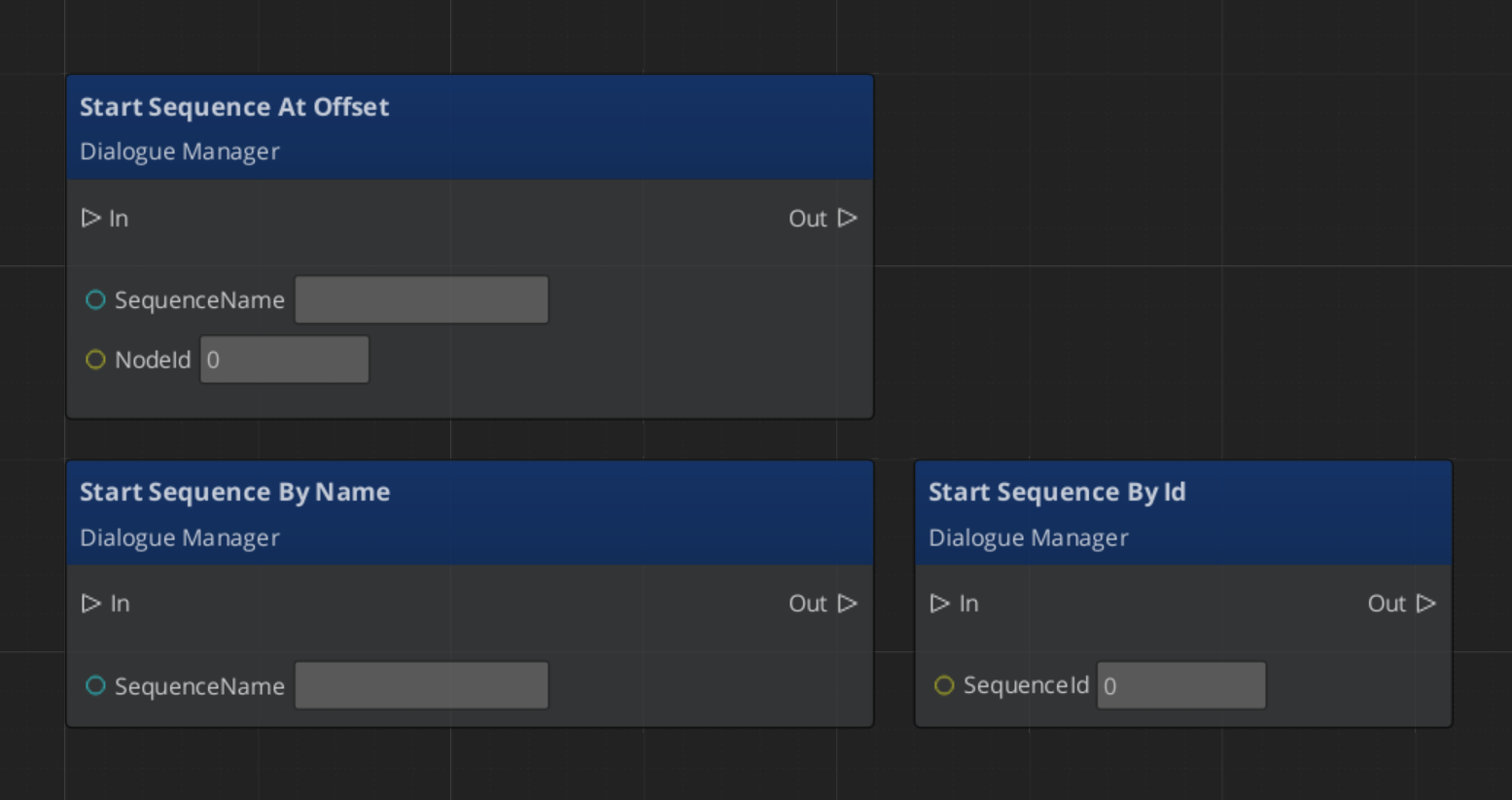
Starting a Dialogue Sequence
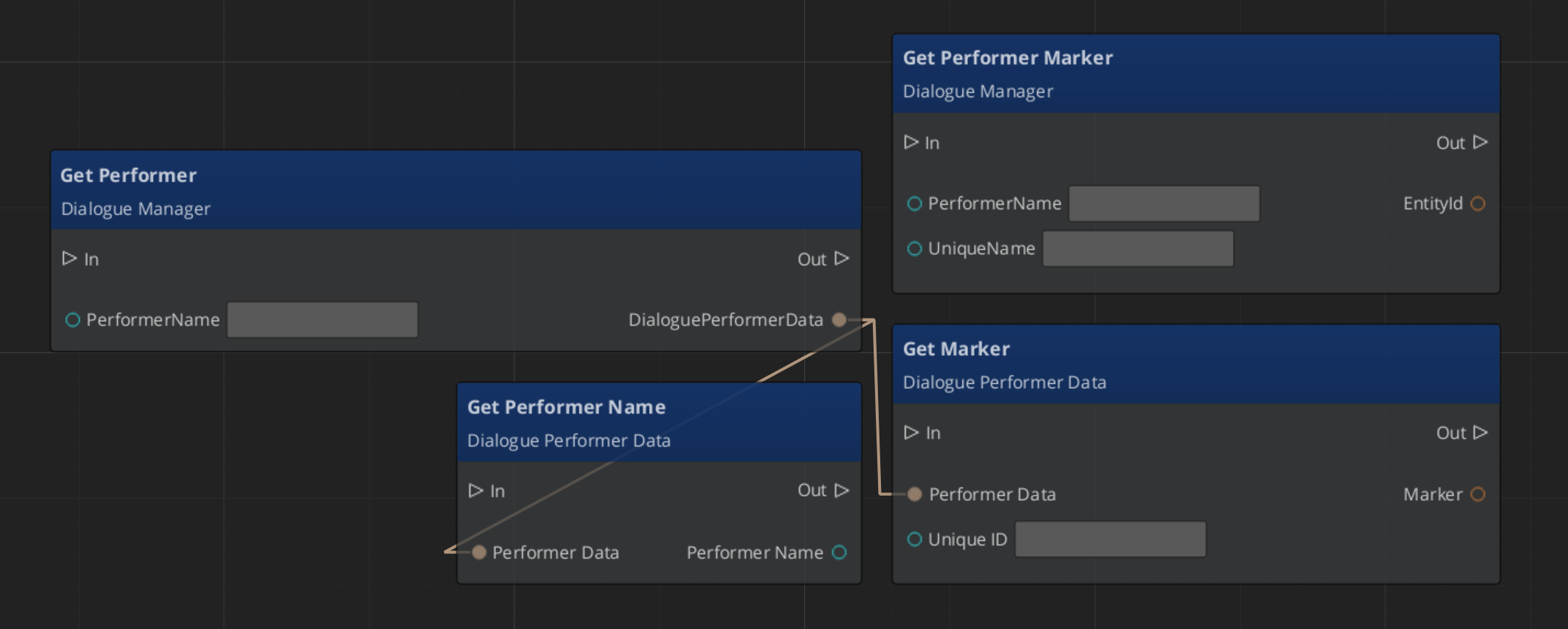
Performer Marker Setup
Quick Reference
| Need | Bus | Method / Event |
|---|---|---|
| Start a sequence by name | DialogueManagerRequestBus | StartDialogueSequenceByName |
| Load a different database | DialogueManagerRequestBus | ChangeDialogueDatabase |
| Register a performer | DialogueManagerRequestBus | RegisterPerformerMarker |
| Get a performer entity | DialogueManagerRequestBus | GetPerformer |
| Start a sequence directly | DialogueSequencerRequestBus | StartDialogueBySequence |
| React to a text line | DialogueSequencerNotificationBus | OnDialogueTextBegin |
| React to sequence end | DialogueSequencerNotificationBus | OnDialogueSequenceComplete |
Glossary
| Term | Meaning |
|---|---|
| Dialogue Editor | The visual gs_graphcanvas-based tool for authoring dialogue sequences |
| DialogueDatabase | A .dialoguedatabase container asset holding actors and sequences |
| DialogueSequence | A graph of nodes defining a single dialogue conversation |
| DialogueCondition | A polymorphic evaluator gating node entry |
| DialogueEffect | A polymorphic action executed at Effects nodes |
| DialoguePerformance | A polymorphic action that moves or repositions performers; optionally blocking |
| Performer | A named actor entity in the level mapped from the database via DialoguePerformerMarkerComponent |
For full definitions, see the Glossary.
See Also
- Framework API: Dialogue System — Architecture, components, and C++ extension
- Framework API: Dialogue Editor — Full editor reference
- The Basics: Dialogue UI
- The Basics: Cinematics Manager
Get GS_Cinematics
GS_Cinematics — Explore this gem on the product page and add it to your project.