Dialogue System
Categories:
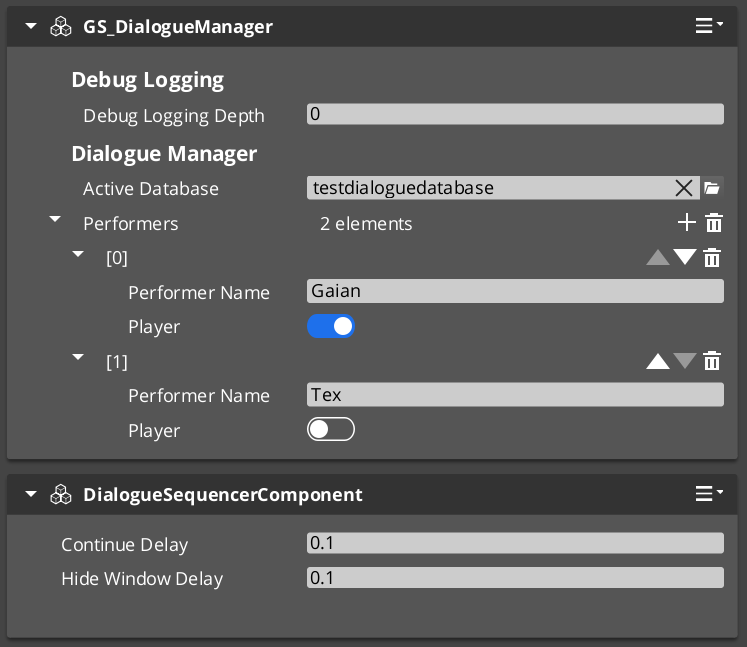
The Dialogue System is the authoring and runtime core of GS_Cinematics. Dialogue content is stored in .dialoguedb assets (DialogueDatabase), which contain named actors and a collection of DialogueSequence records. Each sequence is a graph of polymorphic nodes. At runtime, GS_DialogueManagerComponent manages the database and maps performer names to entities in the level, while DialogueSequencerComponent drives playback — walking the graph, evaluating conditions on branches, executing effects, and emitting events that UI and other systems consume.
For architecture details, component properties, and extending the system in C++, see the Framework API reference.
Contents
- Dialogue Database
- DialogueDatabase Asset
- Node Types
- Conditions
- Effects
- Performances
- Runtime Playback
- Localization
- ScriptCanvas Usage
- Quick Reference
- Glossary
- See Also
Dialogue Database
Breakdown
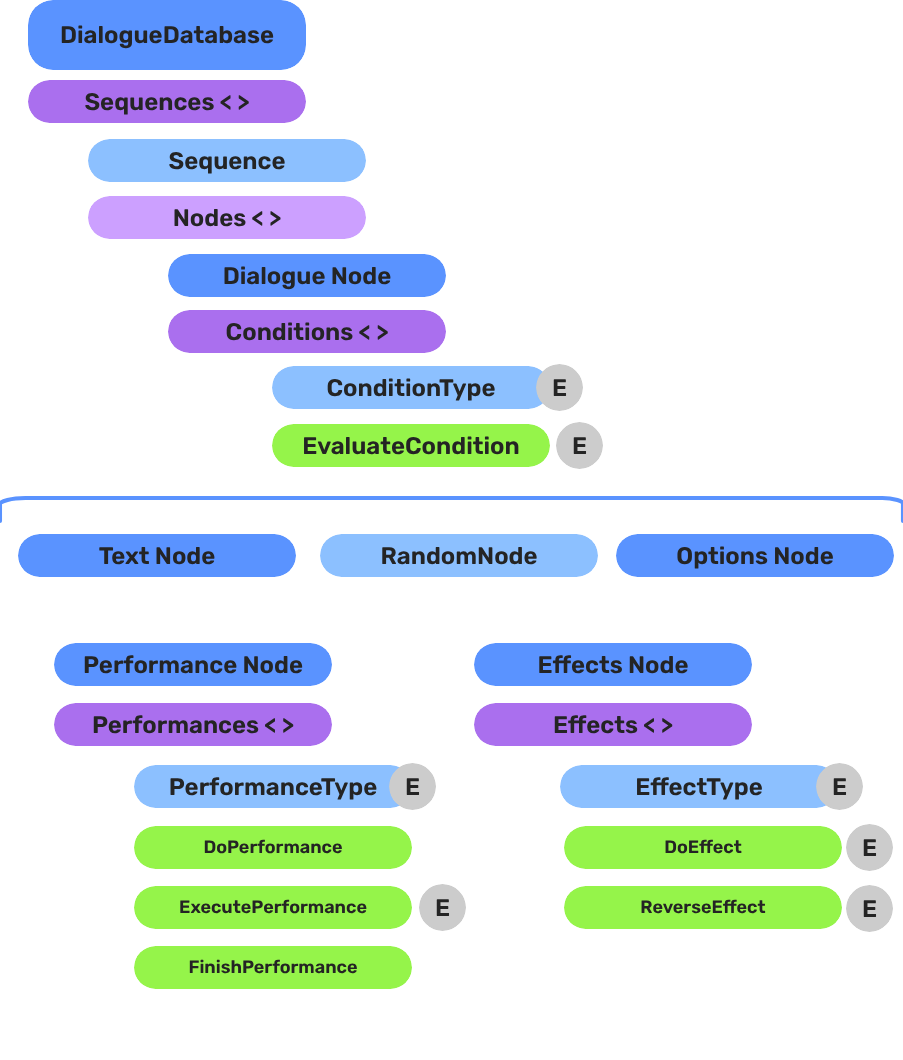
A dialogue sequence is authored in the node editor, stored in a .dialoguedb asset, and driven at runtime by the Dialogue Manager and Sequencer:
| Layer | What It Means |
|---|---|
| DialogueDatabase | Stores named actors and sequences. Loaded at runtime by the Dialogue Manager. |
| DialogueSequence | A directed node graph. The Sequencer walks from startNodeId through Text, Selection, Effects, and Performance nodes. |
| Conditions | Polymorphic evaluators on branches. Failed conditions skip that branch automatically. |
| Effects | Polymorphic actions at EffectsNodeData nodes — set records, toggle entities. |
| Performers | Named actor anchors in the level. Resolved from database actor names via DialoguePerformerMarkerComponent. |
Conditions, effects, and performances are discovered automatically at startup — custom types from any gem appear in the editor without modifying GS_Cinematics.
E Indicates extensible classes and methods.
Patterns - Complete list of system patterns used in GS_Play.
DialogueDatabase Asset
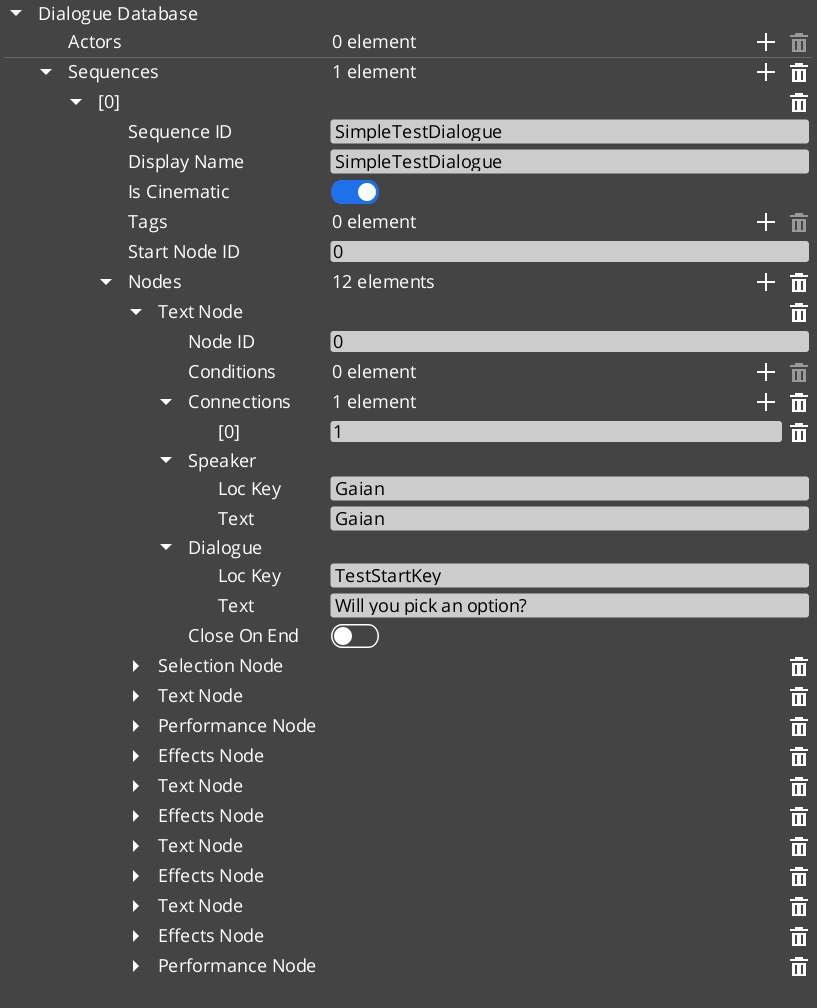
The DialogueDatabase is a .dialoguedb asset authored in the O3DE node editor. It is the single source of truth for all dialogue content in a project section.
| Asset Contents | Purpose |
|---|---|
| Actors | Named character definitions with portrait and metadata. |
| Sequences | Named DialogueSequence records, each a graph of nodes. |
Load a database at runtime by calling ChangeDialogueDatabase on DialogueManagerRequestBus. The manager resolves performer names from the database against DialoguePerformerMarkerComponent entities placed in the current level.
Node Types
Each sequence is a directed graph of DialogueNodeData nodes. The sequencer walks the graph starting from startNodeId and advances through the nodes in order.
| Node Type | What It Does |
|---|---|
TextNodeData | Displays a speaker line. Supports LocalizedStringId for localization. |
SelectionNodeData | Presents the player with a list of choices. Branches based on selection. |
RandomNodeData | Selects a random outgoing branch. |
EffectsNodeData | Executes one or more DialogueEffect objects without advancing to a text node. |
PerformanceNodeData | Triggers a DialoguePerformance action and waits for OnPerformanceComplete before continuing. |
Conditions
Conditions are polymorphic objects attached to sequence branches. The sequencer evaluates all conditions on a branch before following it. Branches whose conditions fail are skipped.
| Condition Type | What It Evaluates |
|---|---|
Boolean_DialogueCondition | A base boolean comparison. |
Record_DialogueCondition | Checks a game record via the RecordKeeper system. Extends Boolean_DialogueCondition. |
Effects
Effects are polymorphic objects executed when the sequencer reaches an EffectsNodeData node. Effects can also be reversed.
| Effect Type | What It Does |
|---|---|
SetRecords_DialogueEffect | Sets one or more game records via the RecordKeeper system. |
ToggleEntitiesActive_DialogueEffect | Toggles one or more entities active or inactive. |
Performances
Performances are polymorphic objects executed when the sequencer reaches a PerformanceNodeData node. A performance can be blocking — the sequencer pauses and waits for OnPerformanceComplete before advancing — or non-blocking, where dialogue continues immediately after the performance fires.
Like conditions and effects, performance types are discovered automatically at startup via the type registry. Custom performance types from any gem appear in the editor without modifying GS_Cinematics.
| Performance Type | What It Does |
|---|---|
MoveTo_DialoguePerformance | Smoothly moves a named performer to a CinematicStageMarkerComponent position. Fires MoveTo_PerformanceNotificationBus — a companion component on the performer entity responds and moves it, then signals completion. |
PathTo_DialoguePerformance | Navigates a named performer to a marker using the scene navmesh. Uses RecastNavigation pathfinding through the world geometry rather than a direct interpolation. |
RepositionPerformer_DialoguePerformance | Instantly teleports a performer to a marker. Non-blocking — dialogue advances without waiting. |
Runtime Playback
GS_DialogueManagerComponent
The Dialogue Manager is the top-level manager for all dialogue. It holds the active DialogueDatabase, maps performer names to level entities via DialoguePerformerMarkerComponent, and is the entry point for starting sequences by name.
| Bus | Method | What It Does |
|---|---|---|
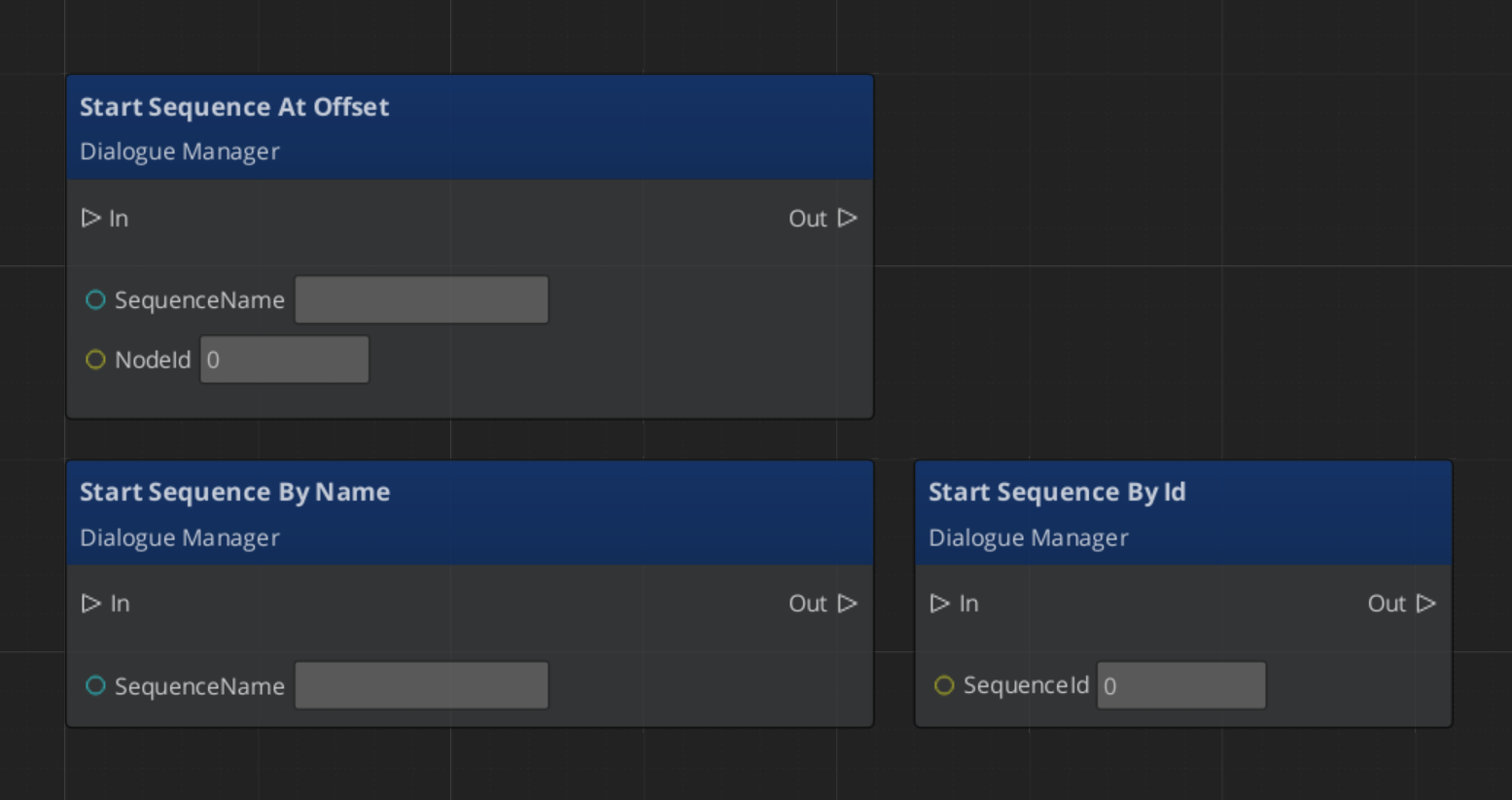
DialogueManagerRequestBus | StartDialogueSequenceByName | Starts a named sequence from the active database. |
DialogueManagerRequestBus | ChangeDialogueDatabase | Loads a different DialogueDatabase asset. |
DialogueManagerRequestBus | RegisterPerformerMarker | Registers a performer entity by name for the current level. |
DialogueManagerRequestBus | GetPerformer | Returns the entity for a named performer. |
DialogueSequencerComponent
The Dialogue Sequencer drives sequence playback. It walks the node graph, evaluates conditions, executes effects, triggers performances, and emits notifications when text lines begin and when the sequence completes. It is typically placed on a dedicated sequencer entity in the level alongside DialogueUIBridgeComponent.
| Bus | Method / Event | Purpose |
|---|---|---|
DialogueSequencerRequestBus | StartDialogueBySequence | Begins playback of a given sequence object. |
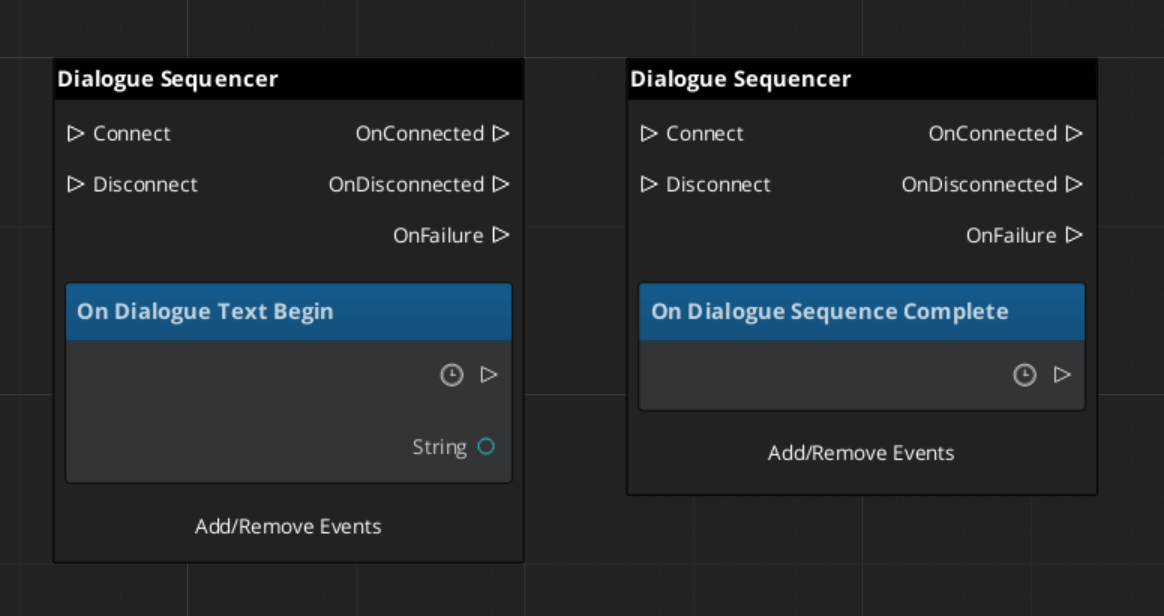
DialogueSequencerNotificationBus | OnDialogueTextBegin | Fires when a TextNodeData begins — carries speaker and text data. |
DialogueSequencerNotificationBus | OnDialogueSequenceComplete | Fires when the sequence reaches its end node. |
Localization
Text nodes store speaker lines as LocalizedStringId references rather than raw strings. A LocalizedStringId holds a key and a default fallback text. At runtime, the sequencer calls Resolve() on each LocalizedStringId, which looks up the key in the active LocalizedStringTable and returns the localized string for the current locale. If no table is loaded or the key is not found, the default text is returned.
To use localization, load a LocalizedStringTable asset through your project’s initialization flow before any dialogue plays.
ScriptCanvas Usage
Starting a Dialogue Sequence
Reacting to Sequence States
Listen on DialogueSequencerNotificationBus to receive speaker and text data as each line begins:
Quick Reference
| Need | Bus | Method / Event |
|---|---|---|
| Start a sequence by name | DialogueManagerRequestBus | StartDialogueSequenceByName |
| Load a different database | DialogueManagerRequestBus | ChangeDialogueDatabase |
| Register a performer in the level | DialogueManagerRequestBus | RegisterPerformerMarker |
| Get a performer entity | DialogueManagerRequestBus | GetPerformer |
| Start a sequence object directly | DialogueSequencerRequestBus | StartDialogueBySequence |
| React to a text line starting | DialogueSequencerNotificationBus | OnDialogueTextBegin |
| React to sequence completion | DialogueSequencerNotificationBus | OnDialogueSequenceComplete |
Glossary
| Term | Meaning |
|---|---|
| DialogueDatabase | A .dialoguedb asset containing actors and dialogue sequences |
| DialogueSequence | A graph of nodes that defines a single dialogue conversation |
| DialogueNodeData | A polymorphic node in the sequence graph (Text, Selection, Random, Effects, Performance) |
| DialogueCondition | A polymorphic evaluator attached to branches that gates progression |
| DialogueEffect | A polymorphic action executed at EffectsNodeData nodes (e.g., setting records) |
| DialoguePerformance | A polymorphic action executed at PerformanceNodeData nodes — moves, paths, or repositions performers. Can be blocking or non-blocking |
| Performer | A named actor entity in the level mapped from the database via DialoguePerformerMarkerComponent |
For full definitions, see the Glossary.
See Also
For the full API, component properties, and C++ extension guide:
For related systems:
Get GS_Cinematics
GS_Cinematics — Explore this gem on the product page and add it to your project.