Mover Context
Categories:
GS_MoverContextComponent is the central state store for all movement on a unit. It sits between the input layer and the mover/grounder layer, holds all shared movement data, owns the mode-switching logic, and manages the active movement profile.
Movers and Grounders never communicate directly — they all read from and write to the MoverContext.
For usage guides and setup examples, see The Basics: GS_Unit.
Contents
- Input Transformation Pipeline
- Mode Switching
- Context States
- Movement Profile Management
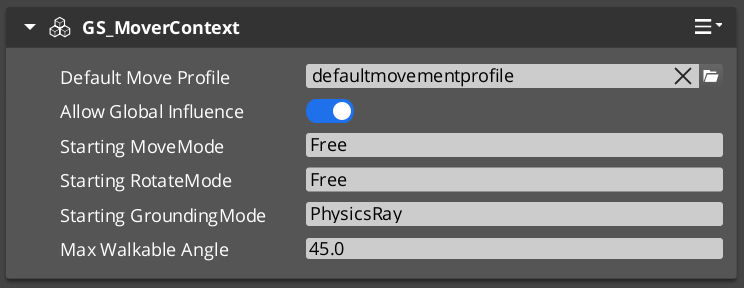
- Editor-Exposed Fields
- API Reference
- See Also
Input Transformation Pipeline
Raw input from reactor components arrives as a Vector2 (rawMoveInput). The MoverContext applies two sequential transformations each time input changes.
Step 1 — ModifyInputAxis() — Camera-Relative
For a player unit (detected by “Player” tag): fetches the active camera’s world transform, flattens its forward and right vectors to the XY plane, then computes:
modifiedMoveInput = camForward * rawInput.Y + camRight * rawInput.X
For AI units (or when inputOverride = true): uses world cardinal axes (Y=forward, X=right).
Step 2 — GroundInputAxis() — Ground-Projected
Projects modifiedMoveInput onto the ground plane using the current groundNormal:
groundedMoveInput = modifiedMoveInput - groundNormal * dot(modifiedMoveInput, groundNormal)
Direction is then normalized and the original magnitude is restored. Movers use groundedMoveInput so movement always follows the surface contour, even on slopes.
Both steps run automatically whenever SetMoveInputAxis is called and again whenever SetGroundNormal is called (ground changed under a moving unit).
Mode Switching
The MoverContext maintains three independent mode strings, each with a current and last value:
| Mode Type | Current | Last |
|---|---|---|
| Movement mode | currentMoveMode | lastMoveMode |
| Rotation mode | currentRotateMode | lastRotateMode |
| Grounding mode | currentGroundingMode | lastGroundingMode |
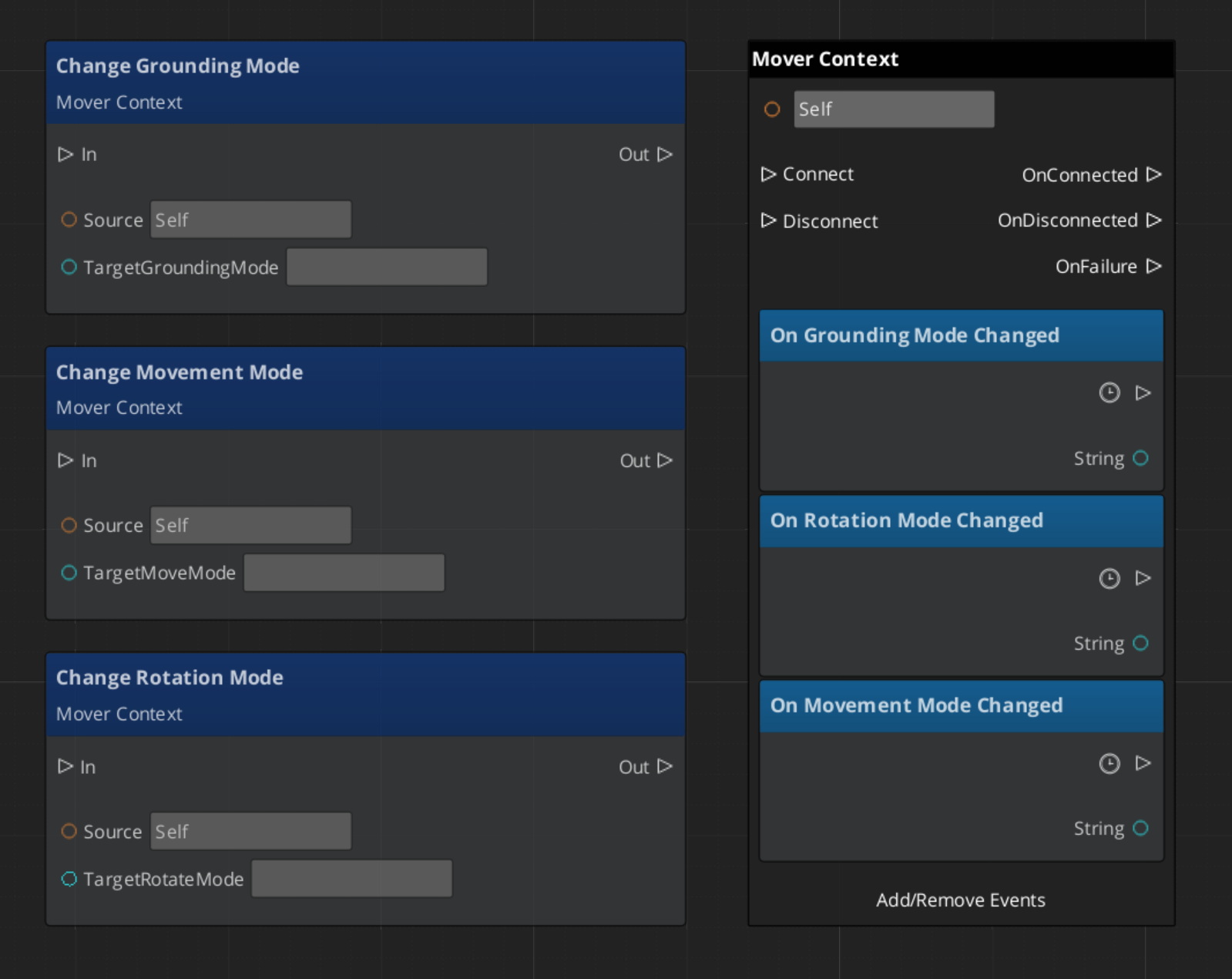
ChangeMovementMode("Free") updates the string and broadcasts MoverContextNotificationBus::MovementModeChanged("Free"). Each Mover and Grounder component checks whether its own named mode matches the broadcast and activates or deactivates itself accordingly.
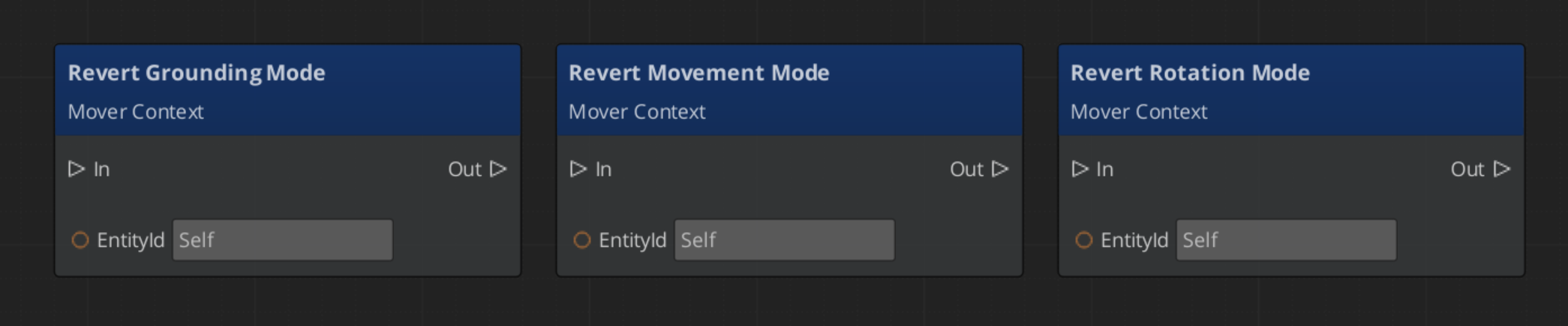
RevertToLastMovementMode() swaps current and last — enabling one-step undo (e.g., return from “Slide” to whatever was active before).
Context States
A generic key-value store for runtime state flags used by movers and grounders:
AZStd::unordered_map<AZStd::string, AZ::u32> contextStates
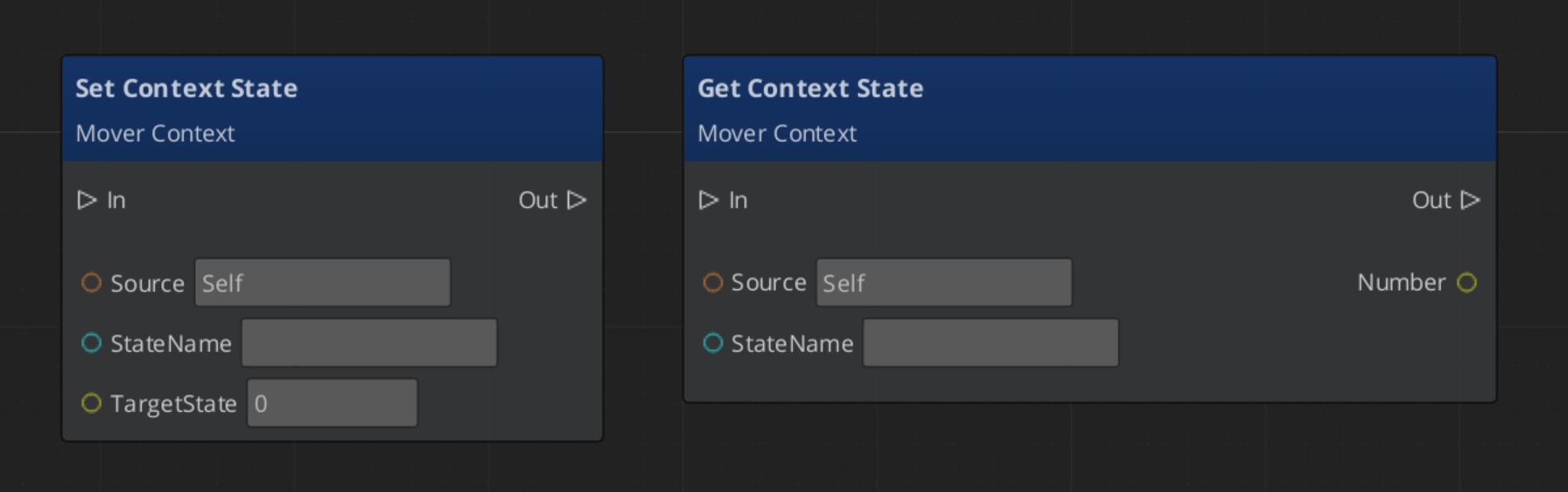
SetContextState(name, value) writes and broadcasts MoverContextNotificationBus::ContextStateChanged.
Known state keys:
| Key | Set by | Values | Meaning |
|---|---|---|---|
"grounding" | PhysicsRayGrounder | 0 = Falling, 1 = Grounded, 2 = Sliding | Ground contact state |
"StopMovement" | Various | 1 = stop | Signals the Free Mover to zero velocity |
Movement Profile Management
The MoverContext selects the active GS_UnitMovementProfile* by priority:
- Influence list —
AddMovementProfile(influencer, profile*)is called byMovementInfluenceFieldComponentwhen the unit enters a trigger volume. Multiple fields stack additively by priority viaMovementInfluenceRequestBus::GetPriority. - Global fallback — if
influenceListis empty andallowGlobalInfluenceis true, checksGlobalMovementRequestBus::GetGlobalMovementProfile. - Default profile — the asset-configured
defaultMoveProfileon the component.
When the profile changes, MoverContextNotificationBus::MovementProfileChanged(profile*) is broadcast. Movers update their cached activeProfile pointer.
Standby behavior:
UnitEnteringStandby→ clears the influence list, broadcasts empty mode names (disables all movers/grounders)UnitExitingStandby→ re-evaluates profile priority, re-broadcasts current mode names to re-enable the correct movers
Editor-Exposed Fields
| Field | Description |
|---|---|
defaultMoveProfile | Asset reference to the fallback GS_UnitMovementProfile |
allowGlobalInfluence | Whether to accept the global movement profile as a fallback |
startingMoveMode | Mode name to broadcast on activate (one-frame delayed to allow all components to start first) |
startingRotateMode | Rotation mode name to start with |
startingGroundingMode | Grounding mode name to start with |
maxWalkDegrees | Slope angle (degrees) above which movement is no longer considered grounded |
API Reference
Request Bus: MoverContextRequestBus
Commands sent to a specific unit’s MoverContext. ById bus — addressed by unit entity ID.
Input Axis:
| Method | Parameters | Returns | Description |
|---|---|---|---|
SetMoveInputAxis | AZStd::string axisName, float axisValue | void | Sets the raw input on “x” or “y”. Triggers ModifyInputAxis() and GroundInputAxis(). Clamps total magnitude to 1.0. |
GetMoveInputAxis | — | AZ::Vector2* | Returns pointer to rawMoveInput. |
GetModifiedMoveInputAxis | — | AZ::Vector3* | Returns pointer to camera-relative modifiedMoveInput. |
GetGroundMoveInputAxis | — | AZ::Vector3* | Returns pointer to ground-projected groundedMoveInput. |
Ground State:
| Method | Parameters | Returns | Description |
|---|---|---|---|
SetGroundNormal | AZ::Vector3 newNormal | void | Updates the ground normal and re-projects modifiedMoveInput. |
GetGroundNormal | — | AZ::Vector3* | Returns pointer to current ground normal. |
GetSlopeDirection | — | AZ::Vector3* | Returns pointer to the current slope direction vector. |
GetSlopeAngle | — | float* | Returns pointer to the current slope angle (dot product with up). |
GetMaxWalkAngle | — | float* | Returns pointer to the cosine of maxWalkDegrees. |
Context States:
| Method | Parameters | Returns | Description |
|---|---|---|---|
SetContextState | AZStd::string stateName, AZ::u32 stateValue | void | Writes a state value and broadcasts ContextStateChanged. |
GetContextState | AZStd::string stateName | AZ::u32 | Returns the current value for the named state. |
Mode Switching:
| Method | Parameters | Returns | Description |
|---|---|---|---|
ChangeMovementMode | AZStd::string targetMoveMode | void | Sets current move mode and broadcasts MovementModeChanged. |
RevertToLastMovementMode | — | void | Swaps current and last move mode. |
ChangeRotationMode | AZStd::string targetRotateMode | void | Sets current rotation mode and broadcasts RotationModeChanged. |
RevertToLastRotationMode | — | void | Swaps current and last rotation mode. |
ChangeGroundingMode | AZStd::string targetGroundingMode | void | Sets current grounding mode and broadcasts GroundingModeChanged. |
RevertToLastGroundingMode | — | void | Swaps current and last grounding mode. |
Profile Management:
| Method | Parameters | Returns | Description |
|---|---|---|---|
AddMovementProfile | AZ::EntityId influencer, GS_UnitMovementProfile* profile | void | Adds an influence-field profile to the priority list and re-evaluates. |
RemoveMovementProfile | AZ::EntityId influencer | void | Removes an influence-field profile and re-evaluates. |
Notification Bus: MoverContextNotificationBus
Events broadcast by the MoverContext. ById bus — addressed by unit entity ID. Movers and Grounders subscribe to this.
| Event | Parameters | Description |
|---|---|---|
MovementModeChanged | AZStd::string modeName | Fired when the movement mode changes. Movers activate or deactivate based on their m_moveModeName. |
RotationModeChanged | AZStd::string modeName | Fired when the rotation mode changes. |
GroundingModeChanged | AZStd::string modeName | Fired when the grounding mode changes. Grounders activate or deactivate based on their m_groundModeName. |
ContextStateChanged | AZStd::string stateName, AZ::u32 value | Fired when a context state value changes. |
MovementProfileChanged | GS_UnitMovementProfile* profile | Fired when the active movement profile is replaced. Movers update their activeProfile pointer. |
Virtual Methods
Override these when extending the MoverContext.
| Method | Description |
|---|---|
ModifyInputAxis() | Transforms rawMoveInput into modifiedMoveInput (camera-relative). Override for custom camera or axis mapping. |
GroundInputAxis() | Projects modifiedMoveInput onto the ground plane into groundedMoveInput. Override for custom surface projection. |
Script Canvas Examples
Changing movement mode:
Reverting to the previous movement mode:
Setting a context state flag:
See Also
- Movers — Mover components that read from the MoverContext
- Grounders — Grounder components that write ground state to the MoverContext
- Movement — Movement system overview
- Input Data — The input pipeline that feeds
SetMoveInputAxis
Get GS_Unit
GS_Unit — Explore this gem on the product page and add it to your project.