Unit Manager
Categories:
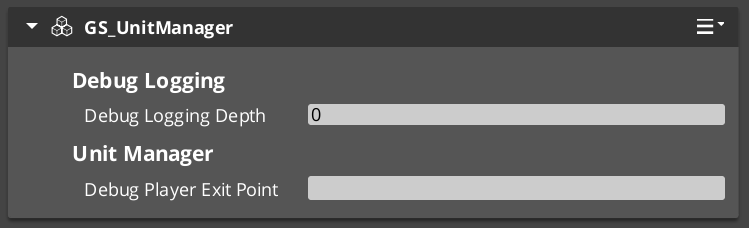
The Unit Manager is the GS_Unit gem’s central lifecycle controller. It extends GS_ManagerComponent and coordinates all unit-related operations: spawning new units from prefabs, registering player controllers, tracking which entities qualify as units, and propagating standby signals to the unit subsystem.
Like all GS_Play managers, the Unit Manager is spawned by the Game Manager during the startup sequence and participates in the two-stage initialization pattern. It connects to the GameManagerNotificationBus for lifecycle events and standby coordination.
For usage guides and setup examples, see The Basics: GS_Unit.
Contents
How It Works
Unit Spawning
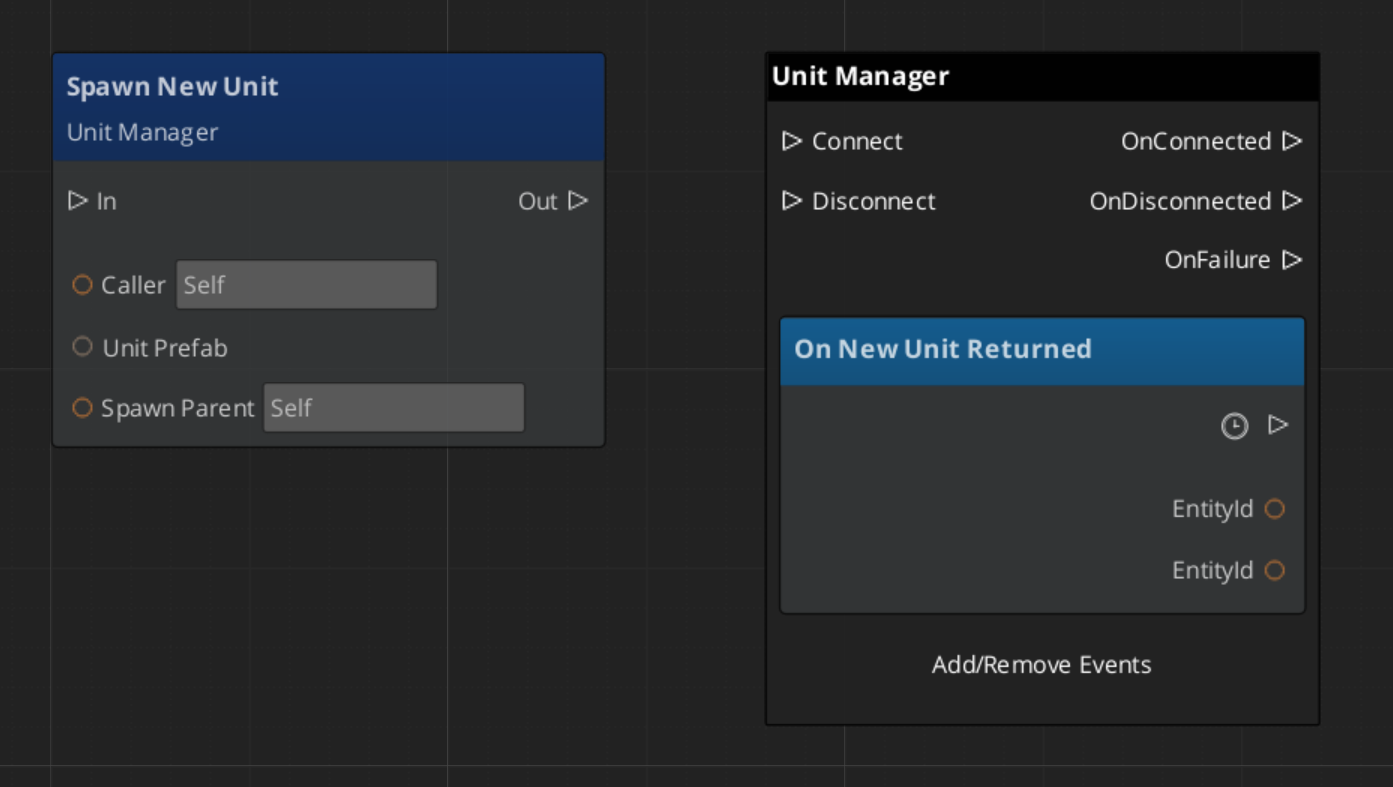
When a system requests a new unit via RequestSpawnNewUnit, the Unit Manager instantiates the provided unit prefab under the specified parent entity. Once the unit entity activates and its GS_UnitComponent registers, the manager broadcasts ReturnNewUnit back to the caller with the new unit’s entity ID.
Player Controller Registration
Player controllers register themselves with the Unit Manager via RegisterPlayerController. This allows the manager to track which controllers are active and route unit possession accordingly.
Unit Validation
Any system can call CheckIsUnit with an entity ID to verify whether that entity is a registered unit. This is useful for targeting systems, interaction checks, and other gameplay logic that needs to distinguish units from ordinary entities.
Standby Propagation
When the Game Manager enters or exits standby, the Unit Manager receives the signal and broadcasts EnterStandby / ExitStandby on the UnitManagerNotificationBus. All unit subsystems (controllers, movers, input readers) should listen for these notifications and pause or resume accordingly.
API Reference
GS_UnitManagerComponent
Extends GS_Core::GS_ManagerComponent. Handles unit spawning, controller registration, and standby propagation.
Data Fields
| Field | Type | Description |
|---|---|---|
debugExitPoint | AZ::EntityId | Entity used as the spawn/exit point when PlaceUnitAtExit is called. Configured in the Inspector. |
m_unitSpawnTickets | AZStd::vector<AzFramework::EntitySpawnTicket> | Spawn tickets for all active unit spawn operations. Keeps spawns alive until the unit entity registers. |
playerList | AZStd::vector<AZ::EntityId> | Registered player controller entity IDs. Populated via RegisterPlayerController. |
Request Bus: UnitManagerRequestBus
Commands sent to the Unit Manager. Global bus — multiple handlers.
| Method | Parameters | Returns | Description |
|---|---|---|---|
RequestSpawnNewUnit | AZ::EntityId callingEntityId, SpawnableScriptAssetRef unitPrefab, AZ::EntityId spawnParentEntityId | void | Requests the manager to spawn a new unit from the given prefab under the specified parent entity. The caller receives the result via ReturnNewUnit. |
RegisterPlayerController | AZ::EntityId controllerId | void | Registers a player controller entity with the manager for tracking and routing. |
CheckIsUnit | AZ::EntityId unitId | bool | Returns whether the given entity ID is a registered unit. |
Notification Bus: UnitManagerNotificationBus
Events broadcast by the Unit Manager. Multiple handler bus — any number of components can subscribe.
| Event | Parameters | Description |
|---|---|---|
HandleStartup | — | Fired during the manager startup sequence. Override in subclasses to hook into the two-stage initialization before OnStartupComplete. |
ReturnNewUnit | AZ::EntityId caller, AZ::EntityId newUnit | Fired when a requested unit has been spawned and registered. The caller ID matches the original requester. |
EnterStandby | — | Fired when the unit subsystem enters standby. Pause unit-related logic. |
ExitStandby | — | Fired when the unit subsystem exits standby. Resume unit-related logic. |
GS_UnitComponent
The GS_UnitComponent is the component that makes an entity a “unit.” It handles possession by controllers, tracks its owning controller, and provides identity via a unique name. For full unit entity setup details, see the Units page.
Request Bus: UnitRequestBus
Commands sent to a specific unit. ById bus — addressed by entity ID, multiple handlers.
| Method | Parameters | Returns | Description |
|---|---|---|---|
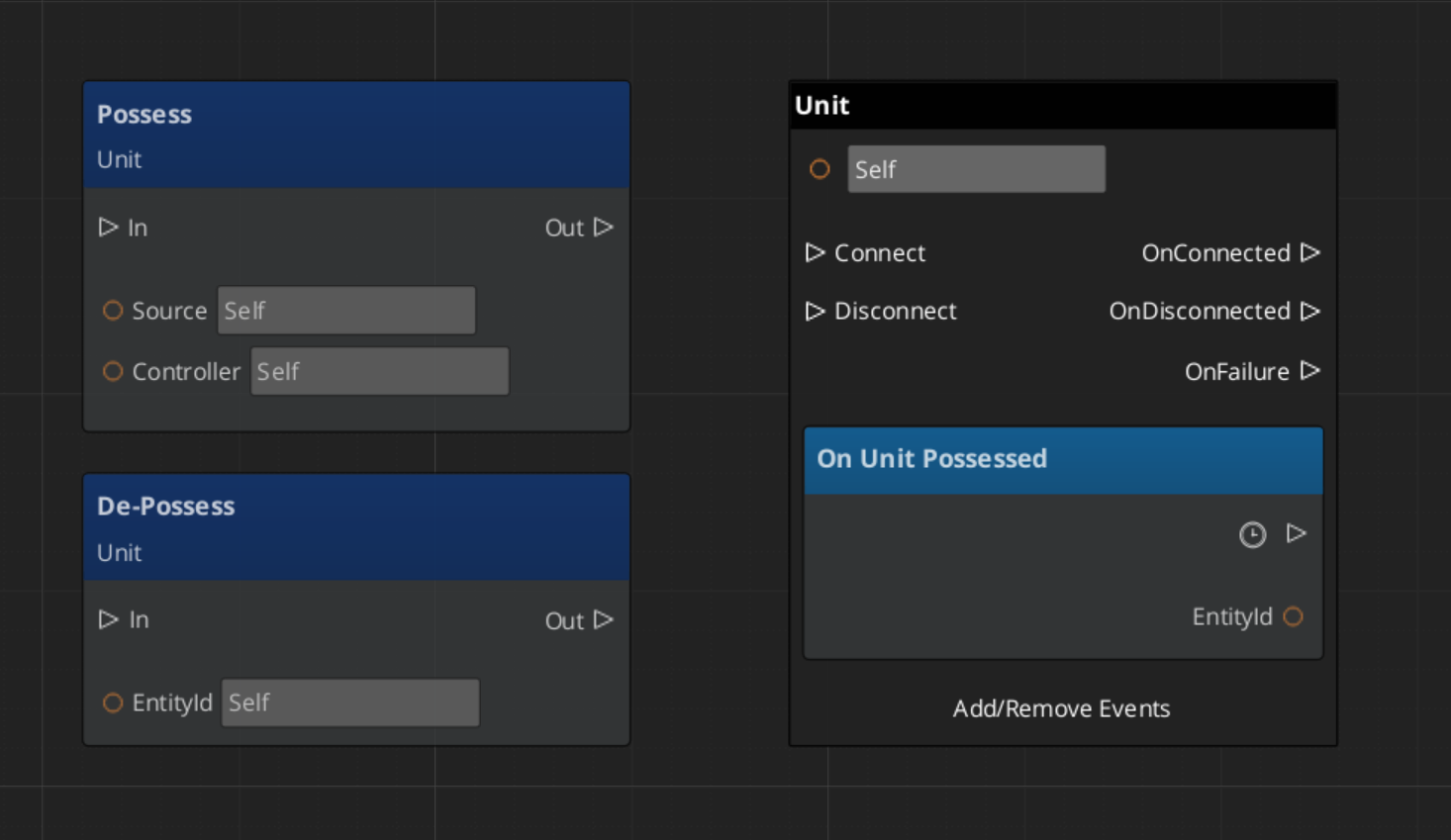
Possess | AZ::EntityId possessingController | void | Assigns a controller to this unit. The unit stores the controller reference and notifies listeners. |
DePossess | — | void | Removes the current controller from this unit. |
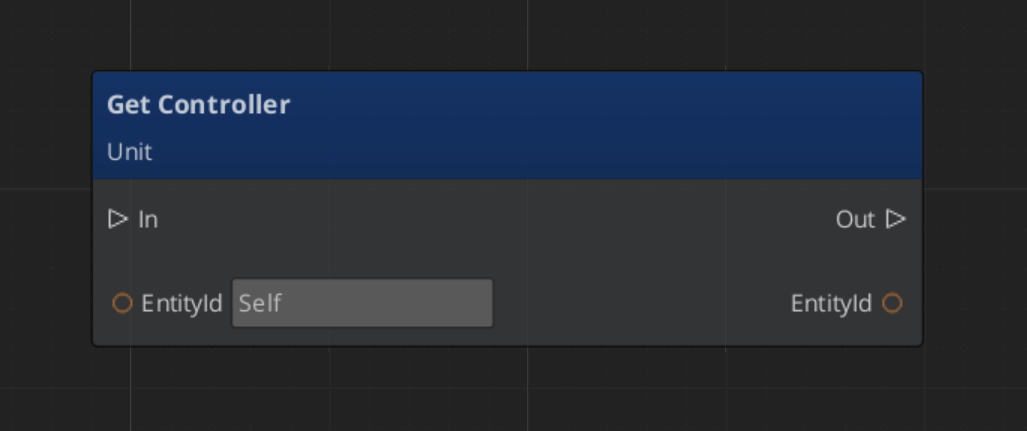
GetController | — | AZ::EntityId | Returns the entity ID of the currently possessing controller. |
GetUniqueName | — | AZStd::string | Returns the unique name assigned to this unit. |
Notification Bus: UnitNotificationBus
Events broadcast by a unit. ById bus — addressed by the unit’s entity ID.
| Event | Parameters | Description |
|---|---|---|
UnitPossessed | AZ::EntityId controller | Fired when a controller possesses this unit. |
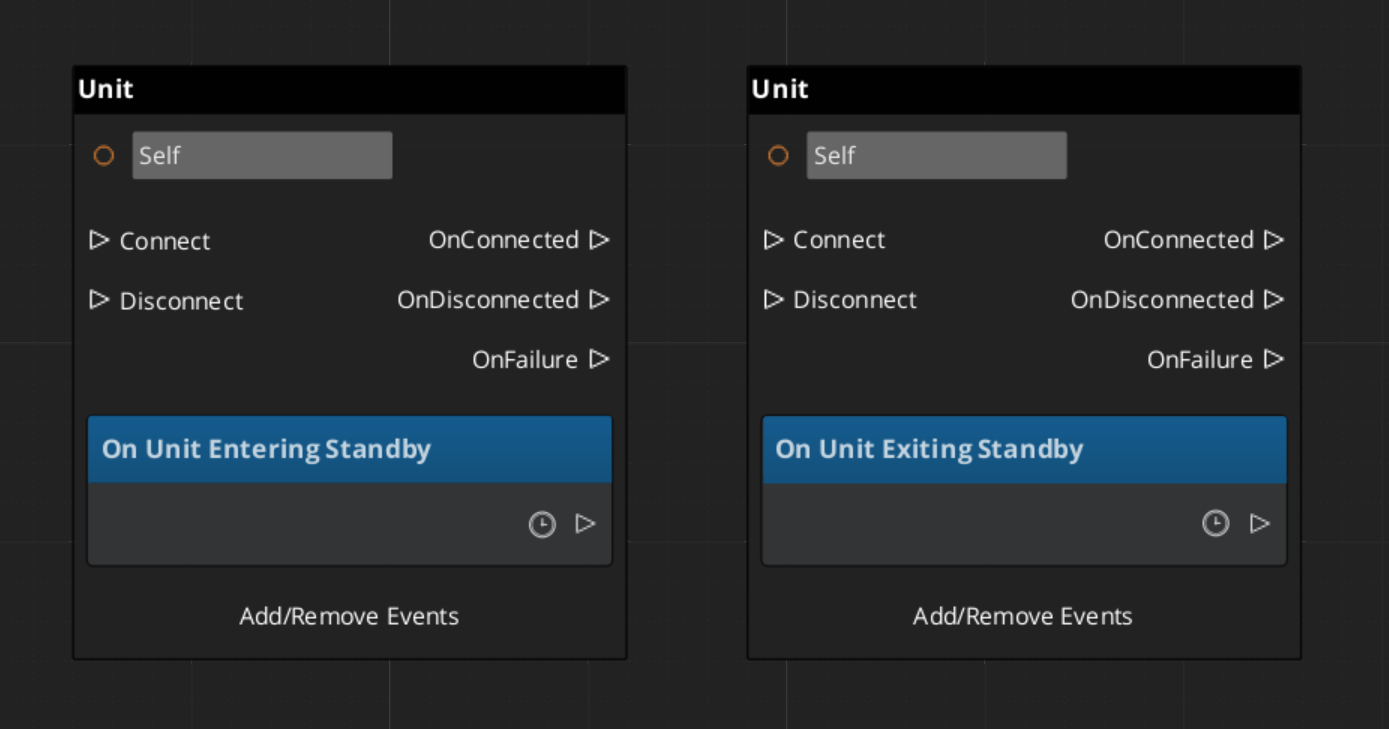
UnitEnteringStandby | — | Fired when this unit enters standby. |
UnitExitingStandby | — | Fired when this unit exits standby. |
Usage Examples
C++ – Spawning a Unit
#include <GS_Unit/GS_UnitBus.h>

// Request a new unit spawn
GS_Unit::UnitManagerRequestBus::Broadcast(
    &GS_Unit::UnitManagerRequestBus::Events::RequestSpawnNewUnit,
    GetEntityId(),       // caller
    myUnitPrefab,        // SpawnableScriptAssetRef
    spawnParentEntity    // parent entity
);
C++ – Listening for Unit Spawn Results
#include <GS_Unit/GS_UnitBus.h>

class MySpawner
    : public AZ::Component
    , protected GS_Unit::UnitManagerNotificationBus::Handler
{
protected:
    void Activate() override
    {
        GS_Unit::UnitManagerNotificationBus::Handler::BusConnect();
    }

    void Deactivate() override
    {
        GS_Unit::UnitManagerNotificationBus::Handler::BusDisconnect();
    }

    void ReturnNewUnit(AZ::EntityId caller, AZ::EntityId newUnit) override
    {
        if (caller == GetEntityId())
        {
            // This is the unit we requested — possess it, configure it, etc.
        }
    }
};
Script Canvas
Spawning a unit and receiving the result:
Getting the controller on a unit:
Possessing and de-possessing a unit:
Reacting to unit standby events:
Extension Guide
Extend the Unit Manager to add custom spawn logic, additional tracking, or project-specific unit lifecycle behavior. The Unit Manager extends GS_ManagerComponent, so follow the standard Manager extension pattern.
Header (.h)
#pragma once
#include <GS_Unit/GS_UnitBus.h>
#include <Source/Managers/GS_UnitManagerComponent.h>

namespace MyProject
{
    class MyUnitManager : public GS_Unit::GS_UnitManagerComponent
    {
    public:
        AZ_COMPONENT_DECL(MyUnitManager);

        static void Reflect(AZ::ReflectContext* context);

    protected:
        // Override manager lifecycle hooks
        void OnStartupComplete() override;
        void OnEnterStandby() override;
        void OnExitStandby() override;
    };
}
Implementation (.cpp)
#include "MyUnitManager.h"
#include <AzCore/Serialization/SerializeContext.h>

namespace MyProject
{
    AZ_COMPONENT_IMPL(MyUnitManager, "MyUnitManager", "{YOUR-UUID-HERE}");

    void MyUnitManager::Reflect(AZ::ReflectContext* context)
    {
        if (auto serializeContext = azrtti_cast<AZ::SerializeContext*>(context))
        {
            serializeContext->Class<MyUnitManager, GS_Unit::GS_UnitManagerComponent>()
                ->Version(0);

            if (AZ::EditContext* editContext = serializeContext->GetEditContext())
            {
                editContext->Class<MyUnitManager>("My Unit Manager", "Custom unit manager")
                    ->ClassElement(AZ::Edit::ClassElements::EditorData, "")
                        ->Attribute(AZ::Edit::Attributes::Category, "MyProject")
                        ->Attribute(AZ::Edit::Attributes::AppearsInAddComponentMenu, AZ_CRC_CE("Game"));
            }
        }
    }

    void MyUnitManager::OnStartupComplete()
    {
        GS_UnitManagerComponent::OnStartupComplete();
        // Custom post-startup logic
    }

    void MyUnitManager::OnEnterStandby()
    {
        GS_UnitManagerComponent::OnEnterStandby();
        // Custom standby logic
    }

    void MyUnitManager::OnExitStandby()
    {
        GS_UnitManagerComponent::OnExitStandby();
        // Custom resume logic
    }
}
See Also
For component references:
- Units – Unit entity setup and configuration
- Unit Controllers – Controller components that possess units
- Input Data – Input state and reaction components
For related resources:
- Manager Base Class – The base class pattern for all managers
- Game Manager – The top-level lifecycle controller
Get GS_Unit
GS_Unit — Explore this gem on the product page and add it to your project.