Widgets
Categories:
Widgets are standalone UI components that handle specific UI scenarios outside the page navigation hierarchy. Unlike pages, which are navigated to and from, widgets activate and deactivate in response to game events — a load screen appears during a stage transition, a pause menu overlays gameplay when the player pauses.
For usage guides and setup examples, see The Basics: GS_UI.
Contents
Load Screen
GS_LoadScreenComponent manages loading screen display during stage transitions. It listens for stage load lifecycle events and shows or hides a designated LyShine canvas accordingly.
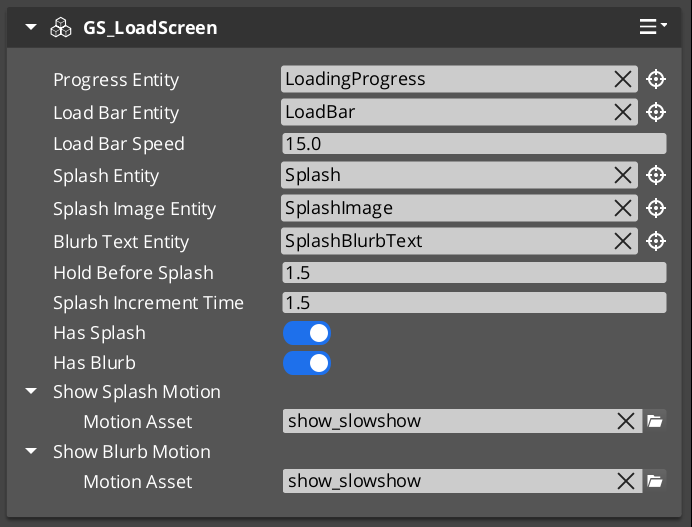
| Component | Purpose |
|---|---|
| GS_LoadScreenComponent | Displays a loading canvas during stage transitions. Hides automatically when loading is complete. |
Pause Menu
PauseMenuComponent manages the pause overlay. It responds to pause input, activates the pause canvas, and suppresses gameplay systems while the menu is open.
| Component | Purpose |
|---|---|
| PauseMenuComponent | Toggles pause state and the pause menu canvas overlay. |
See Also
For component references:
- UI Manager – Loads and manages the canvases that widgets display on
- Page Navigation – The navigation system for menus within widget canvases
For conceptual overviews and usage guides:
- GS_UI Overview – Full gem overview
- The Basics: Widgets
Get GS_UI
GS_UI — Explore this gem on the product page and add it to your project.