Performer Manager & Skin Slots
Categories:
The Performer Manager and Skin Slot system provide modular character appearance management at runtime. The manager handles global performer registration and lookup. Skin slots define individual mesh/material combinations that can be swapped independently, enabling runtime costume and equipment changes.
For usage guides and setup examples, see The Basics: GS_Performer.
Contents
- GS_PerformerManagerComponent
- Skin Slot System
- VelocityLocomotionHookComponent
- PrefabAnimAssetsReloaderComponent
- Setup
- Extension Guide
- See Also
GS_PerformerManagerComponent
Singleton manager extending GS_ManagerComponent. Handles global performer registration, coordinates skin slot configuration across the level, and provides performer lookup.
Bus: PerformerManagerRequestBus (Single, Single)
Skin Slot System
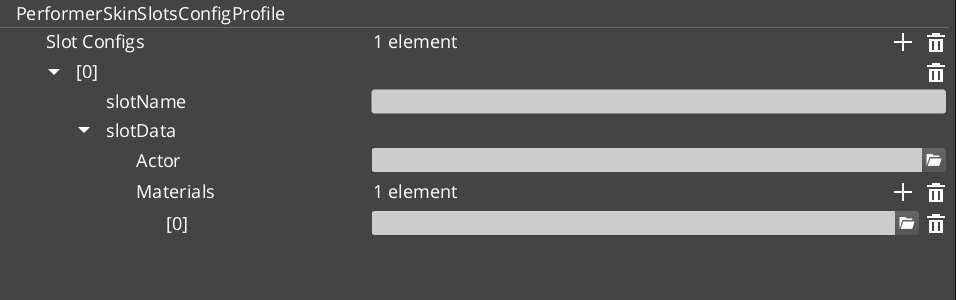
PerformerSkinSlotComponent
Individual skin slot component. Each slot holds one actor mesh asset and its material overrides. Addressed by slot ID.
Bus: PerformerSkinSlotRequestBus (ById, Single)
| Property | Type | Description |
|---|---|---|
| Slot Name | AZStd::string | Identifier for this skin slot. |
| Skin Data | SkinSlotData | Actor asset and material list for this slot. |
SkinSlotHandlerComponent
Manages the complete collection of skin slots for a character entity. Applies PerformerSkinSlotsConfigProfile presets to swap entire outfits at once.
Bus: SkinSlotHandlerRequestBus (ById, Single)
Data Types
| Type | Description |
|---|---|
| SkinSlotData | Actor asset reference + material asset list for a single slot. |
| SkinSlotNameDataPair | Slot name string + SkinSlotData pair for serialization. |
| PerformerSkinSlotsConfigProfile | Asset class defining a named preset of skin slot assignments. Loaded and applied at runtime for outfit/costume changes. |
VelocityLocomotionHookComponent
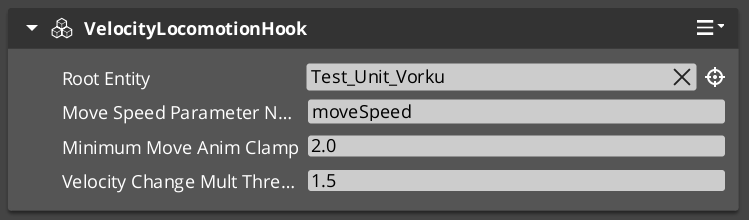
Reads entity velocity each tick and writes locomotion parameters (speed, direction) to the EMotionFX animation graph. Drives blend trees automatically without manual parameter management.
| Property | Type | Description |
|---|---|---|
| Speed Parameter | AZStd::string | The EMotionFX parameter name to write speed values into. |
| Direction Parameter | AZStd::string | The EMotionFX parameter name to write direction values into. |
PrefabAnimAssetsReloaderComponent
Hot-reloads prefab animation assets during development without requiring a full level restart.
Setup
- Add GS_PerformerManagerComponent to the Game Manager prefab and include it in the Startup Managers list.
- Add SkinSlotHandlerComponent to the character root entity.
- Add one PerformerSkinSlotComponent per modular slot (head, body, arms, legs, etc.) to child entities.
- Create PerformerSkinSlotsConfigProfile assets in the Asset Editor for each outfit configuration.
- For locomotion, add VelocityLocomotionHookComponent to entities with an EMotionFX actor.
Extension Guide
The Skin Slot system uses the companion component pattern. Custom slot behavior (equipment integration, visual effects on swap) should be added as companion components that listen to SkinSlotHandler bus events on the same entity.
See Also
For related component references:
For conceptual overviews and usage guides:
Get GS_Performer
GS_Performer — Explore this gem on the product page and add it to your project.