Babble
Audio babble synchronized to dialogue typewriter output — procedural vocalization tones keyed to speaker identity.
Categories:
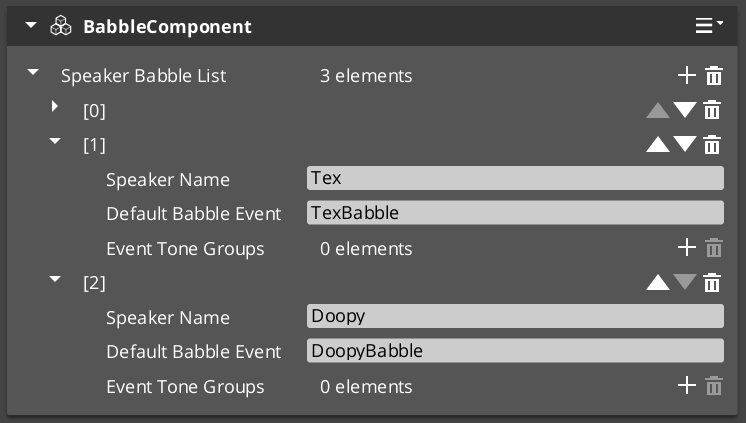
The Babble system generates procedural vocalization tones synchronized to the dialogue Typewriter output. Each speaker can have unique babble tone events that fire with each character reveal, creating the characteristic “character voice” effect used in games like Animal Crossing or Undertale.
For usage guides and setup examples, see The Basics: GS_Performer.
GS_Performer is in Early Development. Full support planned soon: 2026.
Contents
BabbleComponent
Bus: BabbleRequestBus (ById)
| Method | Parameters | Returns | Description |
|---|---|---|---|
GetBabbleEvent | — | BabbleToneEvent | Returns the current babble tone event for audio playback. |
Data Types
| Type | Description |
|---|---|
| BabbleToneEvent | Audio event configuration for a single babble tone. |
| SpeakerBabbleEvents | Collection of babble events mapped to a specific speaker/actor. |
How It Works
- The TypewriterComponent (GS_Cinematics) reveals text character by character.
- On each
OnTypeFirednotification, the BabbleComponent triggers its configured babble tone. - The tone varies based on the speaker’s
SpeakerBabbleEventsconfiguration. - The result is a procedural “voice” that matches the text reveal rhythm.
See Also
For related component references:
For conceptual overviews and usage guides:
Get GS_Performer
GS_Performer — Explore this gem on the product page and add it to your project.