Pulsors
Categories:
The Pulsor system is a physics-driven interaction layer. A PulsorComponent emits typed pulses when its physics trigger fires. PulseReactorComponents on other entities receive and process those pulses based on their type. The system is fully extensible — new pulse and reactor types are discovered automatically through O3DE serialization, so new interaction types can be added from any gem without modifying GS_Interaction.
For usage guides and setup examples, see The Basics: GS_Interaction.
Contents
Architecture
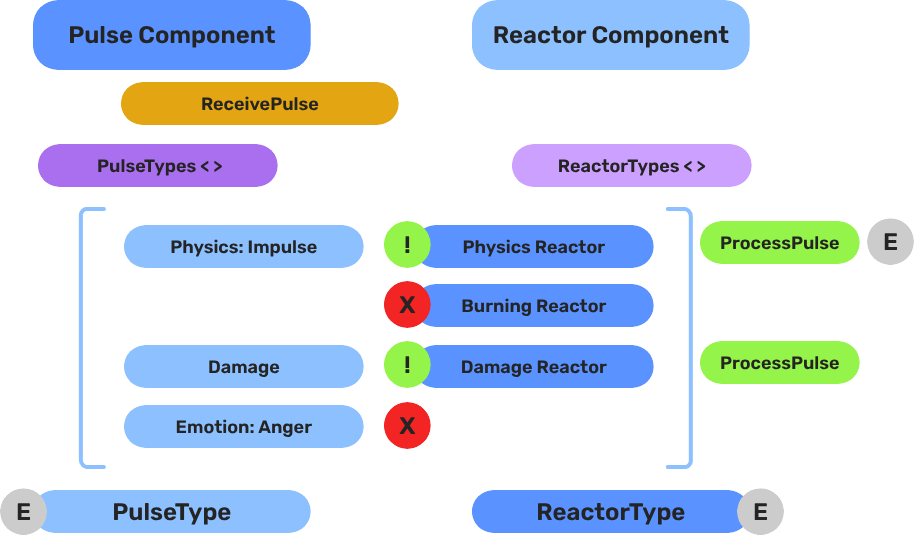
Breakdown
When an entity enters a Pulsor’s trigger volume, the Pulsor emits its configured pulse type to all Reactors on the entering entity:
| Step | What It Means |
|---|---|
| 1 — Collider overlap | Physics detects an entity entering the Pulsor’s trigger volume. |
| 2 — Pulse emit | PulsorComponent reads its configured PulseType and prepares the event. |
| 3 — Reactor query | Each PulseReactorComponent on the entering entity is checked with IsReactor(). |
| 4 — Reaction | Reactors returning true have ReceivePulses() called and execute their response. |
Pulse types are polymorphic — new types are discovered automatically at startup via EnumerateDerived. Any gem can define custom interaction semantics without modifying GS_Interaction.
E Indicates extensible classes and methods.
Patterns - Complete list of system patterns used in GS_Play.
Components
PulsorComponent
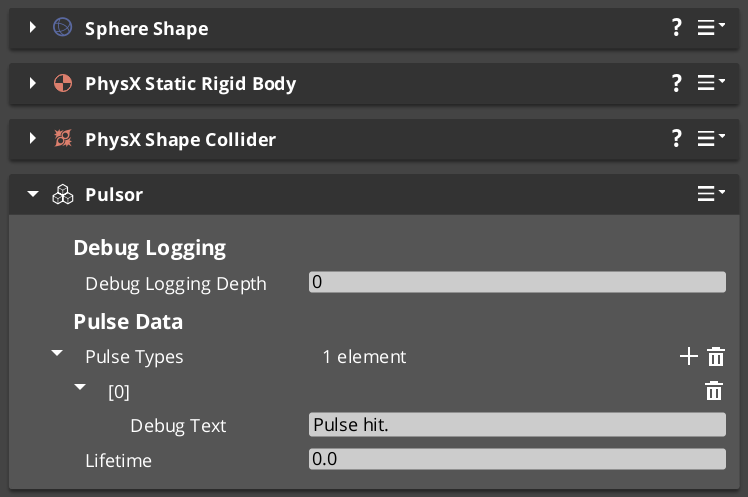
Emits typed pulses when its physics trigger fires. Extends AZ::Component and PhysicsTriggeringVolume.
| Property | Type | Description |
|---|---|---|
| Pulse Types | vector<PulseType*> | The pulse types this pulsor emits on trigger. |
The pulsor fires all configured pulse types simultaneously when an entity enters its trigger volume.
PulseReactorComponent
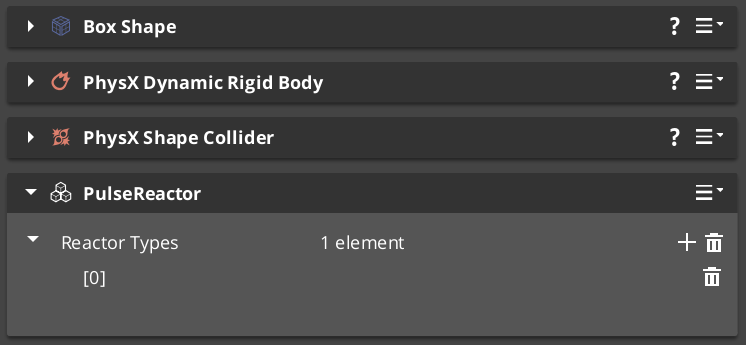
Receives and processes typed pulses from pulsors.
Bus: PulseReactorRequestBus (ById, Multiple)
| Method | Parameters | Returns | Description |
|---|---|---|---|
ReceivePulses | — | void | Process incoming pulse events. |
IsReactor | — | bool | Returns whether this component is an active reactor. |
Pulse Types
Pulse types define what kind of interaction a pulsor emits. All types extend the abstract PulseType base class.
| Type | TypeId | Description |
|---|---|---|
| PulseType (base) | {8A1B2C3D-4E5F-6A7B-8C9D-0E1F2A3B4C5D} | Abstract base class for all pulse types. |
| Debug_Pulse | {123D83FD-027C-4DA4-B44B-3E0520420E44} | Test and debug pulse for development. |
| Destruct_Pulse | {98EC44DA-C838-4A44-A37A-FA1A502A506B} | Destruction pulse — triggers destructible reactions. |
Reactor Types
Reactor types define how an entity responds to incoming pulses. All types extend the abstract ReactorType base class.
| Type | TypeId | Description |
|---|---|---|
| ReactorType (base) | {9B2C3D4E-5F6A-7B8C-9D0E-1F2A3B4C5D6E} | Abstract base class for all reactor types. |
| Debug_Reactor | {38CC0EA0-0975-497A-B2E5-299F5B4222F7} | Test and debug reactor for development. |
| Destructable_Reactor | {47C9B959-2A9F-4E06-8187-E32DDA3449EC} | Handles destruction responses to Destruct_Pulse. |
Extension Guide
Use the ClassWizard templates to generate new pulse and reactor classes with boilerplate already in place — see GS_Interaction Templates:
PulsorPulse— generates a newPulseTypesubclass with a named channel and payload stub. Supplytype_display_nameandtype_categoryinput vars to control how it appears in the editor dropdown.PulsorReactor— generates a newReactorTypesubclass. Supply the requiredpulse_channelvar — the channel string is baked into the header at generation time.
To create a custom pulse or reactor type manually:
- Create a class extending
PulseType(orReactorType) with a unique RTTI TypeId. - Reflect the class using O3DE’s
SerializeContextandEditContext. The system discovers the new type automatically.
Channels are string-matched at runtime — keep the channel string consistent between the Pulse and the Reactor that receives it.
See Also
For related resources:
Get GS_Interaction
GS_Interaction — Explore this gem on the product page and add it to your project.