Gradients
Categories:
The Gradients utility provides three parallel gradient types for interpolating values over a normalized [0,1] range using a sorted list of marker points. All types are fully reflected (SerializeContext + EditContext) and editable in the Inspector with visual marker placement. Gradients are lazily sorted before evaluation.
Used by: FeedbackMaterialTrack (color/float animation), UiImageColorTrack, procedural visual effects, any system needing editable color or value ramps.
For usage guides and setup examples, see The Basics: GS_Core.
Contents
Gradient Types
| Type | Value Type | Description |
|---|---|---|
FloatGradient | float | Single float value ramp |
Vector2Gradient | AZ::Vector2 | 2D vector ramp |
ColorGradient | AZ::Color | RGBA color ramp with separate color and alpha channels |
Marker Structs
Each gradient type has a corresponding marker struct that defines a single stop on the gradient.
FloatGradientMarker
| Field | Type | Description |
|---|---|---|
markerValue | float | The float value at this stop |
markerPosition | float | Position in [0, 1] along the gradient |
Vector2GradientMarker
| Field | Type | Description |
|---|---|---|
markerValue | AZ::Vector2 | The 2D vector value at this stop |
markerPosition | float | Position in [0, 1] along the gradient |
ColorGradientMarker
| Field | Type | Description |
|---|---|---|
markerColor | AZ::Color | The color (RGB + A) at this stop |
markerPosition | float | Position in [0, 1] along the gradient |
Gradient Classes
All three gradient types share the same structure and interface:
| Field / Method | Description |
|---|---|
slider | AZStd::vector<Marker> — the sorted list of gradient stops (field name for Float/Vector2) |
sorted | Internal dirty flag; gradient is lazily sorted before Evaluate is called |
SortGradient() | Sorts markers by position. Called automatically before evaluation when markers change. |
Evaluate(float t) | Returns the interpolated value at normalized position t in [0, 1] |
ColorGradient
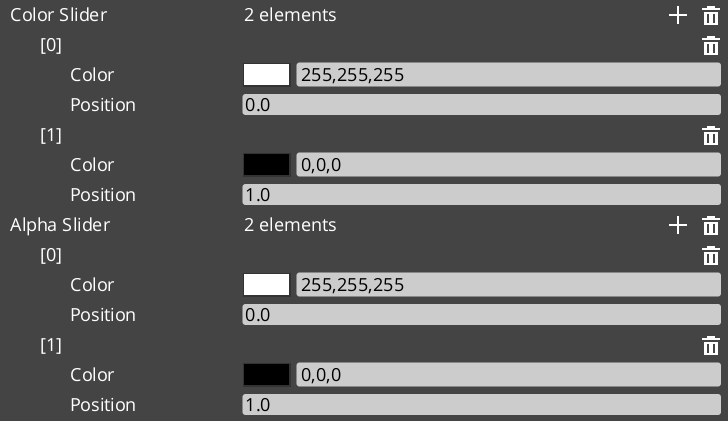
ColorGradient maintains two separate marker lists for independent RGB and alpha control:
| Field | Description |
|---|---|
colorSlider | AZStd::vector<ColorGradientMarker> — RGB stops |
alphaSlider | AZStd::vector<ColorGradientMarker> — alpha stops |
ColorGradient Channels
ColorGradient exposes three evaluate methods for flexible sampling:
| Method | Returns | Description |
|---|---|---|
Evaluate(float t) | AZ::Color | Full RGBA color — samples both colorSlider and alphaSlider |
EvaluateColor(float t) | AZ::Color | RGB only — alpha is always 1.0 |
EvaluateAlpha(float t) | float | Alpha channel only |
Usage Example
#include <GS_Core/Utility/Gradients/FloatGradientUtility.h>
#include <GS_Core/Utility/Gradients/ColorGradientUtility.h>

// Sample a float gradient at normalized progress (0 → 1)
float value = myFloatGradient.Evaluate(normalizedProgress);

// Sample full RGBA color
AZ::Color color = myColorGradient.Evaluate(normalizedProgress);

// Sample RGB and alpha independently
AZ::Color rgb   = myColorGradient.EvaluateColor(normalizedProgress);
float alpha     = myColorGradient.EvaluateAlpha(normalizedProgress);
See Also
For related resources:
- Curves Utility — easing functions used by motion tracks that drive gradient evaluation
- Core Utilities
- Framework API: GS_Core
Get GS_Core
GS_Core — Explore this gem on the product page and add it to your project.