Cinematics Manager
Categories:
GS_CinematicsManagerComponent is the top-level cinematic lifecycle controller for GS_Cinematics. It extends GS_Core::GS_ManagerComponent and participates in the standard Game Manager startup sequence.
For usage guides and setup examples, see The Basics: Cinematics Manager.
Contents
- GS_CinematicsManagerComponent
- Request Bus: CinematicsManagerRequestBus
- Notification Bus: CinematicsManagerNotificationBus
- CinematicStageMarkerComponent
- Script Canvas Examples
- See Also
GS_CinematicsManagerComponent
Singleton GS_Play manager that controls cinematic mode for the current level. Registered with the Game Manager startup sequence via GS_Core::GS_ManagerComponent.
| Property | Value |
|---|---|
| Extends | GS_Core::GS_ManagerComponent |
| Bus | CinematicsManagerRequestBus (Single address, single handler) |
| Notifications | CinematicsManagerNotificationBus |
Request Bus: CinematicsManagerRequestBus
Singleton bus — Single address, single handler.
| Method | Parameters | Returns | Description |
|---|---|---|---|
BeginCinematic | – | void | Enters cinematic mode for the current level. Broadcasts EnterCinematic to all listeners. |
EndCinematic | – | void | Exits cinematic mode. Broadcasts ExitCinematic to all listeners. |
RegisterStageMarker | const AZStd::string& name, AZ::EntityId entity | void | Registers a CinematicStageMarkerComponent entity under the given name. |
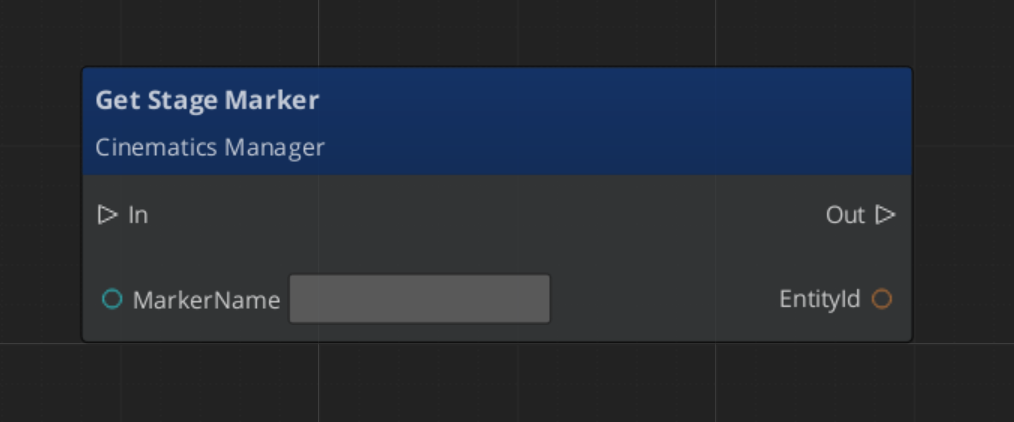
GetStageMarker | const AZStd::string& name | AZ::EntityId | Returns the entity registered under the given stage marker name. |
Notification Bus: CinematicsManagerNotificationBus
Multiple handler bus — any number of components can subscribe.
| Event | Description |
|---|---|
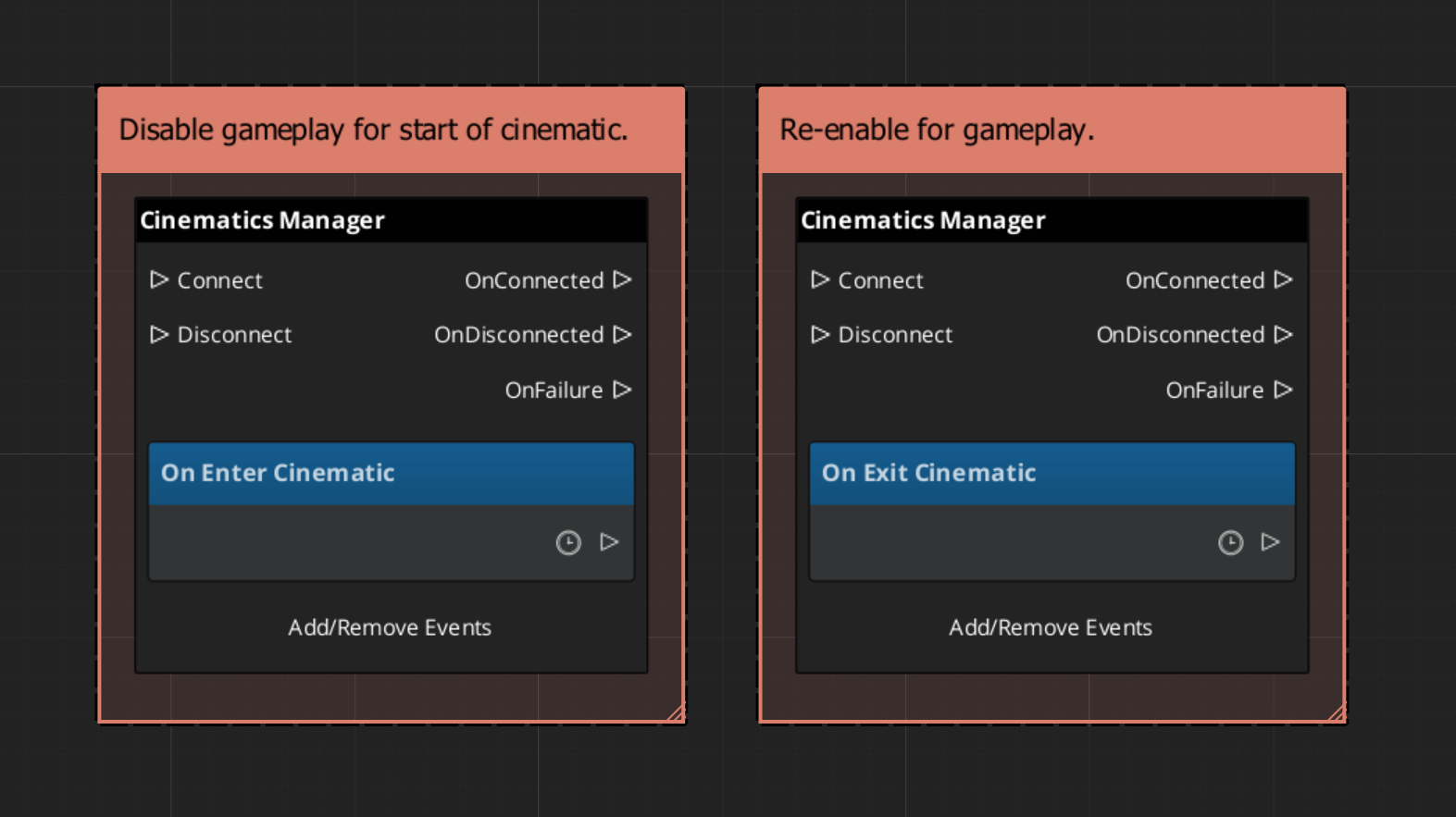
EnterCinematic | Fired when cinematic mode begins. Listeners should suppress gameplay systems. |
ExitCinematic | Fired when cinematic mode ends. Listeners should resume gameplay systems. |
CinematicStageMarkerComponent
A simple world-space anchor component placed on entities in the level. Stage markers are registered by name with the Cinematics Manager during activation. Performances and sequences reference markers by name to position performers in the world.
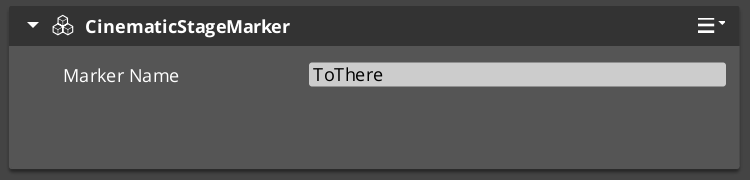
Attach a CinematicStageMarkerComponent to any entity, give it a unique name, and it self-registers with the CinematicsManagerRequestBus on Activate().
Script Canvas Examples
Entering and exiting cinematic mode:
Getting a stage marker entity by name:
See Also
For usage guides:
For related references:
- Dialogue System – Dialogue Manager and sequencer
- GS_Cinematics Overview – Top-level gem reference
- GS_Core Managers – Manager base system
Get GS_Cinematics
GS_Cinematics — Explore this gem on the product page and add it to your project.