Score Arrangement
Categories:
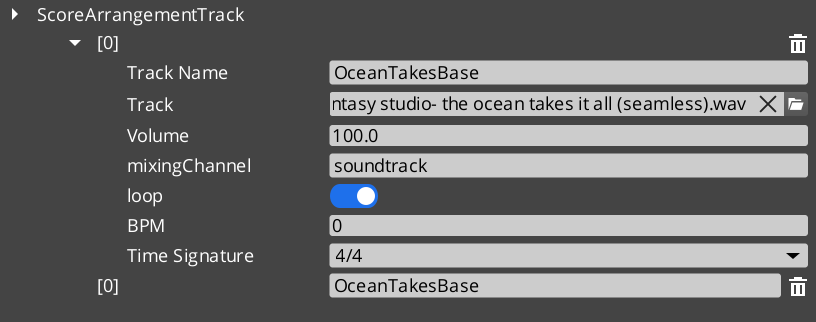
The Score Arrangement system provides multi-layer dynamic music for GS_Play projects. A ScoreArrangementTrack asset defines a musical score with configurable tempo, time signature, fade behavior, and multiple layers that can be enabled or disabled at runtime. This allows game music to adapt to gameplay state – adding or removing instrumental layers, changing intensity, or crossfading between sections.
Score tracks are loaded and controlled through the Audio Manager request bus.
For usage guides and setup examples, see The Basics: GS_Audio.
Contents
Data Model
ScoreArrangementTrack
A multi-layer musical score asset. Each track defines the musical structure and contains one or more layers that play simultaneously.
| Field | Value |
|---|---|
| TypeId | {DBB48082-1834-4DFF-BAD2-6EA8D83F1AD0} |
| Extends | AZ::Data::AssetData |
| Reflection | Requires GS_AssetReflectionIncludes.h — see Serialization Helpers |
| Field | Type | Description |
|---|---|---|
| Track Name | AZStd::string | Identifier for this score track. |
| Time Signature | TimeSignatures | The time signature for this score (e.g. 4/4, 3/4, 6/8). |
| BPM | float | Tempo in beats per minute. |
| Fade In Time | float | Duration in seconds for the score to fade in when playback begins. |
| Fade Out Time | float | Duration in seconds for the score to fade out when playback stops. |
| Loop | bool | Whether the score loops back to the beginning when it reaches the end. |
| Layers | AZStd::vector<ScoreLayer> | The musical layers that compose this score. |
| Active Layers | AZStd::vector<int> | Indices of layers that are active (audible) at the start of playback. |
ScoreLayer
A single musical layer within a score arrangement. Each layer represents one track of audio (e.g. drums, bass, melody) that can be independently enabled or disabled.
| Field | Value |
|---|---|
| TypeId | {C8B2669A-FAEA-4910-9218-6FE50D2E588E} |
| Field | Type | Description |
|---|---|---|
| Layer Name | AZStd::string | Identifier for this layer within the score. |
| Audio Asset | AZ::Data::Asset<AudioClipAsset> | The audio clip for this layer. |
| Volume | float | Base volume level for this layer (0.0 to 1.0). |
| Fade Time | float | Duration in seconds for this layer to fade in or out when toggled. |
TimeSignatures (Enum)
Supported musical time signatures for score arrangement tracks.
| Field | Value |
|---|---|
| TypeId | {6D6B5657-746C-4FCA-A0AC-671C0F064570} |
| Value | Beats per Measure | Beat Unit | Description |
|---|---|---|---|
FourFour | 4 | Quarter note | 4/4 – Common time. The most widely used time signature. |
FourTwo | 4 | Half note | 4/2 – Four half-note beats per measure. |
TwelveEight | 12 | Eighth note | 12/8 – Compound quadruple meter. Four groups of three eighth notes. |
TwoTwo | 2 | Half note | 2/2 – Cut time (alla breve). Two half-note beats per measure. |
TwoFour | 2 | Quarter note | 2/4 – Two quarter-note beats per measure. March time. |
SixEight | 6 | Eighth note | 6/8 – Compound duple meter. Two groups of three eighth notes. |
ThreeFour | 3 | Quarter note | 3/4 – Waltz time. Three quarter-note beats per measure. |
ThreeTwo | 3 | Half note | 3/2 – Three half-note beats per measure. |
NineEight | 9 | Eighth note | 9/8 – Compound triple meter. Three groups of three eighth notes. |
See Also
For conceptual overviews and usage guides:
- GS_Audio Overview – Top-level audio gem documentation
- The Basics: GS_Audio – Scripting-level usage guide
For component references:
- Audio Manager – Controls score playback via the request bus
Get GS_Audio
GS_Audio — Explore this gem on the product page and add it to your project.