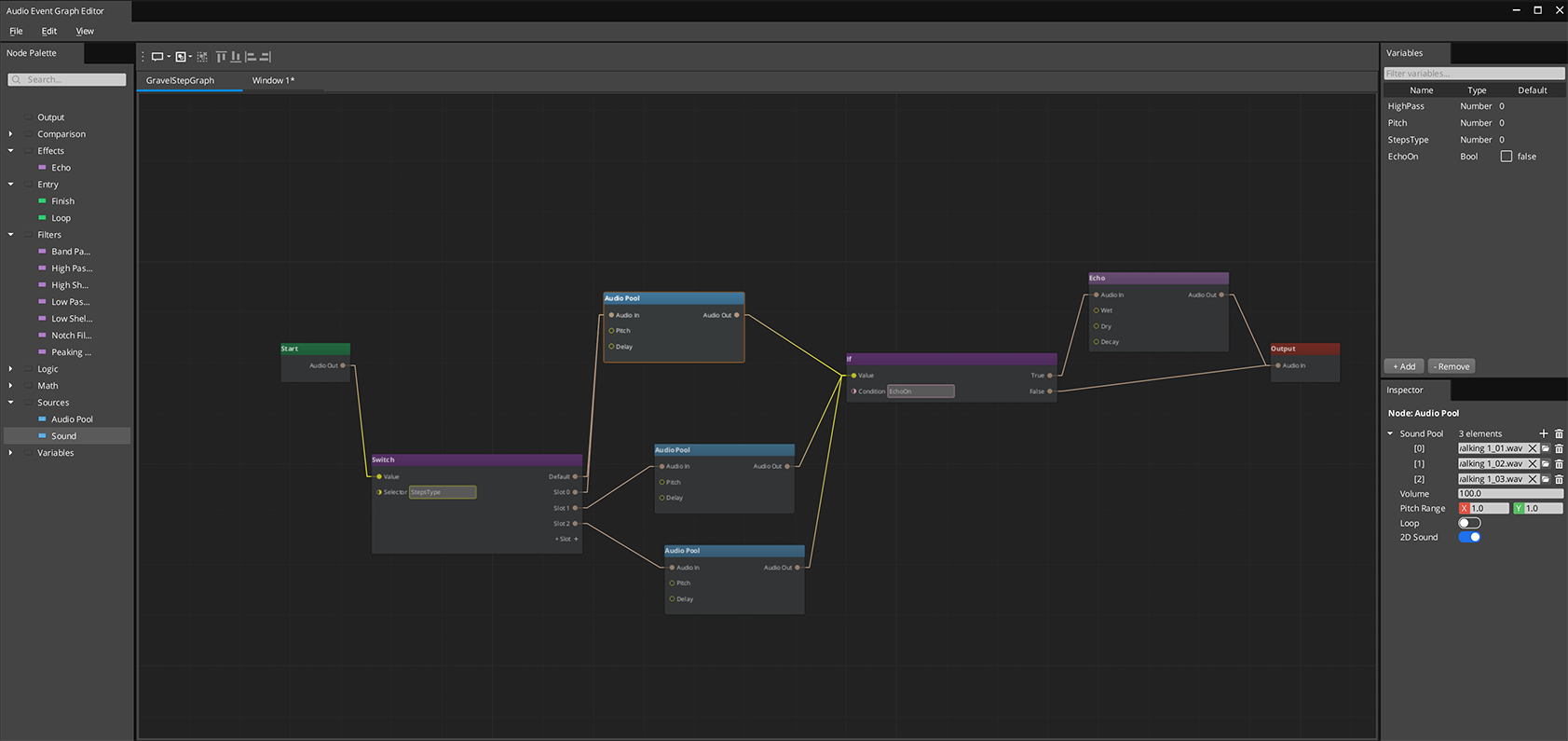
The Audio Event Graph is a visual node-based editor for authoring complex sound events. Instead of a single clip pool, you connect sources, filters, effects, and routing nodes into a graph that evaluates as a data-flow pipeline. Each .audiograph file is one sound event. At runtime, the graph maps directly to a live audio processing chain.
For component properties and C++ extension, see the Framework API reference.
Contents
How It Works
Nodes in an Audio Event Graph evaluate left to right in topological order. Connections carry AudioRoute values — handles to a point in the audio processing chain. The signal flows through:
- An Entry node gates which phase is active
- Source nodes create and output audio
- Filter and effect nodes process the signal
- Routing nodes (If/Switch) direct the signal based on variables
- The Output node wires everything to a mixing bus
Only nodes affected by a change re-evaluate — the rest are skipped. This makes variable-driven sound modification cheap even for complex graphs.
Phase Lifecycle
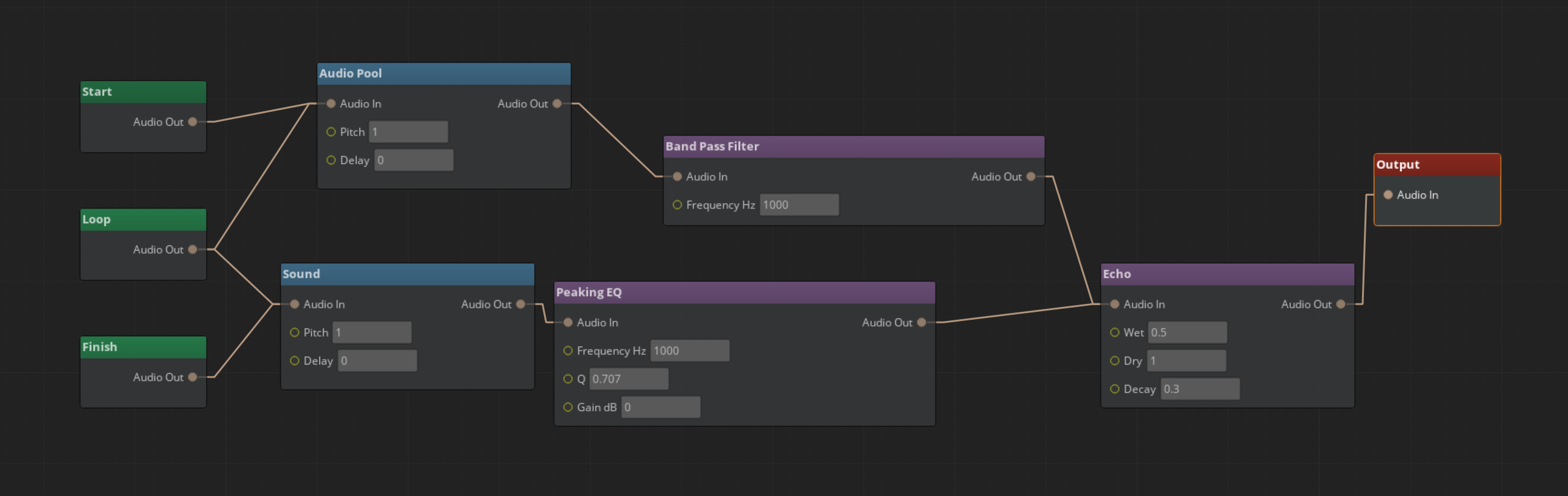
Every Audio Event Graph supports up to three phases:
| Phase | Entry Node | Use For |
|---|---|---|
| Start | Aud_StartNode | One-shot intro sounds, attack transient |
| Loop | Aud_LoopNode | Sustained loops, ambient audio |
| Finish | Aud_FinishNode | Fade-outs, release tails |
Phases transition automatically: Start fires once, Loop repeats while looping is enabled, Finish plays when FinishAudioGraph() is called. Not all phases are required — a simple one-shot only needs Start.
Entry nodes share routing freely. A source wired to both Start and Loop phases produces sound in both.
Nodes
Source Nodes
| Node | What It Does |
|---|---|
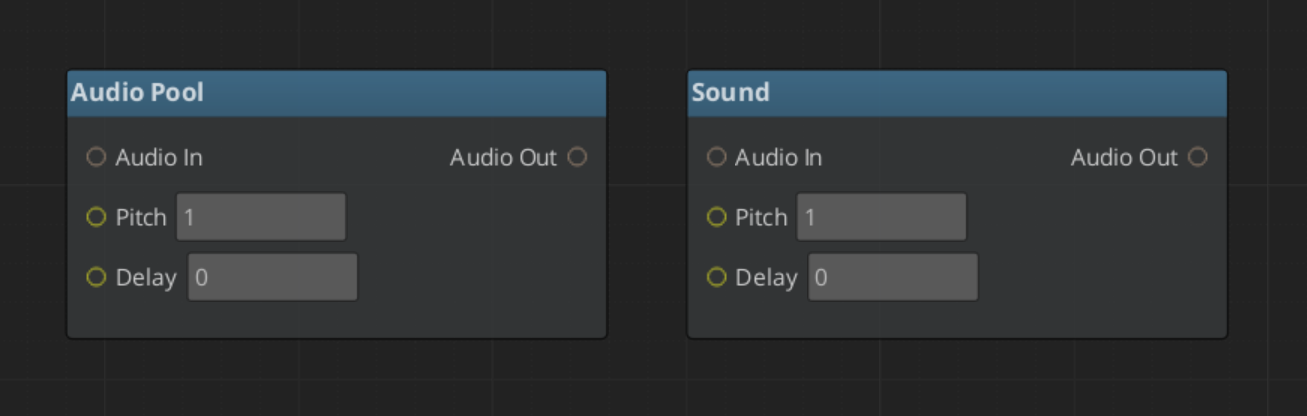
| Aud_SoundNode | Single audio asset playback |
| Aud_AudioPoolNode | Random clip selection from a pool |
Both support volume, pitch, delay, looping, and 3D spatialization.
Filter Nodes
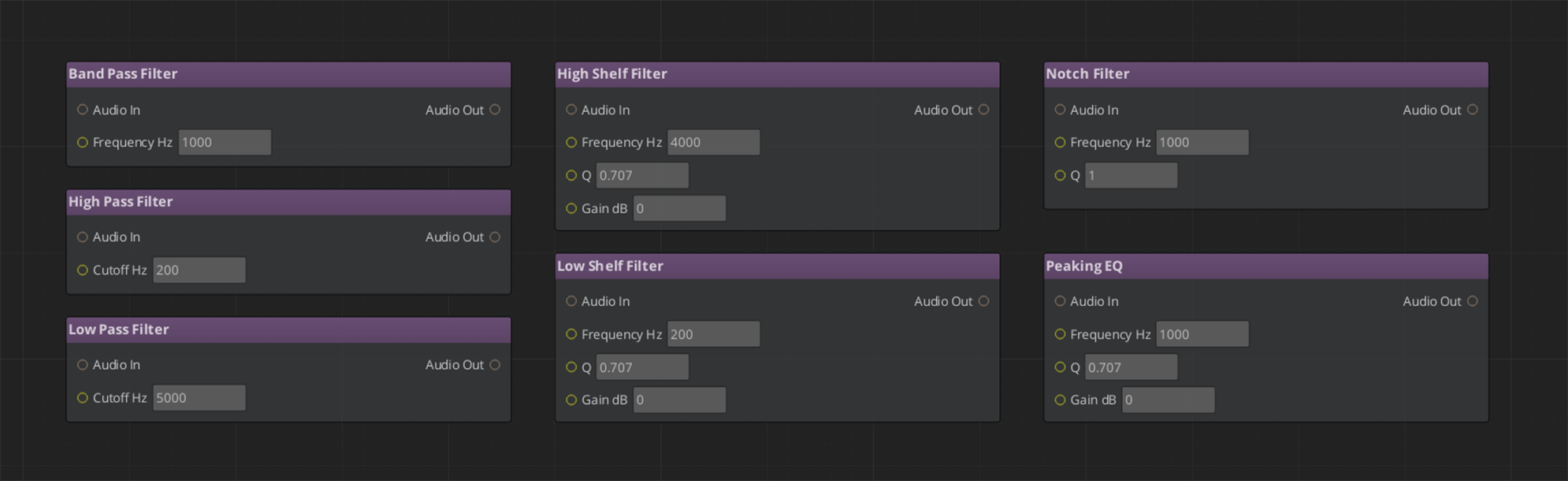
LowPass, HighPass, BandPass, Notch, PeakingEQ, LowShelf, HighShelf — all take audio_in and output audio_out. Parameters (cutoff, Q, gain) can be set per-node or bound to graph variables.
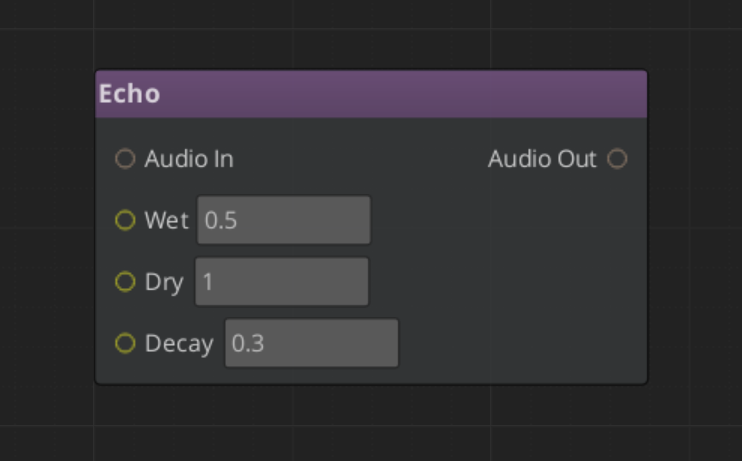
Effect Nodes
| Node | What It Does |
|---|---|
| Aud_EchoNode | Echo / reverb tail |
| Aud_DelayNode | Delay effect |
Routing Nodes
IfNode and SwitchNode route AudioRoute values based on conditions or a selector variable. Use these for conditional audio paths — different sounds based on surface type, weather, or character state.
Output Node
Aud_OutputNode wires the final signal to a named mixing bus. Every graph needs exactly one Output node.
Using Variables
Declare variables in the Variable Panel. Bind them to filter parameter slots (right-click > Convert to Reference) or use If/Switch nodes to route based on them.
At runtime, setting a variable re-evaluates only the nodes that depend on it — the rest of the graph is untouched.
Common patterns:
| Variable | Type | Use |
|---|---|---|
underwater | Float | Bind to LowPass cutoff — muffles audio when > 0 |
surfaceType | Int | Drive a SwitchNode to select different footstep sources |
intensity | Float | Blend between effect parameters for emotional scoring |
Variables are set from gameplay code via the Audio Manager:
SetAudioGraphVariable(instanceId, "underwater", 0.8)
SetAudioGraphVariableBool(instanceId, "isSprinting", true)
Playing at Runtime
All Audio Event Graph playback goes through the Audio Manager.
Fire-and-Forget
For one-shot sounds with no runtime modification needed:
PlayAudioGraph("Assets/Audio/Explosion.audiograph")
Manual Control
For sounds that loop, need variable updates, or need explicit stopping:
AcquireAudioGraph(assetPath)— get an instance IDSetAudioGraphLooping(id, true)— if it loopsSetAudioGraphEntity(id, entityId)— for 3D trackingFireAudioGraph(id)— start playbackSetAudioGraphVariable(id, name, value)— update variables any timeStopAudioGraph(id)orFinishAudioGraph(id)— stop cleanlyReleaseAudioGraph(id)— return the instance to the pool
Quick Reference
| Task | How |
|---|---|
| Create a new graph | File > New in the Audio Event Graph Editor |
| Add a phase entry node | Drag Start / Loop / Finish node from the palette |
| Add a source | Drag Aud_SoundNode or Aud_AudioPoolNode |
| Chain a filter | Connect source audio_out → filter audio_in |
| Wire to output | Connect final node’s audio_out → Aud_OutputNode audio_in |
| Bind a variable to a slot | Right-click the slot > Convert to Reference |
| Play fire-and-forget | AudioManagerRequestBus::PlayAudioGraph(path) |
| Play with control | AcquireAudioGraph → FireAudioGraph → ReleaseAudioGraph |
| Update a variable | SetAudioGraphVariable(id, name, value) |
Glossary
| Term | Meaning |
|---|---|
| Audio Event Graph | A .audiograph file defining a sound event as a data-flow node graph |
| AudioRoute | The value type flowing between nodes — a handle to a point in the miniaudio processing chain |
| Phase | One of three lifecycle stages (Start / Loop / Finish) gated by entry nodes |
| Graph Instance | An independent runtime copy of a graph, pooled and managed by the Audio Manager |
| Dirty Propagation | The evaluation model — only nodes downstream of a changed variable re-run |
For full definitions, see the Glossary.
See Also
- Framework API: Audio Event Graph — Full node catalog and extension guide
- The Basics: Audio Manager — Runtime playback API
- The Basics: Audio Events — Simpler fire-and-forget sound playback
- The Basics: Mixing — Mixing buses that graphs route through
Get GS_Audio
GS_Audio — Explore this gem on the product page and add it to your project.