A guide to get everything propped up rapidly
Video Tutorial
Embed youtube guide.
Link to video_tutorials.
This is the multi-page printable view of this section. Click here to print.
A guide to get everything propped up rapidly
Embed youtube guide.
Link to video_tutorials.
<ProjectGemName>.Private.Object STATIC
BUILD_DEPENDENCIES
    PUBLIC
        Gem:GS_Play_Core.API
        Gem:GS_<your desired module>.API
Check out the Project Setup Video Tutorial (Links to video_tutorial tag for setup video)
These are the necessary details to create your project and have it run reliably with all GS_Play featuresets.

Image showing the standard PhysX Configuration necessary to support all GS_Play features.
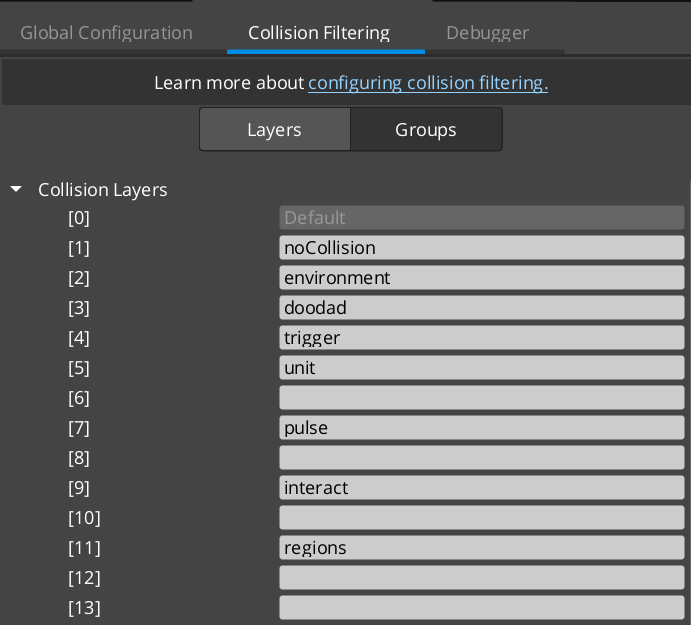
Image showing the standard PhysX Collision Layers necessary to support all GS_Play features.
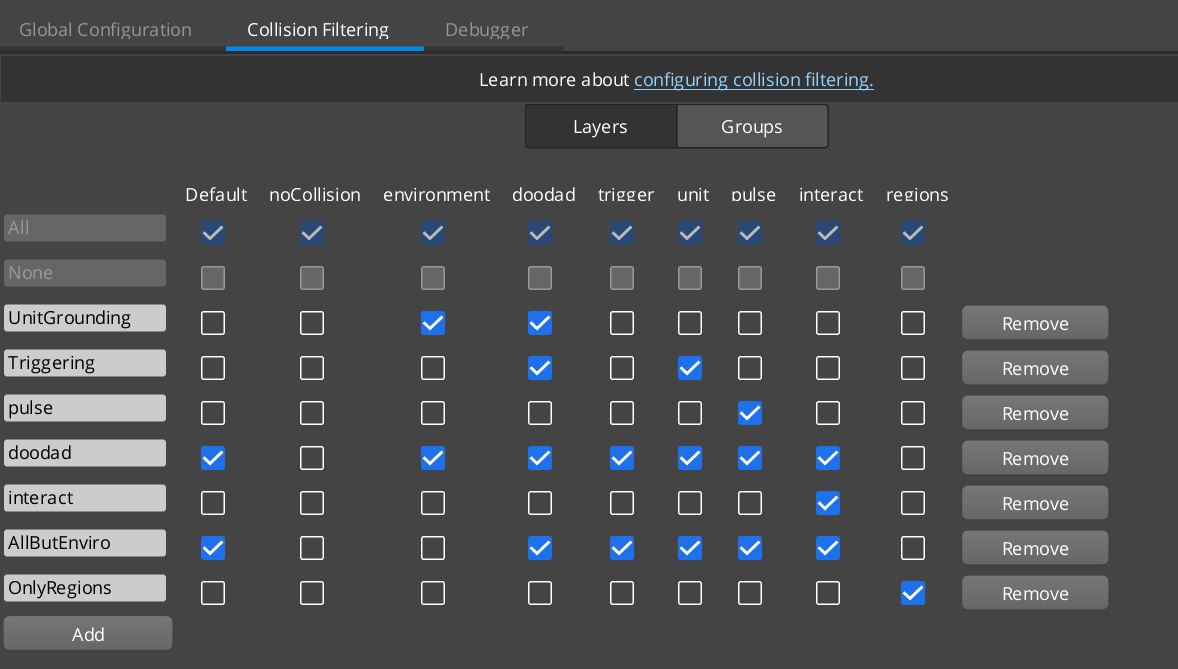
Image showing the standard PhysX Collision Groups necessary to support all GS_Play features.
In order to properly introduce a GS_Unit to the default scene you need to create an object with the “Environment” collision layer to stand on.
The easist way to start is to change the collision layer of the default “Ground” entity in the level.
Check out the Project Setup Video Tutorial (Links to video_tutorial tag for setup video)
Check out the Project Setup Video Tutorial (Links to video_tutorial tag for setup video)
Check out the Project Setup Video Tutorial (Links to video_tutorial tag for setup video)