Targeting
Target detection, selection, and cursor management — scanning, filtering, and selecting entities based on proximity and sensory fields.
The targeting system provides spatial awareness and entity selection for units and other entities. A TargetingHandler component serves as the central processor — it receives target registrations from sensory fields, maintains categorized target lists, and selects the best interact target based on proximity and type filtering. The system supports a cursor overlay for visual feedback and an input reader for triggering interactions.
For usage guides and setup examples, see The Basics: GS_Interaction.
Contents
Components
EBus Summary
Request Buses
| Bus | Address | Handler | Key Methods |
|---|
| GS_TargetingHandlerRequestBus | ById | Multiple | RegisterTarget, UnregisterTarget, RegisterInteractionRangeTarget, UnregisterInteractionRangeTarget, GetInteractTarget |
| GS_TargetRequestBus | ById | Multiple | GetTargetSize, GetTargetOffset, GetTargetColour, GetTargetSprite |
| GS_CursorRequestBus | Single | Multiple | RegisterCursorCanvas, HideCursor, SetCursorOffset, SetCursorVisuals, SetCursorPosition |
| GS_CursorCanvasRequestBus | ById | Multiple | HideSprite, SetCursorSprite |
Notification Buses
| Bus | Address | Handler | Key Events |
|---|
| GS_TargetingHandlerNotificationBus | ById | Multiple | OnUpdateInteractTarget, OnEnterStandby, OnExitStandby |
See Also
For component references:
For related resources:
Get GS_Interaction
GS_Interaction — Explore this gem on the product page and add it to your project.
1 - Targeting Handler
Central targeting processor — receives target registrations from sensory fields, selects best interact target, and manages cursor feedback.
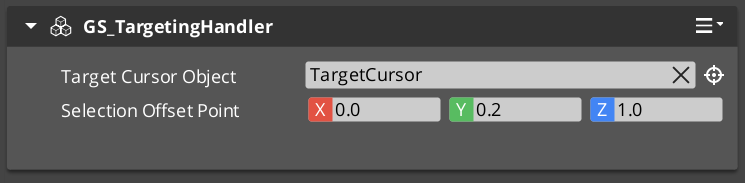
The GS_TargetingHandlerComponent is the central processor for the targeting system. It receives target registrations from sensory fields, maintains categorized lists of detected targets, and selects the best interact target based on proximity and type. It also manages cursor feedback and interaction range tracking.
For usage guides and setup examples, see The Basics: GS_Interaction.
The Targeting Handler sits on the same entity as the unit it serves (typically the player or an AI character). Sensory fields register and unregister targets as they enter and exit detection volumes. The handler evaluates all registered targets each tick to determine the closest interactable, which becomes the active interact target.
Contents
How It Works
Target Selection
Each tick, the handler runs ProcessClosestInteractable to evaluate all registered targets. It filters by type, checks interaction range, and selects the closest valid target. The result is broadcast via OnUpdateInteractTarget.
Interaction Range
A separate interaction range field provides a close-proximity subset of targets. Targets within this range are prioritized for interact selection. The range is driven by a dedicated GS_TargetingInteractionFieldComponent trigger volume.
Cursor Tracking
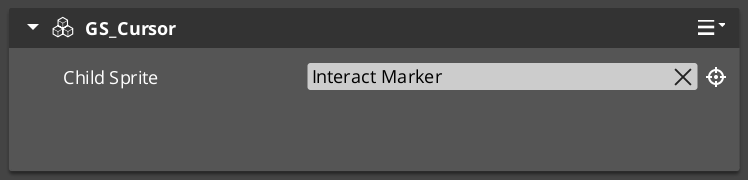
The handler updates the cursor position to follow the active interact target. Cursor visuals change based on target type (interact, item, unit, etc.).
API Reference
GS_TargetingHandlerRequestBus
Bus policy: ById, Multiple
| Method | Parameters | Returns | Description |
|---|
RegisterTarget | AZ::EntityId entity | bool | Registers a target entity detected by a sensory field. |
UnregisterTarget | AZ::EntityId entity | bool | Removes a target entity from the detection list. |
RegisterInteractionRangeTarget | AZ::EntityId entity | bool | Registers a target within the close interaction range. |
UnregisterInteractionRangeTarget | AZ::EntityId entity | bool | Removes a target from the interaction range list. |
GetInteractTarget | — | AZ::EntityId | Returns the current best interact target. |
GS_TargetingHandlerNotificationBus
Bus policy: ById, Multiple
| Event | Parameters | Description |
|---|
OnUpdateInteractTarget | AZ::EntityId target | Fired when the active interact target changes. |
OnEnterStandby | — | Fired when the system enters standby mode. |
OnExitStandby | — | Fired when the system exits standby mode. |
Virtual Methods
| Method | Parameters | Returns | Description |
|---|
CheckForTick | — | void | Called each tick to evaluate whether target processing should run. |
ProcessClosestInteractable | — | void | Determines the closest interactable target and sets it as the active interact target. |
GS_CursorComponent
Manages cursor display and positioning for targeting feedback.
GS_CursorRequestBus
Bus policy: Single, Multiple
| Method | Parameters | Returns | Description |
|---|
RegisterCursorCanvas | AZ::EntityId canvas | void | Registers the UI canvas for cursor rendering. |
HideCursor | bool hide | void | Shows or hides the cursor. |
SetCursorOffset | AZ::Vector2 offset | void | Sets the screen-space offset for cursor positioning. |
SetCursorVisuals | visual data | void | Configures cursor appearance. |
SetCursorPosition | AZ::Vector2 pos | void | Sets the cursor screen position directly. |
GS_CursorCanvasComponent
UI canvas layer that renders the cursor sprite.
GS_CursorCanvasRequestBus
Bus policy: ById, Multiple
| Method | Parameters | Returns | Description |
|---|
HideSprite | bool hide | void | Shows or hides the cursor sprite element. |
SetCursorSprite | sprite data | void | Sets the cursor sprite image. |
Extension Guide
The Targeting Handler is designed for extension via companion components. Add custom targeting logic by creating components that listen to GS_TargetingHandlerNotificationBus on the same entity. Override ProcessClosestInteractable for custom target selection algorithms.
Script Canvas Examples
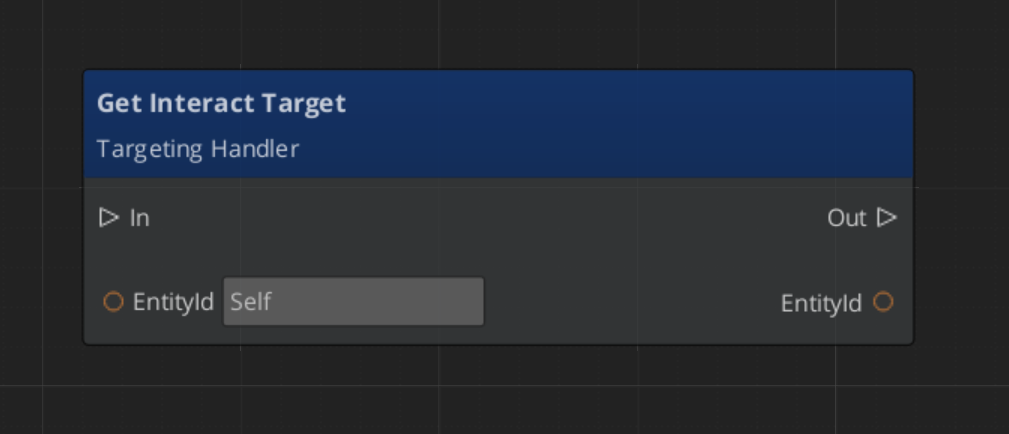
Getting the current interact target:
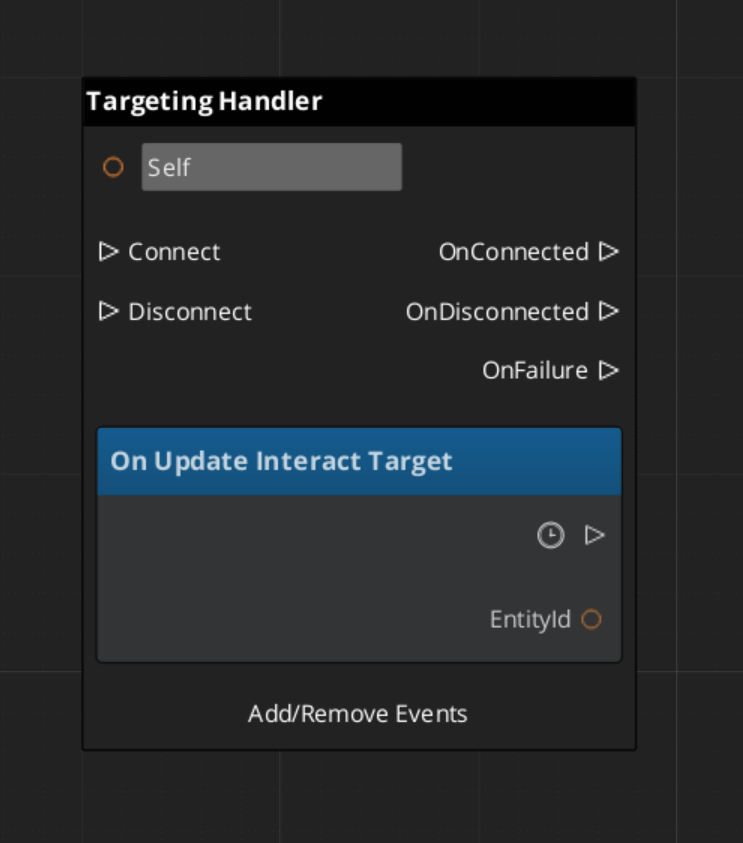
Reacting to interact target changes:
See Also
For conceptual overviews and usage guides:
For component references:
Get GS_Interaction
GS_Interaction — Explore this gem on the product page and add it to your project.
2 - Senses & Targeting Fields
Physics-based detection volumes for the targeting system — interaction fields and sensory detection.
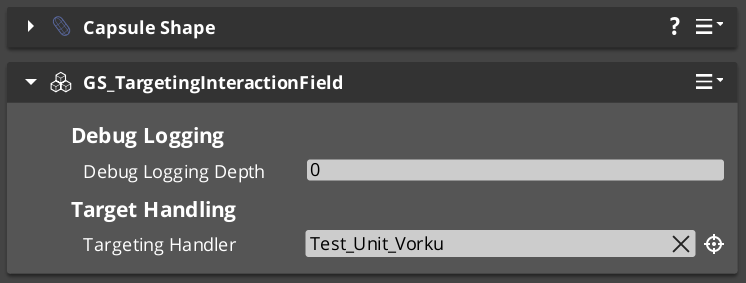
Targeting fields are physics-based detection volumes that feed target registrations into the Targeting Handler. The GS_TargetingInteractionFieldComponent provides proximity detection for interact-range targets. Fields use their own collision layers and should be placed on child entities rather than the main unit capsule.
For usage guides and setup examples, see The Basics: GS_Interaction.
GS_TargetingInteractionFieldComponent
A physics trigger volume that detects targets entering and exiting the interaction range. Extends AZ::Component and PhysicsTriggeringVolume. Registers detected entities with the parent Targeting Handler.
API
| Method | Parameters | Returns | Description |
|---|
TriggerEnter | AZ::EntityId entity | bool | Called when an entity enters the field. Registers the entity as an interaction-range target. |
TriggerExit | AZ::EntityId entity | bool | Called when an entity exits the field. Unregisters the entity from the interaction-range list. |
Setup
- Create a child entity under the unit entity that owns the Targeting Handler.
- Add a PhysX collider configured as a trigger shape.
- Add the GS_TargetingInteractionFieldComponent.
- Set the collider to use a dedicated interaction collision layer — do not share the unit’s physics layer.
- Point the field to the parent Targeting Handler entity.
Extension Guide
Custom sensory fields can be created by extending the base field pattern:
- Create a component that extends
AZ::Component and PhysicsTriggeringVolume. - On trigger enter/exit, call
RegisterTarget / UnregisterTarget on the Targeting Handler via GS_TargetingHandlerRequestBus. - Add custom filtering logic (line of sight, tag filtering, team affiliation) in your trigger callbacks.
See Also
Get GS_Interaction
GS_Interaction — Explore this gem on the product page and add it to your project.
3 - Targets
Target component types — base target markers and specialized interact targets that make entities detectable by the targeting system.
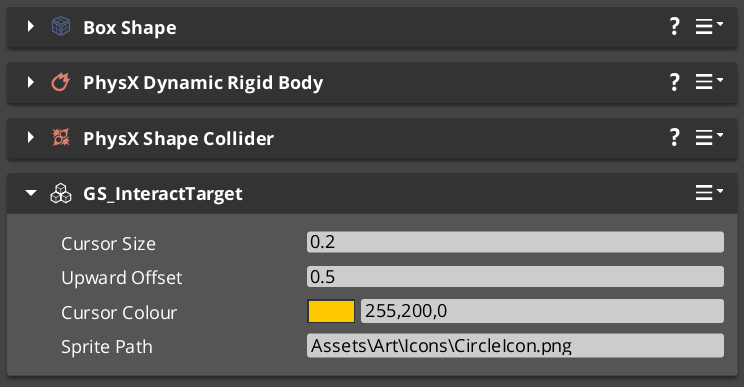
Target components mark entities as detectable by the targeting system. The base GS_TargetComponent provides core target data (size, offset, visual properties). Specialized variants like GS_InteractTargetComponent add interaction-specific behavior.
For usage guides and setup examples, see The Basics: GS_Interaction.
GS_TargetComponent
Base target component. Makes an entity visible to the targeting system with configurable visual properties for cursor feedback.
GS_TargetRequestBus
Bus policy: ById, Multiple
| Method | Parameters | Returns | Description |
|---|
GetTargetSize | — | float | Returns the target’s visual size for cursor scaling. |
GetTargetOffset | — | AZ::Vector3 | Returns the world-space offset for cursor positioning above the target. |
GetTargetColour | — | AZ::Color | Returns the target’s highlight colour. |
GetTargetSprite | — | sprite ref | Returns the target’s cursor sprite override, if any. |
GS_InteractTargetComponent
Extends GS_TargetComponent with interact-specific properties. Entities with this component can be selected as interact targets by the Targeting Handler and triggered via the Interact Input system.
Cross-Gem Target Types
Additional target types are conditionally compiled when GS_Interaction is available alongside other gems:
| Type | Source Gem | Condition | Description |
|---|
| ItemTarget | GS_Item | #IF GS_INTERACTION | Makes item entities targetable for pickup and inspection. |
| UnitTarget | GS_Unit | #IF GS_INTERACTION | Makes unit entities targetable for interaction and AI awareness. |
Extension Guide
Create custom target types by extending GS_TargetComponent:
- Create a new component class extending
GS_TargetComponent. - Override the target data methods (
GetTargetSize, GetTargetOffset, etc.) to return your custom values. - Add any additional data fields specific to your target type.
- The targeting system will automatically detect and categorize your custom targets when they enter sensory fields.
See Also
Get GS_Interaction
GS_Interaction — Explore this gem on the product page and add it to your project.
4 - Interact Input Reader
For usage guides and setup examples, see The Basics: GS_Interaction.

Image showing the InteractInputReader component, as seen in the Entity Inspector.
Extends Input Reader.
This component is a standalone input detector utility to enable Interact Input firing outside of the GS_Unit Gem.
It intakes the Event Name for your chosen interaction input, as defined in your Input Profile and ignores all other input.
Functionality
Interact Input Reader needs to be put in the same entity as the Targeting Handler.
After firing the correct Input Event, the Interact Input Reader requests the current InteractTarget from the Targeting Handler. It then sends a DoInteractAction event, with a reference to its EntityId as caller, to the InteractTriggerSensor component that should be present on the Interact Target.
The World Trigger and Trigger Sensor system takes care of the rest.
Assure that the component is placed on the same Entity as the Targeting Handler.

Image showing the Interact Input Reader Component alongside the Targeting Handler Component.
Fill the Interact Event Name with the Event Name for your chosen interaction input, as defined in your Input Profile.
So long as the Input Profile that’s set in your GS_OptionsManager has that event set. The rest should work as is.
API
// OptionsManagerNotificationBus
void HandleStartup() override;

// Local Methods (Parent Input Reader Component Class)
void HandleFireInput(AZStd::string eventName, float value) override;
Get GS_Interaction
GS_Interaction — Explore this gem on the product page and add it to your project.