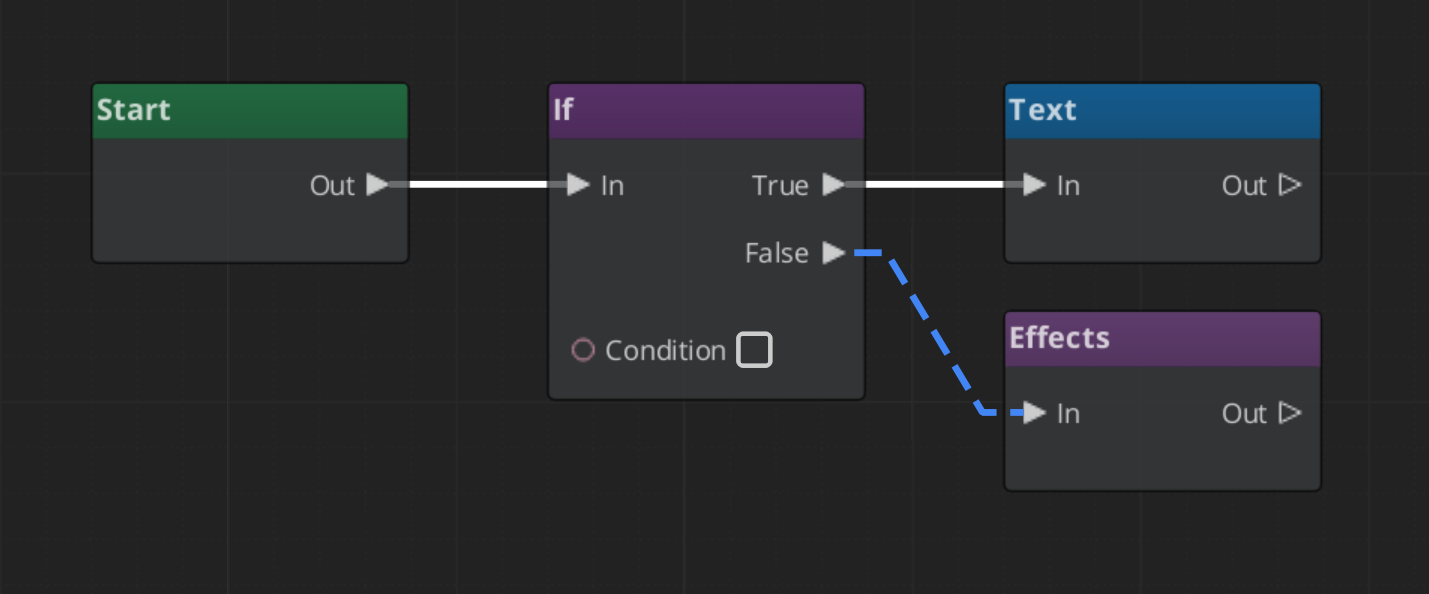
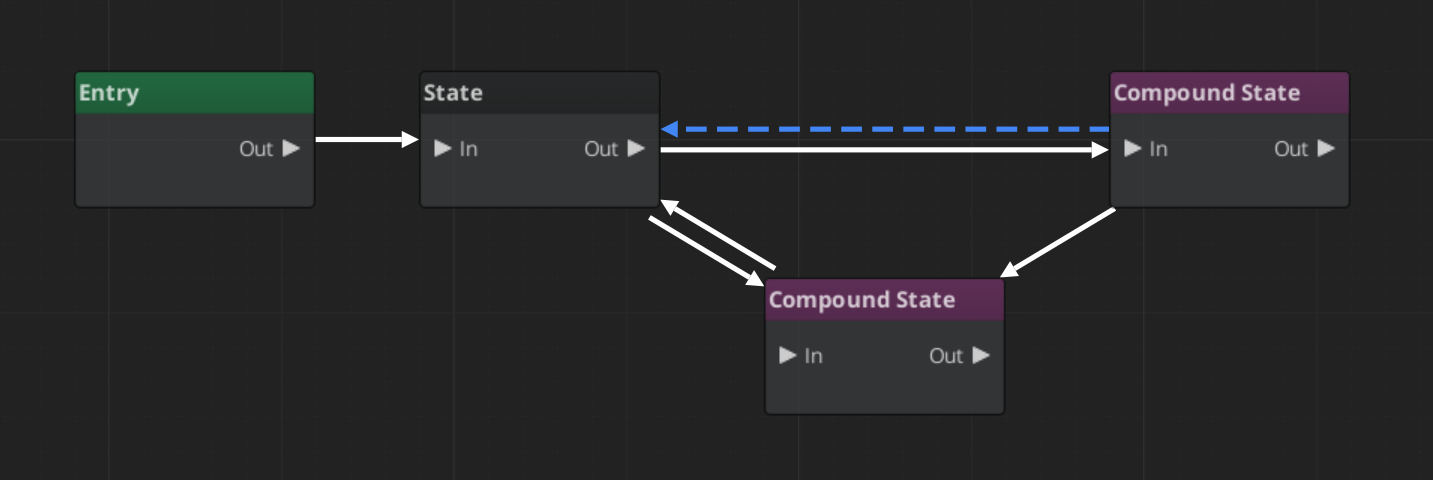
GS_GraphCanvas is a higher-level framework built on top of O3DE’s GraphCanvas and GraphModel gems. It lets you create fully-featured visual graph editors — dialogue trees, audio event graphs, state machines, or any domain-specific tool — without touching the complex boilerplate of the underlying engine systems. You provide a descriptor, a context, and your nodes; the framework gives you a complete editor.
Contents
- Architecture
- Descriptor & Topology
- Nodes
- Editor Window
- Variables
- Execution Engines
- Inspector & Save/Load
- Installation
- See Also
Architecture
GS_GraphCanvas sits between your gem and the engine’s graph infrastructure. The layer model:
[Your Gem]              (gs_cinematics, gs_audio, gs_unit, or your own)
   Provides: GraphSystemDescriptor, GraphContext subclass, Node definitions
        |
[gs_graphcanvas]        (STATIC LIB — framework layer)
   Provides: MainWindow, save/load, undo/redo, variables, inspector,
             node registry, palette, execution engines, multi-doc, pages
        |
[O3DE GraphModel]       (engine — data model)
   Provides: Graph, Node, Slot, Connection, DataType, GraphContext
        |
[O3DE GraphCanvas]      (engine — visual rendering)
   Provides: QGraphicsScene rendering, node visuals, slot widgets,
             connection rendering, selection, copy/paste, bookmarks
Downstream gems inherit from the framework’s MainWindow and extend it without fighting the base infrastructure. The base MainWindow is a fully functional single-graph editor. Downstream editors add domain-specific behavior (database containers, sequence sidebars, layer systems) on top.
Build Model
gs_graphcanvas is a static library. Each downstream gem links against it and gets its own compiled copy. This means reflected types can be registered multiple times from different DLLs — all Reflect() methods must include FindClassData guards to prevent duplicate registration crashes.
Descriptor & Topology
The GraphSystemDescriptor is the identity card for a graph editor type. It tells the framework what kind of editor to build — its name, file extension, topology, and enabled features.
The topology is the most important decision. It determines connection style, execution model, and slot types:
| Topology | Use Case | Connections | Execution Model |
|---|---|---|---|
| FlowGraph | Sequential processes, dialogue trees | Directional FlowIn/FlowOut | Step/wait/resume |
| DataFlowGraph | Signal processing, audio, shaders | Directional data slots | Topological dirty-propagation |
| StateMachineGraph | State machines, HFSM, behavior trees | Multidirectional perimeter arrows | Tick-based state transitions |
See Descriptor & Topology for full field reference and the GraphContext data type system.
Nodes
All gs_graphcanvas nodes inherit from BaseNode. The framework provides macros for slot registration, auto-registration into the node palette, and rapid node creation for simple cases.
Three tiers of complexity:
- Macro node (~5 lines) —
DEFINE_SIMPLE_NODE_WITH_SLOTSgenerates the entire class - Helper macro node (~15 lines) — Use slot macros with a custom class
- Full custom node (30+ lines) — Full control over slots, properties, and behavior
See Nodes for the node system, slot macros, and auto-registration.
Editor Window
The MainWindow class provides a complete editor out of the box:
- Multi-document tabs with dirty tracking and close-with-save prompts
- File menu (New, Open, Save, Save As, Open Recent)
- Edit menu (Undo/Redo, Cut/Copy/Paste)
- Node palette with drag-drop creation
- Inspector panel for node and connection properties
- Variable panel (when enabled)
- Full-window page system for non-graph pages (e.g., Performers, Settings)
- In-memory graph operations for container/database editors
Downstream editors subclass MainWindow and override virtual hooks to add domain-specific behavior.
See Editor Window for virtual hooks, page system, and container editor patterns.
Variables
When variablesEnabled = true in the descriptor, the framework provides a complete variable system:
- Variable Panel dock widget for declaring typed variables
- Get/Set Variable nodes automatically included in the palette
- Convert to Reference — right-click any input slot to bind it to a variable
- Drag to Canvas — drag a variable from the panel onto the canvas to create a Get or Set node
- Rename propagation — renaming a variable updates all referencing nodes
See Variables for the variable system and runtime bindings.
Execution Engines
gs_graphcanvas includes three execution engines matching the three topologies:
| Engine | Topology | Pattern |
|---|---|---|
FlowGraphEvaluator | FlowGraph | Step/wait/resume along FlowIn/FlowOut connections |
DataFlowGraphEvaluator | DataFlowGraph | Topological ordering, dirty-propagation, re-evaluate only changed nodes |
StateMachineEvaluator | StateMachineGraph | Tick-based with OnEnter/OnTick/OnExit lifecycle and transition conditions |
All engines share GraphExecutionContext for variable storage and value resolution. GraphInstance provides independent runtime copies of a graph for safe concurrent execution.
See Execution Engines for engine details and the runtime pipeline.
Inspector & Save/Load
Inspector Panel
The inspector auto-generates UI from node EditContext reflection. Select a node to edit its properties; in state machine graphs, click a transition line to edit its priority and conditions.
Save/Load
Graphs are saved as GraphDocumentAsset — a plain struct (not AZ::Data::AssetData) containing the graph as a binary byte buffer wrapped in XML. This avoids ObjectStream and AssetManager interaction issues.
Undo/Redo
Snapshot-based: each undo point captures the entire graph state as a byte buffer. Per-graph undo stacks. Ctrl+Z / Ctrl+Y.
Installation
In your gem’s editor module CMakeLists.txt, add gs_graphcanvas as a build dependency:
ly_add_target(
    NAME GS_MyTool.Editor.Static STATIC
    ...
    BUILD_DEPENDENCIES
        PRIVATE
            Gem::GraphCanvas.Editor.Static
            Gem::GraphModel.Editor.Static
            Gem::GS_GraphCanvas.Editor.Static
            ...
)
See Also
- Building a Graph Tool — Step-by-step tutorial for creating a new graph editor
- Dialogue Editor — FlowGraph example (gs_cinematics)
- Audio Event Graph — DataFlowGraph example (gs_audio)
- Unit Action Graph — StateMachineGraph example (gs_unit)